
Getting Started with Free Design Tools
When it comes to creating stunning visuals, you don't have to break the bank. With the rise of free design tools, anyone can produce professional-looking graphics, logos, and artwork without spending a dime. As someone who's worked with design teams and solo entrepreneurs alike, I've seen firsthand how these tools can level up your visual game. In this article, we'll explore five easy-to-use free design tools that can help you elevate your visuals and take your creative projects to the next level.
What to Look for in a Free Design Tool
Before we dive into the top tools, let's talk about what makes a great free design tool. For one, it should be easy to use, even for those without extensive design experience. It should also offer a range of features and templates to help you get started. And, of course, it should be free, with no hidden costs or subscription fees. Here are some key features to look for:
User-friendly interface
Range of templates and design assets
Drag-and-drop functionality
Export options for various file types
Top 5 Easy Free Design Tools
Here are five free design tools that fit the bill:
- Canva: With over 50 million users, Canva is one of the most popular design tools on the market. Its drag-and-drop interface makes it easy to create stunning graphics, logos, and social media posts. Canva offers a vast template library, a vast font library, and a user-friendly editor.
- GIMP: For those looking for a more advanced design tool, GIMP (GNU Image Manipulation Program) is a free and open-source raster graphics editor. It offers many of the same features as Adobe Photoshop, including layers, filters, and effects.
- Inkscape: Another popular free design tool, Inkscape is a vector graphics editor that's perfect for creating logos, icons, and illustrations. Its intuitive interface and extensive feature set make it a favorite among designers.
- PicMonkey: If you're looking for a free photo editing tool, PicMonkey is a great option. Its intuitive interface and range of filters and effects make it easy to enhance and edit your photos.
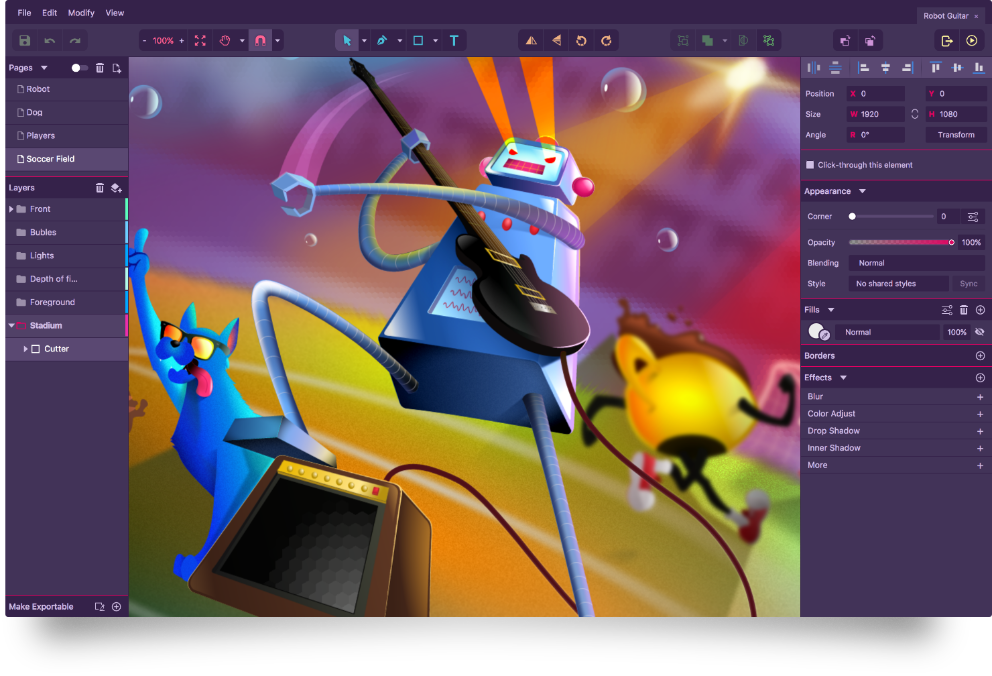
- Vectr: Vectr is a free vector graphics editor that's perfect for creating logos, icons, and illustrations. Its simple and intuitive interface makes it easy to use, even for those without extensive design experience.
Comparison of Free Design Tools
| Tool | User Interface | Features | Templates | Export Options |
|---|---|---|---|---|
| Canva | Drag-and-drop | Graphic design, photo editing | 50,000+ templates | PNG, JPEG, PDF, more |
| GIMP | Advanced, customizable | Raster graphics editing | Limited templates | PNG, JPEG, GIF, more |
| Inkscape | Intuitive, feature-rich | Vector graphics editing | Limited templates | PNG, JPEG, SVG, more |
| PicMonkey | Simple, photo-focused | Photo editing, filters | Limited templates | PNG, JPEG, GIF, more |
| Vectr | Simple, vector-focused | Vector graphics editing | Limited templates | PNG, JPEG, SVG, more |
Choosing the Right Tool for Your Needs
So, how do you choose the right free design tool for your needs? It ultimately comes down to what you're trying to create. If you're looking for a simple, user-friendly interface and a range of templates, Canva or Vectr might be the way to go. If you're looking for more advanced features and customization options, GIMP or Inkscape might be a better fit.
"The best design tool is the one that helps you achieve your creative goals, regardless of your design experience." - Anonymous
Tips for Getting the Most Out of Free Design Tools
Here are a few tips for getting the most out of free design tools:
Start with a clear idea of what you want to create
Browse templates and design assets to get inspiration
Experiment with different features and tools
Don't be afraid to try new things and make mistakes

Common Questions About Free Design Tools
Here are a few frequently asked questions about free design tools:
Q: Are free design tools really free?
Yes, the tools listed in this article are completely free to use, with no hidden costs or subscription fees.
Q: Can I use free design tools for commercial projects?
It depends on the tool and its licensing terms. Be sure to check the terms of use before using a free design tool for commercial projects.
Q: Are free design tools as good as paid ones?
While paid design tools often offer more advanced features and support, free design tools can still produce high-quality results. It ultimately comes down to your design needs and experience.
Q: Can I learn design skills with free design tools?
Absolutely! Free design tools are a great way to learn design skills, with many offering tutorials and resources to help you get started.
Conclusion
Free design tools have come a long way in recent years, offering a range of features and capabilities that can help you elevate your visuals and take your creative projects to the next level. Whether you're a seasoned designer or just starting out, there's a free design tool out there that's right for you. So why not give one a try and see what you can create?
