
Creating a Strong Foundation
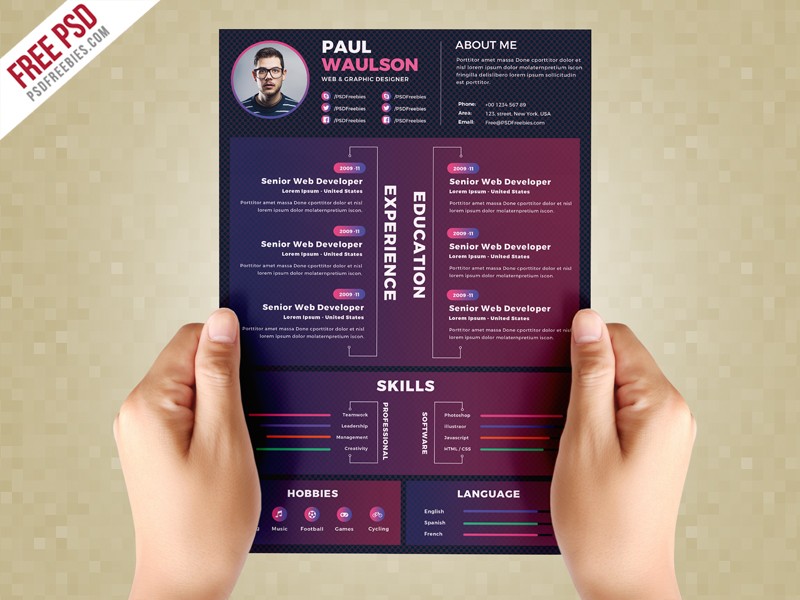
When it comes to landing your dream job, having a well-crafted resume is essential. A customized resume template can help you stand out from the competition and increase your chances of getting noticed by hiring managers. In this article, we'll explore five useful things to know about customizing a resume template online.
Choosing the Right Template
The first step in customizing a resume template online is to choose the right template for your needs. With so many options available, it can be overwhelming to decide which one to use. Here are a few things to consider:
Industry: Different industries have different norms when it comes to resume design. For example, a creative field like graphic design or writing may allow for more experimentation with font and layout, while a more traditional field like finance or law may require a more conservative approach.
Experience level: If you're just starting out, a simple and clean template may be the best choice. If you have a lot of experience, you may want to choose a template that allows you to showcase your achievements in a more detailed way.
Design style: Consider the overall design style you want to convey. Do you want to appear professional and formal, or more relaxed and creative?
Some popular online resume builders include Canva, Resume.io, and LinkedIn's Resume Builder. These tools offer a wide range of templates and design options to help you create a customized resume.

Customizing Your Content
Once you've chosen a template, it's time to customize your content. Here are a few tips to keep in mind:
Tailor your objective: Your objective should be tailored to the specific job you're applying for. Use language from the job posting to describe your skills and experience.
Highlight your achievements: Instead of just listing your job responsibilities, focus on the specific achievements and results you've achieved in your previous roles.
Use keywords: Many companies use applicant tracking systems (ATS) to screen resumes before they even reach a human recruiter. To increase your chances of getting past the ATS, use keywords from the job posting in your resume.
Here's an example of how to customize your content:
| <strong>Resume Section</strong> | <strong>Generic Content</strong> | <strong>Customized Content</strong> |
|---|---|---|
| Objective | To obtain a challenging and rewarding role | To secure a senior marketing position where I can utilize my skills in campaign development and team management |
| Work Experience | Managed a team of sales representatives | Increased sales revenue by 25% through effective team management and strategy development |
Optimizing for Applicant Tracking Systems
As mentioned earlier, many companies use ATS to screen resumes. Here are a few tips to help you optimize your resume for ATS:
Use keywords: Use keywords from the job posting in your resume, especially in your objective, skills section, and work experience.
Use a clear format: Use a clear and easy-to-read format with bullet points and white space to make it easy for the ATS to parse your resume.
Save in a compatible format: Save your resume in a format that's compatible with ATS, such as a Word doc or PDF.
Adding Visual Elements
Visual elements like images, charts, and graphs can help make your resume stand out. Here are a few tips to keep in mind:
Use them sparingly: Too many visual elements can make your resume look cluttered and unprofessional. Use them sparingly to highlight your achievements and skills.
Choose the right format: Choose a format that's easy to read and understand. For example, a bar chart may be more effective than a pie chart for showcasing your sales numbers.
Getting Feedback
Finally, it's essential to get feedback on your resume before you start applying for jobs. Here are a few ways to get feedback:
Ask a friend or family member: Ask a friend or family member to review your resume and provide feedback on content, design, and overall effectiveness.
Use online resources: Use online resources like resume review services or career counseling services to get feedback on your resume.
"A customized resume template is not just about making your resume look good – it's about showcasing your skills and experience in a way that resonates with hiring managers and recruiters."
Frequently Asked Questions
Q: What's the best way to customize a resume template online?
The best way to customize a resume template online is to choose a template that aligns with your industry and experience level, and then tailor your content to the specific job you're applying for.
Q: How do I optimize my resume for applicant tracking systems?
To optimize your resume for applicant tracking systems, use keywords from the job posting in your resume, use a clear format, and save in a compatible format.
Q: Can I use images and charts on my resume?
Yes, you can use images and charts on your resume, but use them sparingly and choose a format that's easy to read and understand.
Q: How do I get feedback on my resume?
You can get feedback on your resume by asking a friend or family member to review it, or by using online resources like resume review services or career counseling services.
Final Tips and Next Steps
Customizing a resume template online is just the first step in creating a standout CV. Here are a few final tips and next steps to keep in mind:
Proofread carefully: Proofread your resume carefully to ensure there are no typos or formatting errors.
Tailor your resume to each job: Tailor your resume to each job you apply for, using language from the job posting to describe your skills and experience.
Keep it up to date: Keep your resume up to date and review it regularly to ensure it accurately reflects your skills and experience.
By following these tips and customizing your resume template online, you can create a standout CV that helps you land your dream job.
