

As a recent graduate or entry-level job seeker, crafting a strong resume can be a daunting task. You want to showcase your skills, education, and experience in a clear and concise manner, but you may not know where to start. That's where free resume templates for beginners come in – a great resource to help you create a professional-looking resume without breaking the bank.
Choosing the Right Template
With so many free resume templates available online, it's essential to choose one that suits your needs. Here are a few things to consider:
Format: Look for a template with a clean and simple format that's easy to read. Avoid templates with too much clutter or fancy graphics.
Customization: Choose a template that's easy to customize, with clear headings and sections that you can tailor to your experience.
Industry: Select a template that's suitable for your industry. For example, if you're applying for a job in a creative field, you may want a template with a more artistic design.
Some popular websites for free resume templates include:
Canva
Resume Genius
TemplateLab
Hloom
Understanding Resume Structure
A well-structured resume is essential for making a good impression on hiring managers. Here are the basic sections you should include:
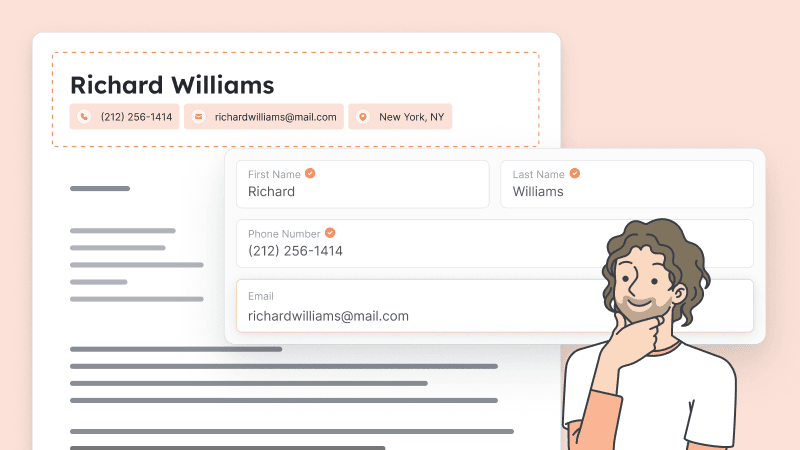
Contact Information: Include your name, email address, phone number, and LinkedIn profile (if applicable).
Professional Summary: Write a brief summary of your experience, skills, and education.
Education: List your highest level of education first, including the name of the institution, degree, and dates attended.
Work Experience: List your work experience in reverse chronological order, with the most recent experience first.
Skills: List your relevant skills, including technical, language, and soft skills.
Tailoring Your Resume to the Job
One of the most critical things to remember when creating a resume is to tailor it to the job you're applying for. Here are a few tips:
Read the job description: Study the job description and requirements to understand what the employer is looking for.
Use keywords: Use keywords from the job description in your resume, especially in your professional summary and skills section.
Emphasize relevant experience: Emphasize your relevant work experience and education that aligns with the job requirements.
Common Mistakes to Avoid
When creating a resume, it's easy to make mistakes that can hurt your chances of getting hired. Here are a few common mistakes to avoid:
Typos and grammar errors: Make sure to proofread your resume multiple times to catch any typos or grammar errors.
Lack of relevance: Make sure your resume is relevant to the job you're applying for.
Poor formatting: Use a clean and simple format that's easy to read.
Creating a Standout Resume
So, how do you create a standout resume that gets noticed by hiring managers? Here are a few tips:
Use action verbs: Use action verbs like "managed," "created," and "developed" to describe your work experience.
Quantify your achievements: Quantify your achievements by using numbers and statistics to demonstrate your impact.
Use relevant sections: Use relevant sections like a portfolio or certifications to showcase your skills and experience.
Comparison of Popular Resume Templates
| Template | Format | Customization | Industry |
|---|---|---|---|
| Canva | Clean and simple | Easy to customize | All industries |
| Resume Genius | Modern and sleek | Easy to customize | All industries |
| TemplateLab | Creative and artistic | Easy to customize | Creative industries |
| Hloom | Traditional and classic | Easy to customize | All industries |
Additional Tips and Resources
Here are a few additional tips and resources to help you create a strong resume:
Use online resources: Use online resources like resume builders and templates to help you create a strong resume.
Get feedback: Get feedback from friends, family, or a career counselor to help you improve your resume.
Keep it concise: Keep your resume concise and to the point, with no more than two pages.
Frequently Asked Questions
Q: What is the best free resume template for beginners?
The best free resume template for beginners is one that's clean, simple, and easy to customize. Canva and Resume Genius are popular options.
Q: How do I choose the right resume template for my industry?
Choose a template that's suitable for your industry. For example, if you're applying for a job in a creative field, you may want a template with a more artistic design.
Q: What are the most important sections to include in my resume?
The most important sections to include in your resume are your contact information, professional summary, education, work experience, and skills.
Q: How do I tailor my resume to the job I'm applying for?
Tailor your resume to the job by using keywords from the job description, emphasizing relevant experience, and using a format that's easy to read.
Final Tips and Next Steps
Creating a strong resume takes time and effort, but it's worth it to land your dream job. Here are a few final tips and next steps:
Take your time: Take your time to research and choose the right template for your needs.
Customize your template: Customize your template to fit your experience and industry.
Proofread and edit: Proofread and edit your resume multiple times to catch any errors or typos.
Get feedback: Get feedback from others to help you improve your resume.
By following these tips and using free resume templates for beginners, you can create a strong resume that helps you stand out in a competitive job market.
