
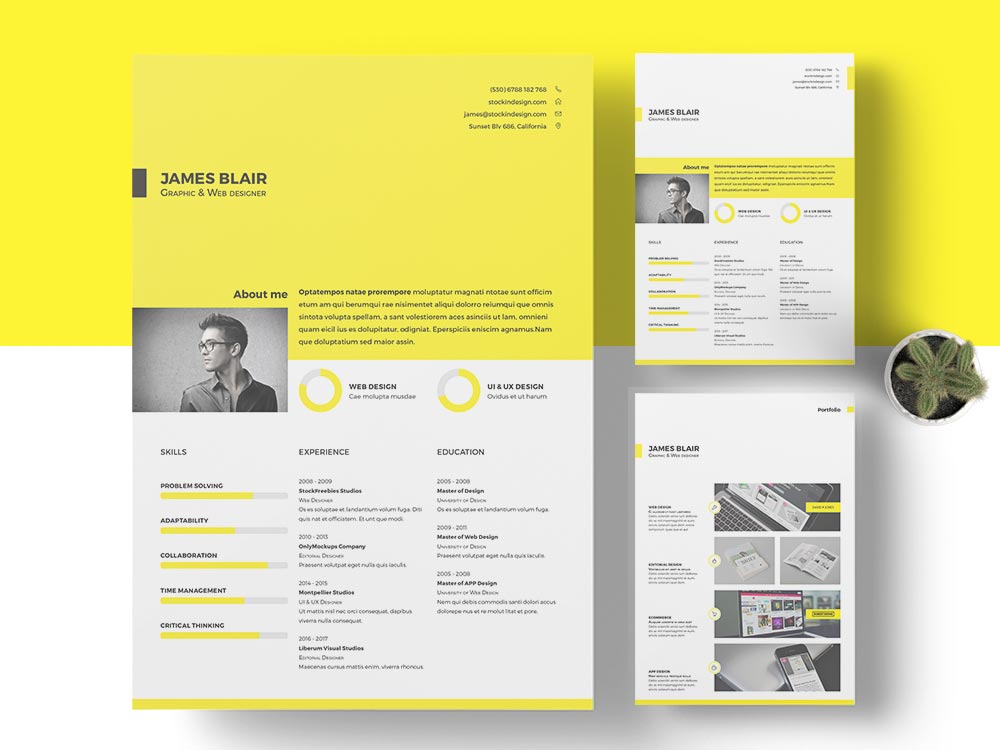
When you're hunting for a new job, your resume is often the first impression you make on a potential employer. It needs to stand out, but in a good way – think clear, professional, and tailored to the job you're applying for. Online resume templates can be a huge help, offering a range of designs and formats to suit different industries and styles. But with so many options available, how do you choose the right one and use it effectively?
Choosing the Right Online Resume Template
The internet is awash with free and paid resume templates, from simple and clean designs to more elaborate and creative ones. When selecting a template, consider the industry you're applying to. For example, if you're in a creative field like graphic design or marketing, a more visually appealing template might be suitable. On the other hand, if you're in a more traditional field like finance or law, a simpler, more professional template might be a better fit.
Here are some popular types of online resume templates:
Chronological templates: These templates emphasize work experience, listing your jobs in reverse chronological order. They're great for people with a lot of work experience.
Functional templates: These templates focus on skills and qualifications rather than work history. They're ideal for people with gaps in their employment history or those who are changing careers.
Combination templates: These templates combine elements of chronological and functional templates. They're versatile and can be used by people with a variety of work experiences.
Customizing Your Online Resume Template
Once you've chosen a template, it's time to customize it. This is where you make the template your own, adding your work experience, education, skills, and achievements. Here are some tips to keep in mind:
Tailor your resume to the job: Use keywords from the job posting in your resume, especially in your summary and skills section.
Use clear and concise language: Avoid jargon and overly technical terms that might confuse the hiring manager.
Quantify your achievements: Use numbers and statistics to demonstrate the impact you've had in your previous roles.

Common Mistakes to Avoid in Online Resume Design
When designing your online resume, there are a few common mistakes to watch out for. Here are some pitfalls to avoid:
Overly elaborate designs: While a creative template can be great, avoid using too many fonts, colors, or graphics. You want your resume to be easy to read, not distracting.
Typos and grammatical errors: A single mistake can make a negative impression and hurt your chances of getting hired.
Inconsistent formatting: Make sure your headings, bullet points, and font sizes are consistent throughout the resume.
How to Stand Out with Online Resume Design
So, how can you make your resume stand out from the crowd? Here are a few tips:
Use action verbs: Verbs like "managed," "created," and "developed" can help you describe your achievements in a more dynamic way.
Add relevant sections: Consider adding sections like a summary or objective statement, certifications, or relevant projects.
Use relevant keywords: Use keywords from the job posting to help your resume pass through applicant tracking systems (ATS) and catch the eye of the hiring manager.
Trustworthy Sources for Online Resume Templates
When searching for online resume templates, it's essential to use reputable sources. Here are a few trustworthy sites to try:
Canva: Canva offers a wide range of free and paid resume templates, along with a user-friendly design tool.
Resume Genius: Resume Genius provides a variety of free resume templates, along with tips and advice on resume writing.
Hloom: Hloom offers a vast collection of free resume templates, including some unique and creative designs.
FAQs
Here are a few frequently asked questions about online resume templates and design:
Q: What is the best online resume template?
The best online resume template is one that is tailored to your industry and style, and helps you stand out from the crowd.
Q: How do I choose a resume template?
Consider the industry you're applying to, your work experience, and your personal style when choosing a resume template.
Q: Can I use a free online resume template?
Yes, there are many free online resume templates available. Just make sure to customize it to fit your needs and avoid common mistakes.
- Q: How do I make my resume stand out?
Use action verbs, add relevant sections, and use relevant keywords to make your resume stand out from the crowd.
By following these tips and choosing the right online resume template, you can create a standout resume that helps you land your dream job.
Related: 5 Useful Things to Know About Low Competition Small Business
Related: How to Find the Perfect Resume Templates for Beginners
