
Getting Started with Online Resume Templates
When it comes to creating a resume, many job seekers turn to online templates for help. With a simple search, you can find countless websites offering free and paid templates, making it easy to get started. But before you begin, it's essential to understand the pros and cons of using online templates and how to choose the right one for your needs.
Using an online resume template can save you time and effort, especially if you're not familiar with design or formatting. Templates provide a pre-structured format, allowing you to focus on the content and tailor your resume to the specific job you're applying for. However, relying on a template can also lead to a generic, cookie-cutter resume that doesn't stand out from the competition.
Choosing the Right Template for Your Resume
With so many online templates available, selecting the right one can be overwhelming. Here are a few factors to consider:
Industry and job type: Different industries and job types require distinct resume formats. For example, a creative field may call for a more artistic template, while a corporate job may require a more traditional format.
Experience level: If you're entry-level, a simpler template may be more suitable, while a more experienced professional may opt for a template that showcases their achievements.
Personal style: Your resume should reflect your personality and brand. Choose a template that aligns with your style and is easy to read.
Some popular online template options include:
Microsoft Word templates: A wide range of free templates available within Microsoft Word
Canva templates: A vast selection of customizable templates, including many free options
Resume.io templates: A variety of modern and stylish templates, with both free and paid options

Customizing Your Template
Once you've chosen a template, it's crucial to customize it to fit your needs. This includes:
Tailoring your objective: Ensure your objective statement aligns with the job you're applying for
Highlighting your achievements: Emphasize your accomplishments and qualifications
Using relevant keywords: Incorporate keywords from the job description to help your resume pass through applicant tracking systems (ATS)
The Benefits and Drawbacks of Online Templates
While online templates can be a great starting point, there are both benefits and drawbacks to consider:
Benefits:
Time-saving: Templates save you time and effort in designing and formatting your resume
Easy to use: Most templates are user-friendly and require minimal technical expertise
Consistency: Templates provide a consistent format, making it easier to compare and contrast different sections
Drawbacks:
Limited creativity: Templates can restrict your creativity and make your resume look generic
Over-reliance on design: A template can make your resume look more focused on design than content
Lack of ATS optimization: Some templates may not be optimized for ATS, which can hinder your chances of getting past the initial screening
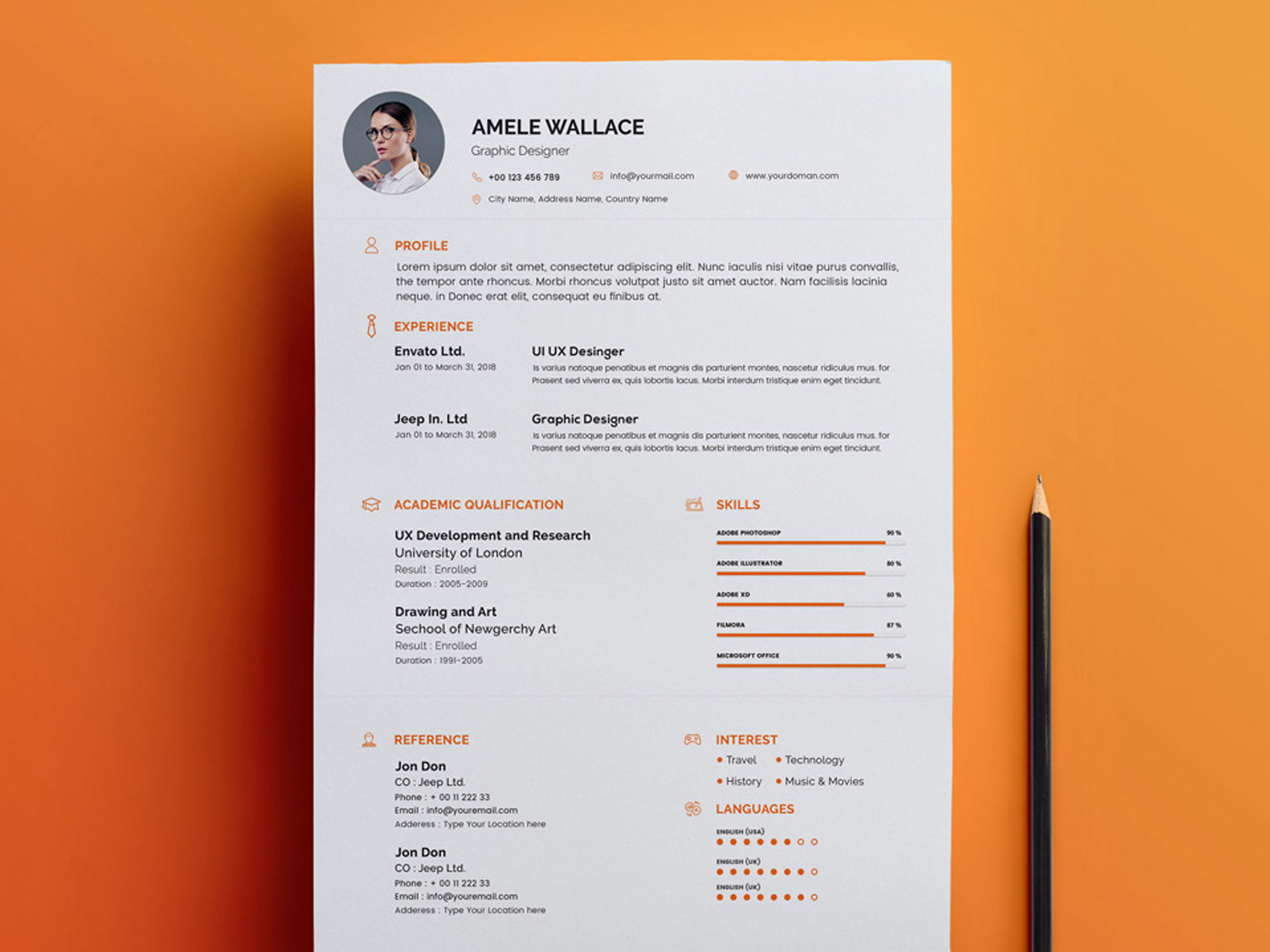
Practical Tips for Using Online Templates
To get the most out of online templates, follow these practical tips:
Keep it concise: Ensure your resume is concise and easy to read
Use clear headings: Use clear headings and bullet points to make your resume easy to scan
Proofread: Carefully proofread your resume to catch any errors or formatting issues
Real-World Example: Using a Template to Land a Job
Meet Sarah, a recent graduate looking for a job in marketing. She used an online template to create a professional-looking resume, highlighting her skills and achievements. By customizing the template to fit her needs, Sarah was able to create a strong resume that helped her stand out from the competition. She landed an interview and eventually secured a job in her desired field.
Comparison of Popular Online Template Platforms
| Platform | Features | Pricing |
|---|---|---|
| Microsoft Word | Wide range of free templates, easy to use | Free (with Microsoft Word) |
| Canva | Large selection of customizable templates, free and paid options | Free (with some limitations), $12.95/month (Pro) |
| Resume.io | Modern and stylish templates, free and paid options | Free (with limited features), $14.99/month (Pro) |
Frequently Asked Questions
Q: What is the best online template for a resume? The best template for you will depend on your industry, job type, and personal style. Consider using Microsoft Word, Canva, or Resume.io templates.
Q: Can I use a template for a resume with no experience?
Yes, templates can be a great starting point, even with no experience. Focus on highlighting your education, skills, and any relevant coursework or projects.
- Q: How do I customize a template to fit my needs?
Tailor your objective, highlight your achievements, and use relevant keywords from the job description.
Conclusion
Related: Best Free AI Design Tools: What Actually Makes Sense?
