
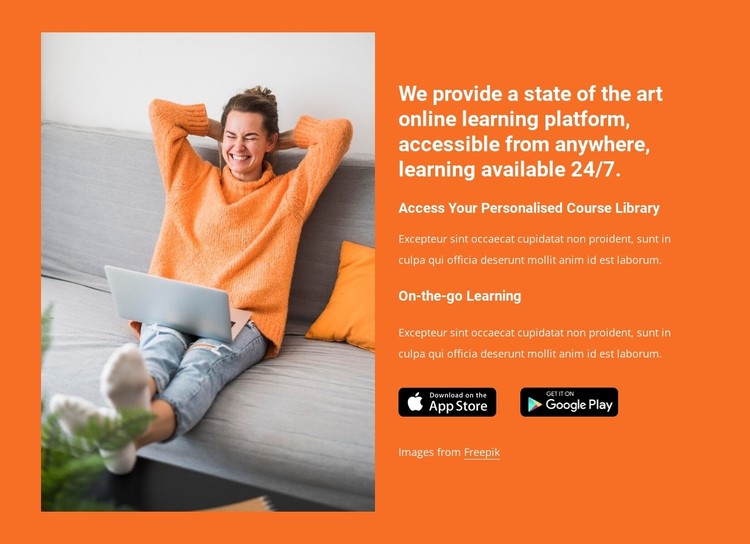
Getting Started with Your Online Learning Platform Template
When it comes to creating an online learning platform, having a solid template is crucial for providing a seamless and engaging experience for learners. An online learning platform template serves as the foundation for your educational website, outlining the structure, design, and functionality of your site. In this guide, we'll walk you through the essential steps and considerations for creating an effective online learning platform template.
Key Features of an Online Learning Platform Template
Before diving into the design and development process, it's essential to identify the key features that your online learning platform template should include. These features may vary depending on your specific needs and goals, but here are some of the most critical components:
course creation and management: A user-friendly interface for creating, editing, and managing courses, including uploading content, setting quizzes, and tracking progress.
User registration and management: A secure and straightforward registration process, along with tools for managing user accounts, tracking progress, and providing support.
Learning management system (LMS) integration: Compatibility with popular LMS platforms, such as Moodle, Blackboard, or Canvas, to ensure seamless integration and scalability.
Responsive design: A mobile-friendly and responsive design that adapts to various devices and screen sizes, ensuring an optimal learning experience.
Designing Your Online Learning Platform Template
With the key features in mind, it's time to focus on designing your online learning platform template. A well-designed template can make a significant difference in user engagement and overall satisfaction. Here are some design tips to keep in mind:
Keep it simple and intuitive: Use clear and concise language, and ensure that the navigation is easy to use and understand.
Use a consistent color scheme and typography: Establish a consistent visual identity throughout your platform, using a limited color palette and clear typography.
Incorporate engaging visuals: Use high-quality images, videos, and graphics to break up content and enhance the learning experience.
Best Practices for a Seamless User Experience
To create a seamless user experience, consider the following best practices:
Conduct user testing and feedback: Gather feedback from users to identify areas for improvement and iterate on your design.
Ensure accessibility: Follow accessibility guidelines, such as WCAG 2.1, to ensure that your platform is usable by learners with disabilities.
Provide clear instructions and support: Offer clear instructions, FAQs, and support resources to help learners navigate your platform.
Choosing the Right Template for Your Online Learning Platform
With numerous template options available, selecting the right one for your online learning platform can be overwhelming. Here's a comparison of popular template options:
| Template | Features | Pricing |
|---|---|---|
| LearnDash | Course creation, user management, LMS integration | $199/year |
| Teachable | Course creation, user management, payment processing | $39/month |
| Thinkific | Course creation, user management, LMS integration | $99/month |
Customizing Your Online Learning Platform Template
Once you've chosen a template, it's time to customize it to meet your specific needs. Here are some tips for customizing your template:
Tailor your content: Use your brand's voice and tone to create engaging content that resonates with your learners.
Add custom features: Use plugins and extensions to add custom features, such as gamification, discussion forums, or live streaming.
Test and iterate: Test your platform thoroughly and gather feedback to identify areas for improvement.
Common Mistakes to Avoid When Creating an Online Learning Platform Template
When creating an online learning platform template, it's essential to avoid common mistakes that can hinder the user experience. Here are some mistakes to watch out for:
Inconsistent branding: Ensure that your platform's branding is consistent throughout, including logos, color schemes, and typography.
Poor navigation: Ensure that your platform's navigation is clear, concise, and easy to use.
Insufficient testing: Test your platform thoroughly to identify and fix bugs, and gather feedback from users.
Frequently Asked Questions
Here are some frequently asked questions about creating an online learning platform template:
What is an online learning platform template?: An online learning platform template is a pre-designed template that serves as the foundation for your educational website, outlining the structure, design, and functionality of your site.
How do I choose the right template for my online learning platform?: Consider factors such as features, pricing, and customization options when selecting a template for your online learning platform.
- Can I customize my online learning platform template?: Yes, most templates can be customized to meet your specific needs, using plugins, extensions, and custom coding.
Conclusion
Creating an effective online learning platform template requires careful consideration of key features, design, and best practices. By following the guidelines outlined in this article, you can create a seamless and engaging experience for your learners, and establish a solid foundation for your online learning platform.
