
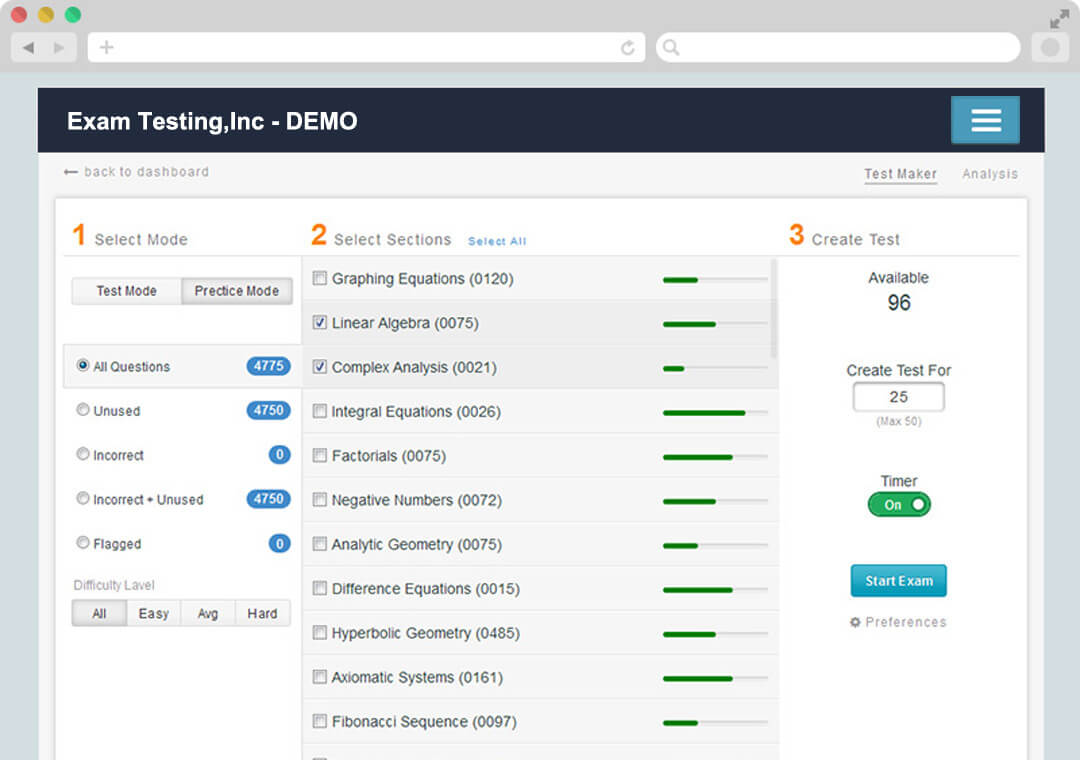
Introduction to Finding the Right Free Test Maker
Are you tired of manually creating quizzes and assessments? Do you want to make the process more efficient and engaging? Look no further than free test maker tools. These online resources allow you to create customized quizzes and tests with ease, saving you time and effort. In this article, we'll explore the best free test maker tools available, their features, and how to choose the right one for your needs.
What to Look for in a Free Test Maker
When searching for a free test maker, there are several factors to consider. Here are a few key features to look for:
Ease of use: The tool should have an intuitive interface that's easy to navigate, even for those without extensive technical expertise.
Customization options: Look for a tool that allows you to tailor your quizzes to your specific needs, including question types, scoring, and branding.
Question types: Choose a tool that offers a variety of question types, such as multiple-choice, true/false, and open-ended questions.
Collaboration features: If you plan to work with others, consider a tool that allows real-time collaboration and feedback.
Top Free Test Maker Tools
Here are some of the top free test maker tools available:
1. Google Forms
Google Forms is a popular choice for creating online quizzes and assessments. It's free, easy to use, and integrates seamlessly with Google Sheets for data analysis.
Pros: Easy to use, integrates with Google Sheets, automatic grading
Cons: Limited customization options, limited question types
2. Quizlet
Quizlet is a well-known platform for creating and studying online quizzes. It offers a range of features, including customizable quizzes, games, and study modes.
Pros: Large question library, customizable quizzes, games and study modes
Cons: Limited free features, not ideal for complex assessments
3. Kahoot
Kahoot is a popular platform for creating interactive quizzes and games. It's ideal for classrooms and businesses looking to engage their audiences.
Pros: Interactive features, customizable quizzes, real-time feedback
Cons: Limited free features, not ideal for complex assessments
4. Typeform
Typeform is a user-friendly platform for creating online quizzes and assessments. It offers a range of features, including customizable quizzes, logic jumps, and integrations.
Pros: Easy to use, customizable quizzes, logic jumps
Cons: Limited free features, not ideal for complex assessments
Comparison of Free Test Maker Tools
| Tool | Ease of Use | Customization Options | Question Types | Collaboration Features |
|---|---|---|---|---|
| Google Forms | Easy | Limited | Multiple-choice, short answer | Real-time collaboration |
| Quizlet | Easy | Limited | Multiple-choice, true/false | Limited collaboration |
| Kahoot | Easy | Limited | Multiple-choice, true/false | Real-time feedback |
| Typeform | Easy | Customizable | Multiple-choice, short answer | Limited collaboration |
"The best free test maker tool for you will depend on your specific needs and goals. Consider the type of quizzes you want to create, the level of customization you need, and the features that matter most to you." - Educational Technology Expert
Creating Effective Tests with Free Test Makers
Once you've chosen a free test maker tool, it's time to start creating your quizzes. Here are some tips for creating effective tests:
Keep it short and sweet: Keep your quizzes concise and to the point. Aim for 10-20 questions per quiz.
Use a variety of question types: Mix up your question types to keep your quizzes engaging and challenging.
Use clear and concise language: Avoid using jargon or technical terms that may confuse your test-takers.
Test and refine: Test your quizzes and refine them as needed to ensure they're effective and engaging.
Best Practices for Using Free Test Makers
Here are some best practices to keep in mind when using free test maker tools:
Use a clear and concise title: Make sure your quiz title accurately reflects the content and is easy to understand.
Use relevant images and multimedia: Add images, videos, and other multimedia elements to make your quizzes more engaging.
- Provide feedback and results: Provide test-takers with feedback and results to help them understand their strengths and weaknesses.
Frequently Asked Questions
Q: What is the best free test maker tool for creating complex assessments?
Google Forms and Typeform are good options for creating complex assessments, as they offer more advanced features and customization options.
Q: Can I use free test maker tools for commercial purposes?
Some free test maker tools, such as Kahoot and Quizlet, have limitations on commercial use. Be sure to check the terms of service before using the tool for commercial purposes.
Q: How do I ensure my quizzes are secure and reliable?
Use a reputable free test maker tool that offers security and reliability features, such as encryption and backups.
Conclusion
Finding the best free test maker tool can be a daunting task, but by considering your specific needs and goals, you can choose the right tool for your needs. Remember to keep your quizzes short and sweet, use a variety of question types, and provide feedback and results. With these tips and best practices, you'll be well on your way to creating effective and engaging quizzes with free test maker tools.
By taking the time to explore the options and features available, you can create high-quality quizzes that engage and inform your audience. Whether you're an educator, business owner, or simply looking for a way to create fun and interactive quizzes, there's a free test maker tool out there for you.
Related: Mastering Remote Work: Tips to Boost Productivity and Balance
Related: 5 Useful Things to Know About Creating a Social Media Content
Related: 5 Useful Things to Know About Free Online Templates
