
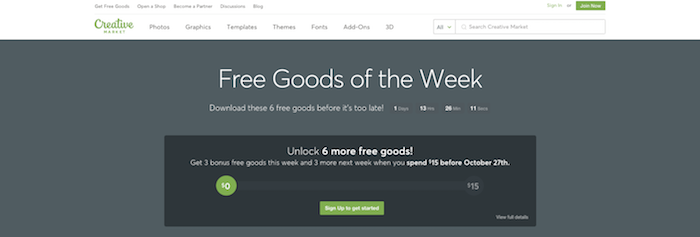
Getting Started with Free Design Tools
As a creative professional or a small business owner, you know that high-quality visual content is crucial for engaging your audience and standing out in a crowded market. However, not everyone has the budget to invest in expensive design software or hire a professional designer. The good news is that there are many free design tools available online that can help you create stunning visuals without breaking the bank.
In this guide, we'll explore some of the best free design tools online, from graphic design software to digital art platforms. We'll also provide practical tips and expert insights on how to get the most out of these tools and elevate your visual content.
Graphic Design Software
When it comes to graphic design, there are many free tools that can help you create professional-looking visuals. Here are a few of our favorites:
Canva: Canva is a popular graphic design platform that offers a wide range of templates, design tools, and features. With Canva, you can create everything from social media graphics to presentations and infographics. While Canva offers a paid version, its free version is still incredibly powerful and feature-rich.
GIMP: GIMP (GNU Image Manipulation Program) is a free and open-source image editing software that offers many of the same features as Adobe Photoshop. With GIMP, you can edit and manipulate images, create graphics, and even design web pages.
Inkscape: Inkscape is a free and open-source vector graphics editor that offers many of the same features as Adobe Illustrator. With Inkscape, you can create logos, icons, and other vector graphics.
Comparison of Graphic Design Software
| Software | Features | Platform |
|---|---|---|
| Canva | Templates, design tools, graphics | Web-based |
| GIMP | Image editing, graphics, design | Windows, macOS, Linux |
| Inkscape | Vector graphics, logos, icons | Windows, macOS, Linux |
Digital Art Platforms
If you're looking for a more creative outlet, digital art platforms can be a great way to express yourself and create stunning visuals. Here are a few of our favorite digital art platforms:
Krita: Krita is a free and open-source digital painting software that offers a wide range of brush engines, including customizable brushes, textures, and effects. With Krita, you can create stunning digital art, from paintings to illustrations.
Autodesk Sketchbook: Autodesk Sketchbook is a free digital drawing and painting software that offers a wide range of tools and features, including pencils, markers, and textures. With Autodesk Sketchbook, you can create beautiful digital art and even collaborate with others in real-time.
Web Design and Development Tools
If you're looking to create a website or web application, there are many free design tools available online that can help. Here are a few of our favorites:
Google Web Designer: Google Web Designer is a free web design and development tool that allows you to create interactive web content, including animations, 3D models, and more.
Bootstrap: Bootstrap is a free and open-source front-end framework that allows you to create responsive, mobile-first web applications. With Bootstrap, you can create stunning web pages and applications without needing to write code from scratch.
Tips and Tricks for Using Free Design Tools
While free design tools can be incredibly powerful, they can also be overwhelming, especially if you're new to design. Here are a few tips and tricks to help you get the most out of these tools:
Start with a template: Many free design tools offer templates and pre-designed graphics that can help you get started. Use these templates to save time and inspiration.
Experiment and play: Don't be afraid to try new things and experiment with different tools and features. This is a great way to learn and discover new techniques.
Watch tutorials and online courses: Many free design tools offer tutorials and online courses that can help you learn specific skills and techniques.
Trust-Building and Community
One of the best things about free design tools is the community that surrounds them. Many of these tools have active forums, social media groups, and online communities where you can connect with other designers, ask questions, and share your work.
Canva Design Community: Canva has a thriving design community that offers resources, inspiration, and support. With the Canva Design Community, you can connect with other designers, share your work, and get feedback.
GIMP Community: GIMP has a dedicated community of users and developers who contribute to the software and offer support. With the GIMP community, you can ask questions, share your work, and get help when you need it.
Frequently Asked Questions
Here are a few frequently asked questions about free design tools online:
Q: Are free design tools really free? Yes, many free design tools are completely free to use, with no strings attached. However, some tools may offer paid upgrades or premium features.
Q: Can I use free design tools for commercial projects?
It depends on the tool and its licensing terms. Some free design tools may be used for commercial projects, while others may not.
- Q: Are free design tools as good as paid tools?
While paid design tools often offer more features and support, many free design tools are incredibly powerful and can produce professional-quality results.
Closing
Free design tools online can be a game-changer for creatives and small business owners who want to elevate their visual content without breaking the bank. With the right tools and a little practice, you can create stunning graphics, digital art, and web applications that engage and inspire your audience. Whether you're a seasoned designer or just starting out, we hope this guide has given you the inspiration and resources you need to take your design skills to the next level.
Related: A Practical Guide to Free Online Landscape Design Tools
Related: A Practical Guide to Finding and Using Free Templates
Related: Best Online Certification Platforms for Career Advancement
