
Getting Started with Free Online Design Tools
The world of design is no longer exclusive to those with deep pockets or extensive training. A plethora of free online design tools has democratized access to high-quality visual content creation. Whether you're a small business owner, a social media influencer, or simply a creative enthusiast, these tools can help you produce stunning designs without spending a dime.
Exploring the Landscape of Free Design Tools
From vector graphics to photo editing, and from infographics to presentations, free online design tools cater to a wide range of needs. They offer a variety of features, including drag-and-drop interfaces, templates, and a vast library of fonts, icons, and images. This diversity allows users to experiment with different styles and techniques, pushing the boundaries of their creativity.
Top Free Online Design Tools
Several tools stand out in the crowded market of free online design resources. Here are a few that have made a significant impact:
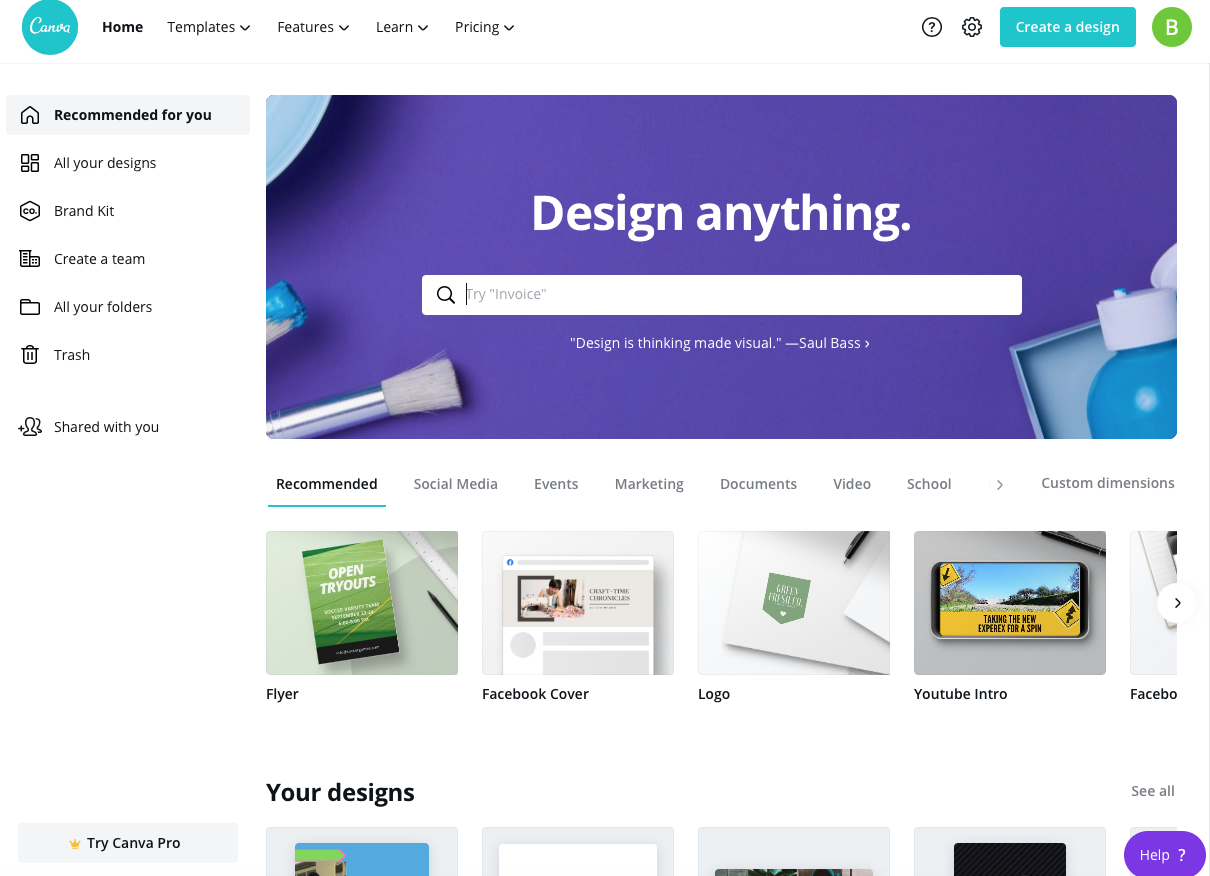
- Canva: A popular choice for non-designers and professionals alike, Canva offers a user-friendly interface and a vast array of templates and design elements.
- GIMP: For those looking for a more comprehensive photo editing experience, GIMP provides many of the features found in Adobe Photoshop, minus the hefty price tag.
- Vectr: A free vector graphics editor, Vectr is perfect for creating logos, icons, and other scalable designs.
- PicMonkey: This tool focuses on photo editing and offers a range of filters, effects, and adjustments to enhance your images.
Practical Applications and Use Cases
Free online design tools have numerous practical applications across various industries. For instance:
Social Media Content Creation
Creating engaging social media content is crucial for businesses and individuals looking to build their online presence. Tools like Canva and PicMonkey enable users to design eye-catching posts, stories, and ads in minutes.
Educational Materials
Educators can use these tools to create interactive and visually appealing materials, such as infographics, presentations, and worksheets, enhancing the learning experience for their students.
Personal Projects
For personal projects, free online design tools offer a cost-effective way to explore your creativity. Whether you're designing a logo for your side hustle or creating art for fun, these tools provide the necessary features without the financial commitment.
Comparison of Key Features
| Tool | Primary Use Case | Key Features | Learning Curve |
|---|---|---|---|
| Canva | General design, marketing materials | Templates, drag-and-drop, vast asset library | Easy |
| GIMP | Photo editing | Advanced editing tools, customizable interface | Moderate |
| Vectr | Vector graphics | Scalable designs, intuitive interface | Easy to Moderate |
| PicMonkey | Photo editing | Filters, effects, batch editing | Easy |
Pros and Cons of Free Online Design Tools
Pros:
- Cost-effective: All of these tools are free, making them accessible to anyone.
- User-friendly: Most tools offer drag-and-drop interfaces and intuitive controls.
- Versatile: They cater to a wide range of design needs.
Cons:
- Limited advanced features: Compared to paid software, free tools might lack certain advanced functionalities.
- Asset limitations: Some tools may have restrictions on the use of their asset libraries or limited access to premium features.
- Support: While many offer community support, the level of customer support can vary.
Tips for Choosing the Right Tool
When selecting a free online design tool, consider the following:
- Identify Your Needs: What do you want to create? Different tools specialize in different areas.
- Ease of Use: If you're new to design, look for tools with a gentle learning curve.
- Asset Library: Consider the availability and quality of templates, images, and fonts.
- Community and Support: Look for tools with active communities and helpful support resources.
Frequently Asked Questions
Q: Are free online design tools really free?
Yes, the tools mentioned are free to use, with some offering optional paid upgrades for additional features or assets.
Q: Can I use designs created with free tools for commercial purposes?
It depends on the tool's licensing terms. Always check the terms of service before using your designs commercially.
Q: Do I need to have design experience to use these tools?
No, many free online design tools are designed to be user-friendly and accessible to those without extensive design experience.
Q: How do free tools compare to paid design software?
While paid software often offers more advanced features and professional support, free tools can still produce high-quality designs and are a great starting point or solution for those on a budget.
Conclusion
Free online design tools have revolutionized the way we create and interact with visual content. By offering a range of functionalities, from basic design to advanced photo editing, these tools empower users to produce stunning visuals without the need for expensive software or extensive training. Whether you're a seasoned designer or a newcomer to the world of visual content, there's never been a better time to explore your creativity.
Related: 5 Essential Free Online Design Tools You Should Know About
