
Getting Started with Free Online Design Tools
When it comes to creating stunning visual content, you don't necessarily need to invest in expensive design software. The internet is filled with free online design tools that can help you produce high-quality graphics, illustrations, and more. But with so many options available, it can be tough to know where to start. In this guide, we'll explore some of the best free online design tools, their features, and the tradeoffs you need to consider.
What Can You Do with Free Online Design Tools?
Free online design tools can help you create a wide range of visual content, from social media graphics and blog posts to presentations and digital art. These tools offer a variety of features, including:
Graphic design and editing
Digital painting and illustration
Photo editing and manipulation
Template-based design
Collaboration and sharing
Top Free Online Design Tools
Here are some of the top free online design tools to consider:
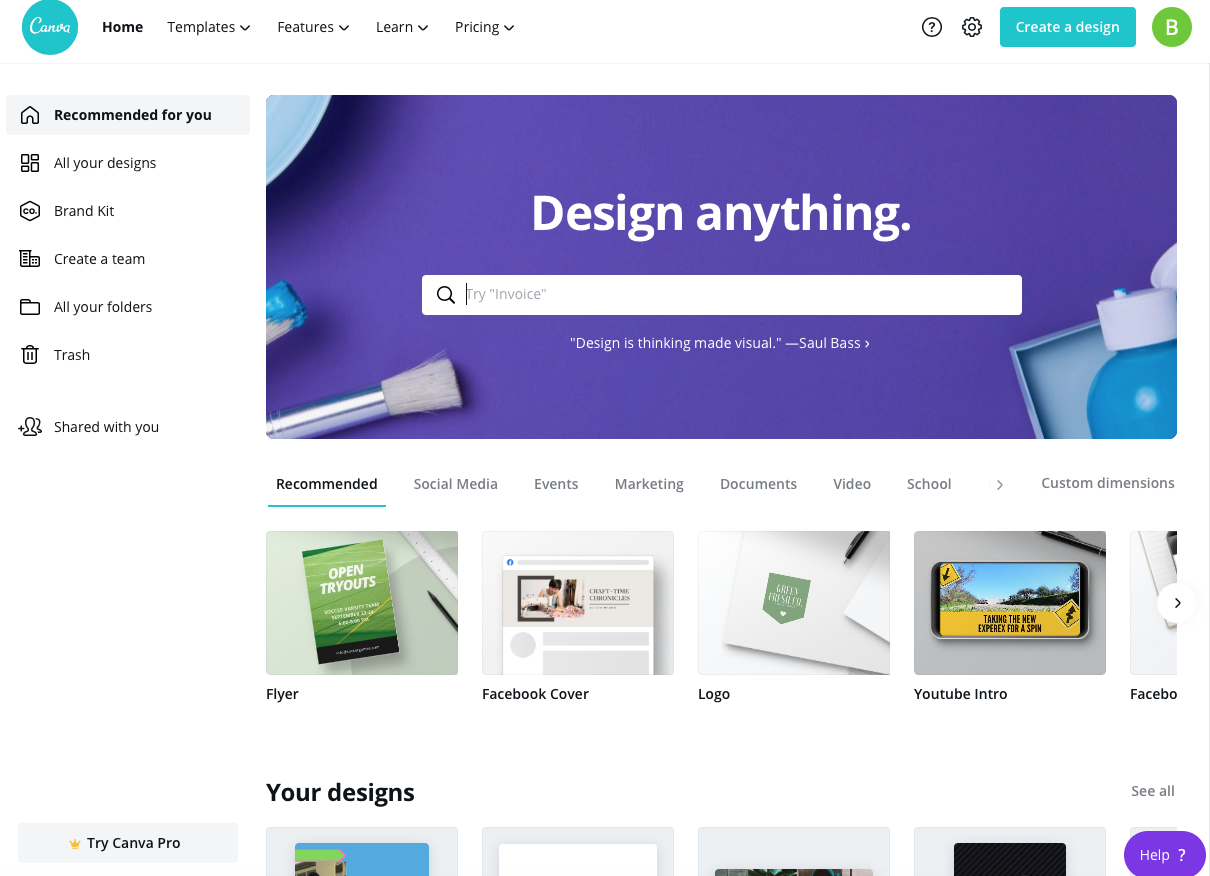
Canva: A popular graphic design platform with a user-friendly interface and a vast template library. Canva offers a wide range of features, including drag-and-drop functionality, a huge font library, and collaboration tools.
GIMP: A free and open-source raster graphics editor that's often compared to Adobe Photoshop. GIMP offers advanced features like layers, filters, and effects.
Inkscape: A free and open-source vector graphics editor that's similar to Adobe Illustrator. Inkscape offers features like node editing, path manipulation, and support for various file formats.
PicMonkey: A photo editing platform that offers a range of features, including filters, effects, and resizing tools. PicMonkey also offers a user-friendly interface and a vast library of templates.
Vectr: A free online vector graphics editor that's perfect for creating logos, icons, and other graphical elements. Vectr offers features like node editing, path manipulation, and support for various file formats.
Comparison of Free Online Design Tools
| Tool | Features | Ease of Use | Limitations |
|---|---|---|---|
| Canva | Graphic design, templates, collaboration | Easy | Limited advanced features |
| GIMP | Advanced editing, layers, filters | Steep learning curve | Not as user-friendly as Canva |
| Inkscape | Vector graphics, node editing | Steep learning curve | Limited support for certain file formats |
| PicMonkey | Photo editing, filters, effects | Easy | Limited advanced features |
| Vectr | Vector graphics, node editing | Easy | Limited features compared to Inkscape |
Practical Applications of Free Online Design Tools
Free online design tools can be used in a variety of practical ways, such as:
Creating social media graphics and posts
Designing blog posts and articles
Making presentations and slideshows
Editing photos and digital art
Creating logos and brand identities
Insights and Tradeoffs
When using free online design tools, there are several tradeoffs to consider. For example:
Features vs. ease of use: Some free online design tools, like Canva and PicMonkey, offer a user-friendly interface but limited advanced features. Others, like GIMP and Inkscape, offer more advanced features but require a steeper learning curve.
Collaboration vs. control: Some free online design tools, like Canva, offer collaboration features but may limit your control over the design process. Others, like Vectr, offer more control but may not have collaboration features.
File format support: Some free online design tools may not support certain file formats, which can limit their usefulness.
Trust-Building: What to Look for in a Free Online Design Tool
When choosing a free online design tool, there are several factors to consider:
Reputation: Look for tools with a good reputation and a large user base.
Features: Consider the features you need and whether the tool offers them.
Ease of use: Choose a tool that's easy to use and has a user-friendly interface.
Support: Look for tools with good customer support and a comprehensive knowledge base.
FAQs
Q: What is the best free online design tool for beginners? Canva and PicMonkey are both great options for beginners, with user-friendly interfaces and a wide range of features.
Q: Can I use free online design tools for commercial projects?
It depends on the tool and the specific license terms. Some free online design tools, like Canva, offer commercial licenses for certain templates and assets.
Q: Are free online design tools as good as paid ones?
While free online design tools can be very powerful, they may not offer the same level of features and support as paid ones. However, they can still be a great option for those on a budget or with limited design needs.
Q: Can I use free online design tools for digital art and illustration?
Yes, tools like GIMP, Inkscape, and Vectr offer advanced features for digital art and illustration.
Closing
Free online design tools can be a great way to elevate your visual content without breaking the bank. By considering the tradeoffs and choosing the right tool for your needs, you can create stunning graphics, illustrations, and more. Whether you're a beginner or an experienced designer, there's a free online design tool out there for you.
Related: 5 Useful Things to Know About Mastering Designer Tools
