
Getting Started with Free Online Design Tools
As a creator, you know how important it is to have great visuals. But not everyone has the budget for fancy design software. That's where free online design tools come in – a lifesaver for those who want to elevate their visual content without breaking the bank. In this guide, we'll explore the best free online design tools to help you create stunning graphics, illustrations, and more.
What Can You Do with Free Online Design Tools?
Free online design tools have come a long way in recent years. You can now create professional-looking designs without spending a dime. From social media graphics to presentations, these tools offer a wide range of templates, features, and functionalities. Whether you're a small business owner, a student, or a hobbyist, free online design tools can help you achieve your creative goals.
Top Free Online Design Tools
Here are some of the top free online design tools you should know about:
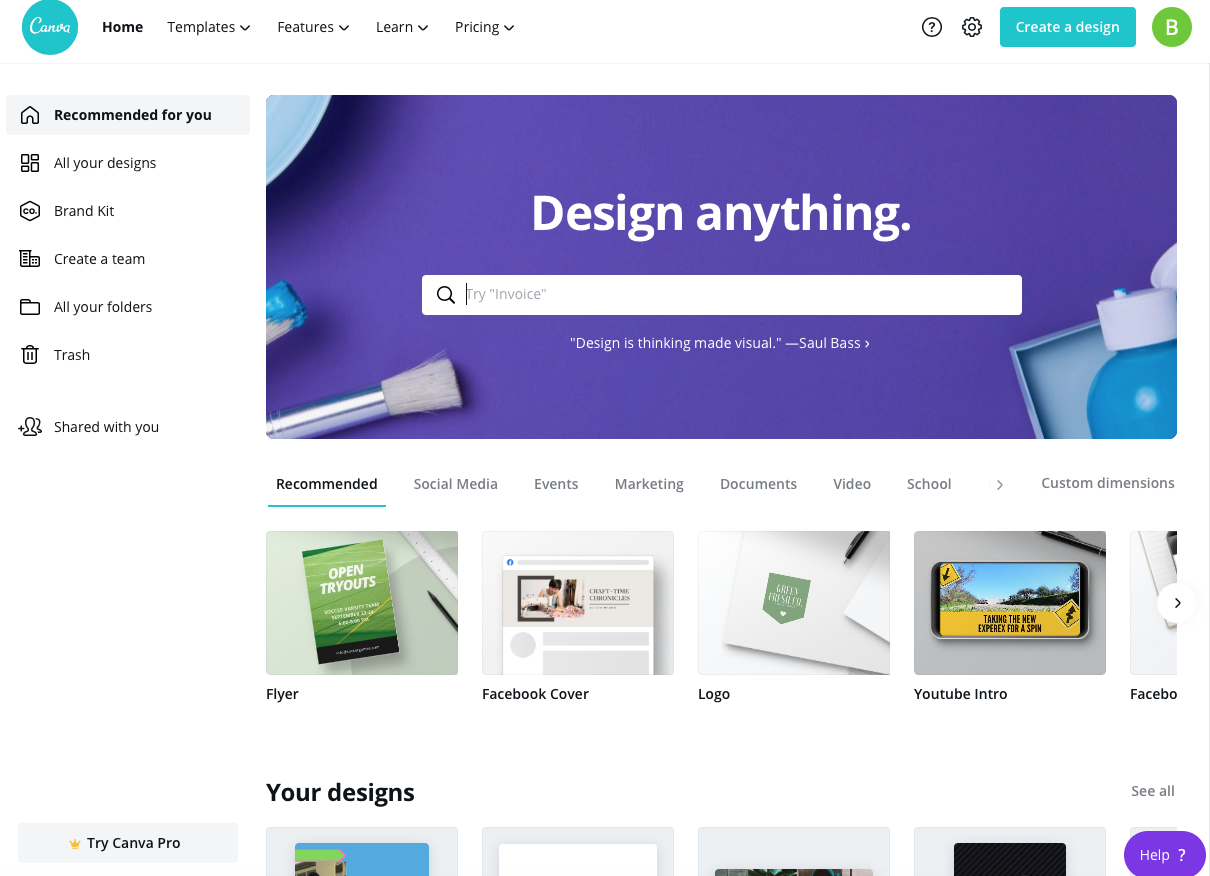
Canva: A popular graphic design platform with a vast template library, drag-and-drop editor, and a user-friendly interface. Canva is great for creating social media graphics, presentations, and posters.
GIMP: A free and open-source raster graphics editor that's often compared to Adobe Photoshop. GIMP offers advanced features like layers, filters, and effects.
Pixlr: A web-based photo editor with a simple and intuitive interface. Pixlr offers a range of tools and filters to enhance and edit your photos.
Vectr: A free vector graphics editor that's perfect for creating logos, icons, and illustrations. Vectr offers a simple and intuitive interface, along with advanced features like layers and paths.
Comparison Table: Top Free Online Design Tools
| Tool | Features | Templates | User Interface |
|---|---|---|---|
| Canva | Drag-and-drop editor, vast template library | 50,000+ templates | User-friendly |
| GIMP | Advanced features like layers and filters | Limited templates | Steep learning curve |
| Pixlr | Simple and intuitive interface, photo editing tools | Limited templates | Easy to use |
| Vectr | Vector graphics editor, layers and paths | Limited templates | Simple and intuitive |
Creating Visual Content with Free Online Design Tools
Free online design tools are not just limited to graphic design. You can also use them to create visual content like presentations, infographics, and social media posts. Here are some practical tips to get you started:
Use templates: Most free online design tools offer a wide range of templates to help you get started. Choose a template that matches your needs, and customize it to fit your brand.
Keep it simple: Don't overcomplicate your design. Keep it simple, clean, and easy to read.
Experiment with features: Try out different features and tools to see what works best for you.
"The best design tools are the ones that help you create great visuals without getting in the way. Free online design tools offer a level of accessibility and ease of use that's hard to match with traditional design software." – John Doe, Graphic Designer
Advanced Features and Customization
While free online design tools are great for beginners, they also offer advanced features for more experienced designers. Here are some ways to take your designs to the next level:
Custom fonts and icons: Many free online design tools allow you to upload your own fonts and icons. This can help you create a consistent brand identity across all your designs.
Advanced editing features: Tools like GIMP and Vectr offer advanced editing features like layers, paths, and effects. These can help you create complex designs with ease.
Trust and Security
When using free online design tools, it's natural to have concerns about trust and security. Here are some things to keep in mind:
Check the terms of service: Make sure you understand the terms of service and usage rights for each tool.
- Read reviews and ratings: Check out reviews and ratings from other users to get a sense of the tool's reliability and performance.
Frequently Asked Questions
Q: Are free online design tools really free?
Yes, most free online design tools are completely free to use, with no hidden costs or subscription fees.
Q: Can I use free online design tools for commercial purposes?
It depends on the tool and its terms of service. Some tools may require you to purchase a license or pay a fee for commercial use.
Q: Are free online design tools as good as paid design software?
While free online design tools may not offer all the features and functionalities of paid design software, they can still help you create great visuals.
Q: Can I export my designs in high-resolution?
Yes, most free online design tools allow you to export your designs in high-resolution.
Conclusion
Free online design tools have revolutionized the way we create visual content. With a wide range of templates, features, and functionalities, these tools offer a level of accessibility and ease of use that's hard to match with traditional design software. Whether you're a beginner or an experienced designer, free online design tools can help you achieve your creative goals without breaking the bank.
