

Finding the Right Fit: Understanding Your Resume Needs
As a professional looking to advance your career or transition into a new field, having a well-crafted resume is crucial. Your resume is often the first impression you make on potential employers, and it needs to effectively communicate your skills, experience, and achievements. With numerous free resume templates available online, it can be overwhelming to choose the right one. In this guide, we'll walk you through the process of selecting a suitable template, customizing it to your needs, and highlighting your strengths.
Exploring Free Resume Templates: Options and Features
Free resume templates can range from simple and clean designs to more elaborate and creative layouts. Some popular options include:
Microsoft Word templates: A wide range of built-in templates are available, offering a professional and straightforward design.
Google Docs templates: A variety of templates are available, with the added benefit of real-time collaboration and automatic saving.
Canva templates: A vast library of modern and visually appealing templates, with a user-friendly drag-and-drop editor.
When choosing a template, consider the following factors:
Industry and job type: Different industries have different expectations when it comes to resume design. For example, a creative field may allow for more artistic freedom, while a corporate job may require a more conservative approach.
Level of experience: If you're entry-level, a simpler template may be more suitable, while a more experienced professional can opt for a more detailed and accomplishment-focused template.
Customizing Your Resume: Tips and Best Practices
Once you've chosen a template, it's essential to tailor your resume to your specific experience and qualifications. Here are some tips to keep in mind:
Use clear and concise language: Avoid jargon and overly technical terms, ensuring your resume is easily understandable by non-industry professionals.
Emphasize achievements over responsibilities: Instead of just listing your job duties, focus on the specific achievements and results you've achieved in your previous roles.
Quantify your accomplishments: Use numbers and statistics to demonstrate the impact of your work, such as "increased sales by 25% in 6 months" or "managed a team of 10 people."
Comparison of Popular Free Resume Templates
| Template | Industry Suitability | Customization Options | User-Friendliness |
|---|---|---|---|
| Microsoft Word | Corporate, Finance | Limited | Easy |
| Google Docs | Creative, Tech | Moderate | Easy |
| Canva | Creative, Marketing | High | Easy |
Insights: What Makes a Resume Stand Out
A well-crafted resume can make a significant difference in getting noticed by potential employers. Here are some insights on what makes a resume stand out:
"A great resume is not just about listing your experience and skills; it's about telling a story that showcases your achievements and demonstrates your value as a candidate." - Career Coach
Practical Section: Building a Strong Resume Section by Section
To create a compelling resume, let's break it down into sections:
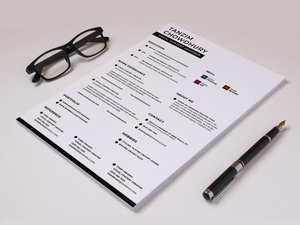
Contact Information and Professional Summary
Keep it concise: Ensure your professional summary is brief and to the point, highlighting your most significant achievements and qualifications.
Use action verbs: Begin your summary with strong action verbs, such as "Results-driven professional" or "Seasoned expert."
Work Experience
Focus on achievements: Emphasize specific accomplishments and the impact you made in your previous roles.
Use bullet points: Make your experience section easy to scan by using bullet points to list your achievements.
Education and Skills
Highlight relevant education: Emphasize any relevant courses, certifications, or degrees that align with the job requirements.
List relevant skills: Include a range of skills that are relevant to the job, including technical, language, and soft skills.
FAQs
Q: What is the best free resume template for a beginner? For a beginner, a simple and clean template from Microsoft Word or Google Docs is a good starting point.
Q: Can I use a Canva template for a corporate job application?
While Canva templates are visually appealing, they may not be suitable for corporate job applications. Opt for a more conservative template from Microsoft Word or Google Docs instead.
- Q: How do I customize my resume to match the job description?
Tailor your resume by highlighting the skills and qualifications mentioned in the job description, and use language from the job posting to describe your experience and achievements.
Closing
Finding the right free resume template is just the first step in creating a compelling resume. By understanding your needs, customizing your template, and highlighting your strengths, you can increase your chances of standing out in the job market. Take the time to craft a well-written and visually appealing resume that showcases your achievements and demonstrates your value as a candidate. With these tips and resources, you'll be well on your way to creating a strong resume that helps you achieve your career goals.
Related: Low Competition Online Business Ideas 2023: What Actually
Related: A Practical Guide to Finding the Best Free Daily Checklist App
