
Finding the Perfect Free Resume Template
When you're on the hunt for a job, your resume is often the first impression you make on a potential employer. You want it to stand out, but you also want to make sure it's professional and showcases your skills and experience in the best light. One way to ensure your resume looks great is to use a high-quality template. But, you don't have to break the bank to get one. There are plenty of free resume templates available for download in PDF format.
Benefits of Using Free Resume Templates
Using a free resume template can save you time and effort when creating your resume. Here are some benefits:
Time-saving: Templates already have a structure and design, so you can focus on filling in your information.
Professional look: A well-designed template can make your resume look more professional and polished.
Customizable: Many templates are customizable, so you can tailor your resume to fit your needs and style.
Types of Free Resume Templates
There are many types of free resume templates available, catering to different industries, styles, and experience levels. Here are some popular ones:
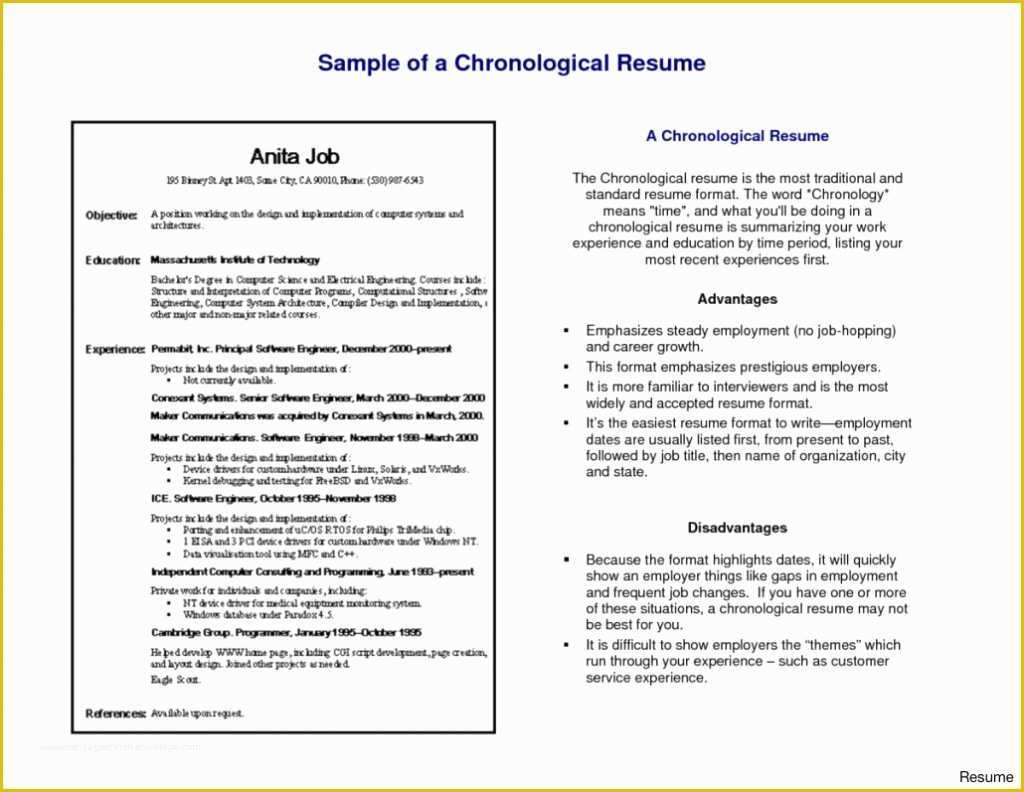
Chronological templates: These templates emphasize work experience, listing jobs in reverse chronological order.
Functional templates: These templates focus on skills and qualifications rather than work history.
Combination templates: These templates combine elements of chronological and functional templates.
Where to Find Free Resume Templates PDF
You can find free resume templates PDF online from various sources:
Microsoft Templates: Microsoft offers a range of free resume templates in PDF format that you can download and use.
Google Templates: Google also provides free resume templates that you can access and download.
Template.net: Template.net offers a wide range of free resume templates in PDF format that you can download and customize.
Choosing the Right Template
When choosing a free resume template, consider the following factors:
Industry: Choose a template that's relevant to your industry. For example, if you're in a creative field, you may want a template with a more artistic design.
Experience level: If you're entry-level, a simple template may be best. If you're more experienced, you can opt for a template that showcases your achievements.
Style: Select a template that reflects your personality and style.
Customizing Your Resume Template
Once you've chosen a template, it's time to customize it. Here are some tips:
Tailor your objective: Make sure your objective statement is specific to the job you're applying for.
Highlight your achievements: Instead of just listing your job responsibilities, focus on the achievements and results you've achieved.
Use keywords: Use keywords related to the job you're applying for to help your resume pass through applicant tracking systems (ATS).

Common Mistakes to Avoid
When using free resume templates, avoid the following common mistakes:
Overusing bullet points: While bullet points can make your resume easy to read, overusing them can make it look cluttered.
Not proofreading: Make sure to proofread your resume multiple times to catch any spelling or grammar errors.
Not customizing: Don't just fill in the template without customizing it to fit your needs and style.
Comparison of Popular Free Resume Templates
| Template Name | Industry | Experience Level | Design Style |
|---|---|---|---|
| Microsoft Resume Template | General | All levels | Simple, clean |
| Google Resume Template | General | All levels | Modern, minimalist |
| Template.net Resume Template | Creative | Entry-level to mid-level | Artistic, bold |
Frequently Asked Questions
Q: What are the best free resume templates for PDF download?
Some popular options include Microsoft Templates, Google Templates, and Template.net.
Q: How do I choose the right resume template for my industry?
Consider the industry you're in and choose a template that's relevant. For example, if you're in a creative field, you may want a template with a more artistic design.
Q: Can I customize a free resume template?
Yes, most free resume templates are customizable. You can tailor your objective, highlight your achievements, and use keywords related to the job you're applying for.
Q: What are some common mistakes to avoid when using free resume templates?
Avoid overusing bullet points, not proofreading, and not customizing the template to fit your needs and style.
Final Tips and Next Steps
Your resume is often the first impression you make on a potential employer. By using a high-quality free resume template PDF, you can showcase your skills and experience in the best light. Remember to choose a template that's relevant to your industry, customize it to fit your needs and style, and avoid common mistakes. With these tips and a little practice, you'll be well on your way to creating a winning resume that helps you stand out in a competitive job market. Take the next step by downloading a template and starting to craft a resume that opens doors to new opportunities.
Related: A Practical Guide to Free Resume Templates for Students
