
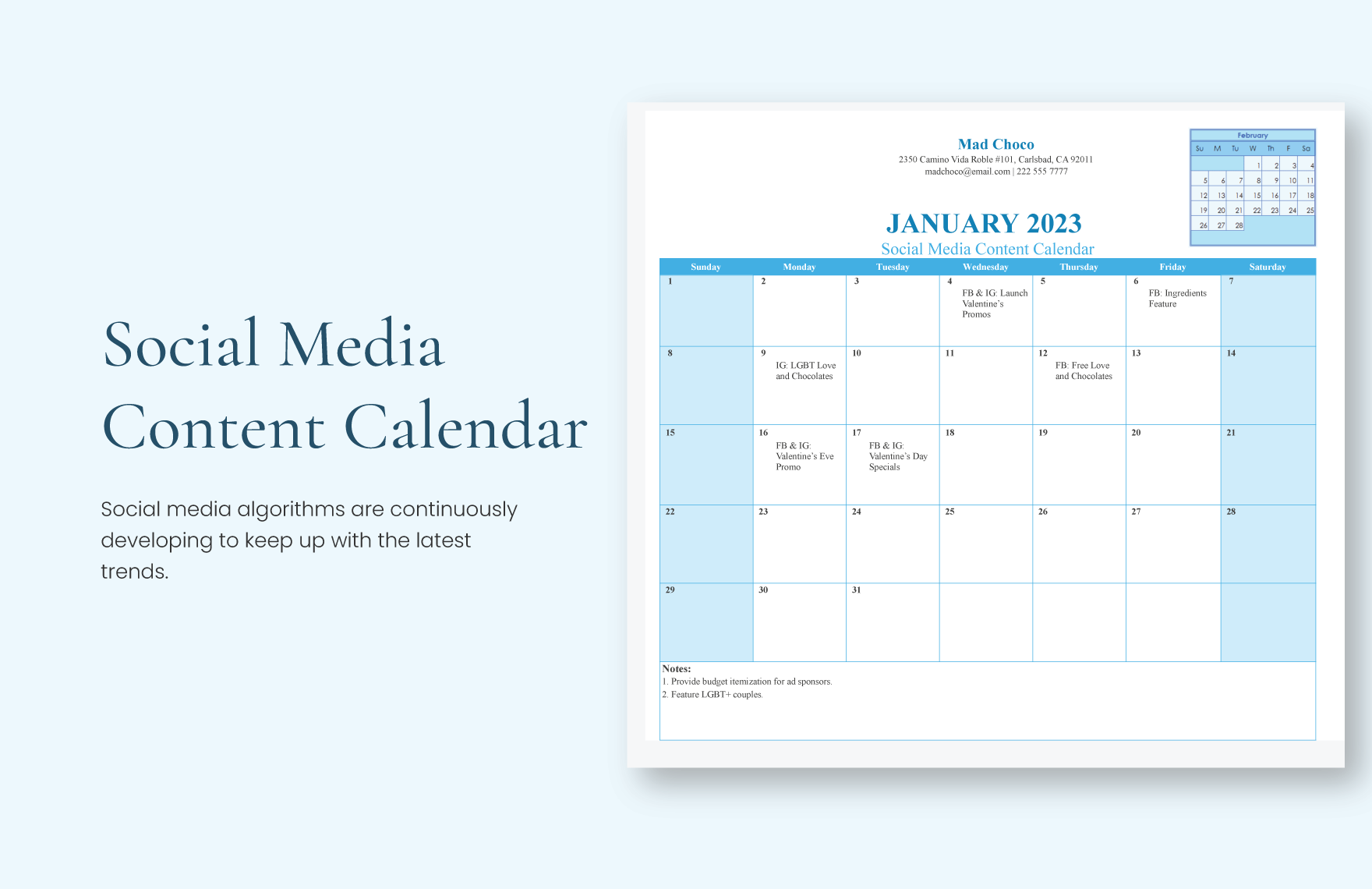
Why You Need a Social Content Calendar
As a social media manager or content creator, you know how chaotic it can get to plan, create, and schedule content across multiple platforms. A social content calendar is a lifesaver in this situation. It helps you organize and visualize your content in advance, ensuring consistency, reducing last-minute scrambles, and boosting engagement. In this article, we'll show you how to create a social content calendar using Excel, a tool you're likely already familiar with.
Setting Up Your Social Content Calendar Template
To create a social content calendar in Excel, start by setting up a new spreadsheet. You can use a blank template or modify an existing one to suit your needs. Here's a suggested layout:
| Date | Platform | Content Type | Post Content | Image/Video | Status |
| --- | --- | --- | --- | --- | --- |
You can add or remove columns as needed, but this basic structure will give you a good starting point. Consider adding columns for:
Target Audience: Who is your content aimed at?
Keywords: What keywords should you include in your post?
Engagement Goals: What do you want your audience to do (e.g., like, comment, share)?
Choosing the Right Content Types
A social content calendar should include a mix of content types to keep your audience engaged. Here are some popular options:
Blog posts: Share your latest articles or guides
Social media posts: Share updates, news, or behind-the-scenes content
Videos: Share explainer videos, product demos, or live streams
Infographics: Visualize data or statistics in an easy-to-understand format
Curated content: Share relevant content from other sources
Consider your audience's preferences and your brand's goals when selecting content types.
Creating a Content Plan
With your template set up and content types chosen, it's time to plan your content. Start by brainstorming ideas and filling in your calendar. Consider:
Seasonal events: Plan content around holidays, events, or awareness months
Product launches: Create content to promote new products or services
Evergreen content: Create timeless content that remains relevant year-round

Tips for Using Your Social Content Calendar
To get the most out of your social content calendar, follow these tips:
Review and adjust regularly: Regularly review your calendar to ensure it's aligned with your goals and adjust as needed
Use a buffer: Schedule buffer posts to ensure consistency during unexpected gaps
Collaborate with team members: Share your calendar with team members to ensure everyone is on the same page
Common Mistakes to Avoid
When creating a social content calendar, avoid these common mistakes:
Overcommitting: Don't overload your calendar with too much content
Underutilizing visuals: Use images and videos to make your content more engaging
Not tracking performance: Monitor your content's performance to adjust your strategy
Case Study: How XYZ Used a Social Content Calendar to Boost Engagement
XYZ, a fashion brand, created a social content calendar to improve their Instagram engagement. They planned and scheduled content in advance, including:
Behind-the-scenes content showcasing their design process
User-generated content campaigns to encourage engagement
Seasonal posts highlighting their latest collections
As a result, XYZ saw a 25% increase in engagement and a 15% increase in followers over a 3-month period.
FAQs
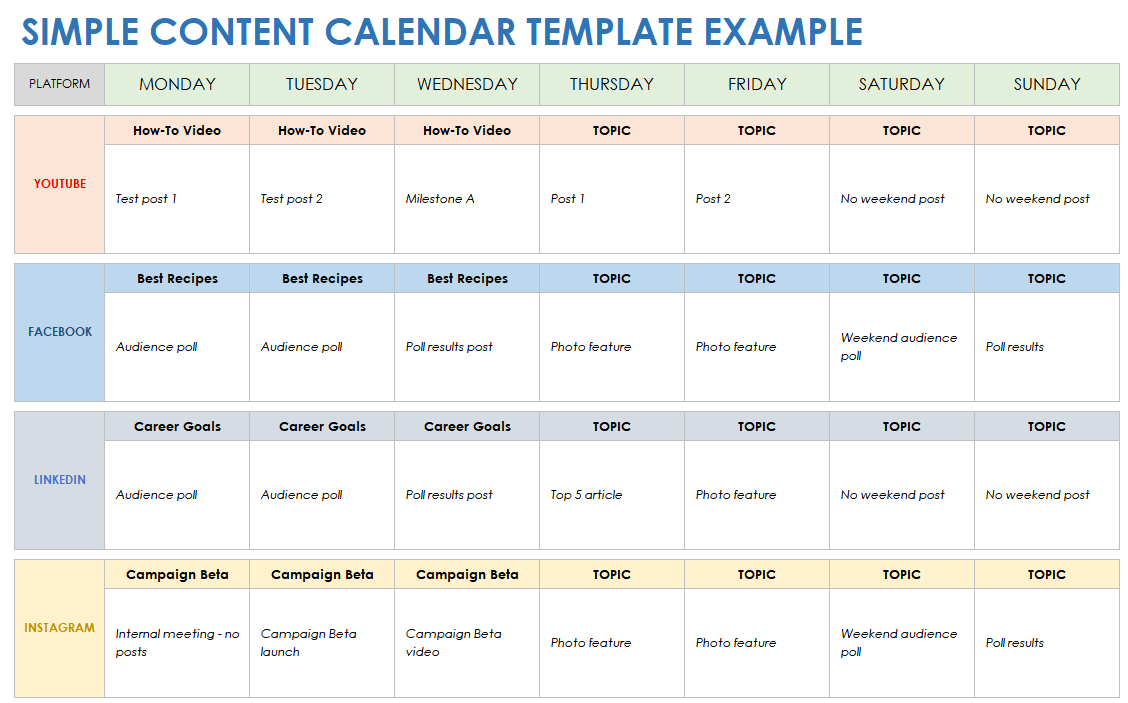
Q: How far in advance should I plan my social content calendar?
Plan your calendar at least 2-3 weeks in advance, but ideally 1-2 months.
Q: Can I use Excel to schedule posts directly?
No, Excel is for planning and organizing content. Use a scheduling tool like Hootsuite or Buffer to schedule posts.
Q: How often should I review and adjust my social content calendar?
Review and adjust your calendar regularly, ideally weekly or bi-weekly.
Q: Can I use a social content calendar for multiple social media platforms?
Yes, but tailor your content to each platform's unique audience and features.
Conclusion
A social content calendar in Excel is a powerful tool for streamlining your content creation, improving consistency, and boosting engagement. By following the steps outlined in this article, you can create a practical and effective social content calendar that helps you achieve your social media goals.
Related: Plan Your Content with Ease: A Fillable Content Calendar
Related: Streamline Your Content Planning with a Content Calendar
