
Finding Your Design Groove with Free Tools
When it comes to design, having the right tools at your disposal can make all the difference. But you don't have to break the bank to get started. Over the years, a range of free design tools has emerged, offering everything from basic editing to advanced graphic design capabilities. In this guide, we'll explore some of the best easy free design tools that can help you elevate your skills and produce professional-looking results.
Graphic Design Made Easy
For many, graphic design seems like a daunting task, reserved for those with extensive training and experience. However, with the advent of user-friendly design tools, creating stunning graphics has become more accessible than ever. Let's take a look at some top free graphic design tools:
- Canva: A favorite among beginners and professionals alike, Canva offers a wide range of templates and design elements that make creating beautiful graphics a breeze. Its intuitive interface and vast library of fonts, images, and shapes ensure you can produce high-quality designs in no time.
- GIMP: For those looking for a more comprehensive design solution, GIMP (GNU Image Manipulation Program) is a powerful free alternative to Adobe Photoshop. With features like layer editing, effects, and plugins, GIMP provides a robust platform for photo editing and graphic design.
Vector Graphics at Your Fingertips
Vector graphics are essential for creating logos, icons, and other scalable designs. Here are a couple of free tools that excel in this area:
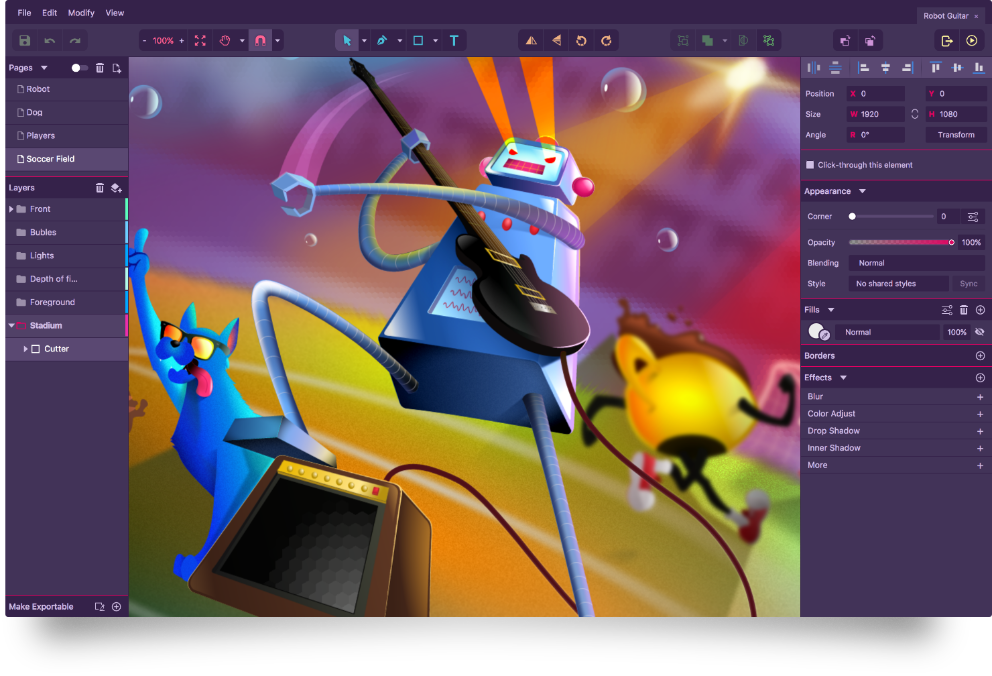
- Vectr: A free vector graphics editor, Vectr offers a simple yet powerful platform for creating and editing vector graphics. Its intuitive interface and real-time collaboration features make it an excellent choice for designers working in teams or solo.
- Inkscape: Another popular option for vector graphics, Inkscape is often compared to Adobe Illustrator. With support for SVG files, node editing, and a wide range of extensions, Inkscape is a versatile tool for creating complex vector designs.

Photo Editing for Everyone
Photo editing is a crucial aspect of design, and you don't need to spend a fortune on software to edit your photos. Here are some free photo editing tools that can help:
- LightZone: A free, open-source photo editor, LightZone offers a range of tools for adjusting brightness, contrast, and color. Its simple interface and non-destructive editing capabilities make it a great choice for beginners.
- Pixlr: For those looking for a more comprehensive photo editing solution, Pixlr offers a range of tools and filters. With support for layers, effects, and adjustments, Pixlr provides a robust platform for editing and enhancing your photos.
Comparison of Free Design Tools
| Tool | Primary Use | Ease of Use | Learning Curve |
|---|---|---|---|
| Canva | Graphic Design | Very Easy | Low |
| GIMP | Photo Editing | Easy | Medium |
| Vectr | Vector Graphics | Easy | Low |
| Inkscape | Vector Graphics | Medium | Medium |
| LightZone | Photo Editing | Easy | Low |
| Pixlr | Photo Editing | Easy | Low |
Pros and Cons of Free Design Tools
Pros:
- Cost-effective (free)
- Accessible to beginners
- Often community-supported with tutorials and resources
- Regularly updated with new features
Cons:
- Limited features compared to paid software
- May have limitations in terms of export quality or file types
- Support can be community-based, which may not always be timely
Real-World Applications
To see these tools in action, let's consider a couple of real-world scenarios:
- Starting a Blog: If you're starting a blog, you'll need to create engaging graphics and edit photos. Canva and Pixlr can help you create stunning visuals and edit your photos without requiring extensive design experience.
- Freelance Design: As a freelance designer, you may need to create vector graphics and edit photos for clients. Vectr and GIMP offer powerful tools for creating professional designs and editing photos, all for free.
Frequently Asked Questions
Q: Are free design tools really as good as paid ones?
While free design tools can offer impressive features and capabilities, they may have limitations compared to paid software. However, for beginners or those on a tight budget, free tools can be an excellent starting point.
Q: Can I use free design tools for commercial projects?
It depends on the tool and its licensing terms. Some free tools, like Canva, offer commercial use of their designs, while others may require you to purchase a license or attribute the software.
Q: How do I choose the right free design tool for my needs?
Consider what you need the tool for (graphic design, photo editing, vector graphics), your level of experience, and the tool's ease of use. Reading reviews and watching tutorials can also help you make an informed decision.
Q: Are there any hidden costs associated with free design tools?
Some free design tools may offer in-app purchases or premium features. Additionally, if you're using a tool for commercial purposes, you may need to pay for a license or subscription.
Elevating Your Design Skills
The world of design is vast and exciting, with a multitude of free tools at your disposal. By leveraging these tools, you can create professional-looking designs, edit photos, and explore the world of vector graphics. Whether you're a beginner or an experienced designer, there's never been a better time to explore the possibilities of free design tools.
Final Tips and Recommendations
- Experiment: Don't be afraid to try out different tools to see what works best for you.
- Practice: The more you use these tools, the more comfortable you'll become with their features and capabilities.
- Community Resources: Take advantage of community tutorials, forums, and resources to improve your skills and stay updated on the latest trends.
By embracing free design tools and continually honing your skills, you'll be well on your way to creating stunning designs that captivate and inspire.
Related: A Practical Guide to Finding and Using Free Template Designs
