
Creating a Content Calendar Template for 2025
As a content marketer, you're likely no stranger to the importance of planning and organization. A content calendar template is an essential tool for streamlining your content creation process, ensuring consistency, and driving results. But what makes a content calendar template effective, and how can you create one that actually makes sense for your business in 2025?
Understanding Your Content Goals
Before creating a content calendar template, it's crucial to define your content goals. What do you want to achieve with your content? Are you looking to increase website traffic, generate leads, boost engagement, or drive sales? Your goals will help you determine the type of content to create, the frequency of publication, and the channels to use.
For example, if your goal is to increase website traffic, you may focus on creating SEO-optimized blog posts, social media content, and email newsletters. On the other hand, if your goal is to generate leads, you may focus on creating gated content, such as e-books, whitepapers, or webinars.
Choosing a Content Calendar Template
There are many content calendar templates available online, ranging from simple spreadsheets to complex software solutions. When choosing a template, consider the following factors:
Ease of use: Choose a template that's easy to understand and use, even for team members who are not tech-savvy.
Customization: Select a template that can be customized to fit your specific needs and goals.
Collaboration: Consider a template that allows multiple team members to collaborate and contribute to the content calendar.
Integration: Choose a template that integrates with your existing tools and software, such as Google Calendar, Trello, or Asana.
Creating a Practical Content Calendar Template
A practical content calendar template should include the following elements:
Content types: List the types of content you'll create, such as blog posts, social media posts, email newsletters, or videos.
Publication dates: Schedule publication dates for each piece of content, including the date, time, and channel.
Content topics: Brainstorm topics for each piece of content, including keywords, themes, and ideas.
Responsible team members: Assign team members responsible for creating, editing, and publishing each piece of content.
Status: Track the status of each piece of content, including draft, review, and published.
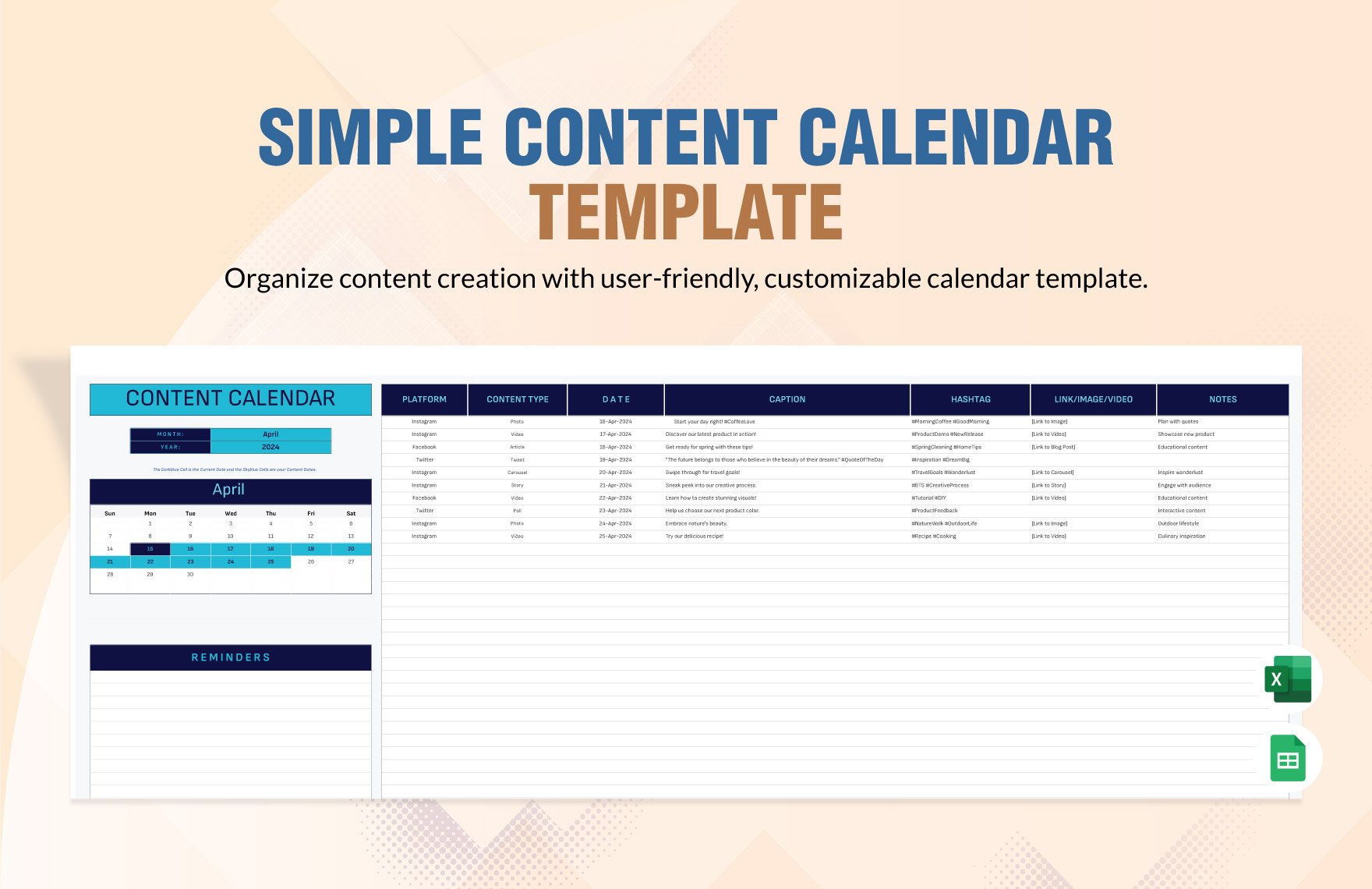
Here's an example of what a simple content calendar template might look like:
| Date | Content Type | Topic | Responsible Team Member | Status |
|---|---|---|---|---|
| 2025-01-01 | Blog Post | "5 Tips for Creating a Successful Content Marketing Strategy" | John Doe | Draft |
| 2025-01-03 | Social Media Post | "Happy New Year! What's Your Content Marketing Plan for 2025?" | Jane Smith | Published |
| 2025-01-05 | Email Newsletter | "January Newsletter: Content Marketing Trends to Watch" | Bob Johnson | Review |
Tips for Using a Content Calendar Template
Be flexible: Don't be too rigid with your content calendar template. Be prepared to make changes and adjustments as needed.
Keep it simple: Avoid over-complicating your content calendar template. Keep it simple and easy to use.
Collaborate: Encourage team members to collaborate and contribute to the content calendar.
Review and adjust: Regularly review your content calendar template and adjust as needed.
Common Mistakes to Avoid
Not defining content goals: Failing to define content goals can lead to a lack of direction and purpose.
Not customizing the template: Using a template that's not customized to your specific needs can lead to confusion and inefficiency.
Not collaborating with team members: Failing to collaborate with team members can lead to a lack of buy-in and engagement.
Comparison of Content Calendar Templates
| Template | Ease of Use | Customization | Collaboration | Integration |
|---|---|---|---|---|
| Google Sheets | Easy | High | Medium | High |
| Trello | Easy | Medium | High | High |
| Asana | Medium | High | High | High |
| CoSchedule | Medium | High | High | High |
FAQs
Q: What is a content calendar template? A content calendar template is a tool used to plan and organize content creation, publication, and distribution.
Q: Why do I need a content calendar template?
A content calendar template helps you streamline your content creation process, ensure consistency, and drive results.
Q: How do I create a content calendar template?
Choose a template that fits your needs, customize it, and fill in the necessary information, including content types, publication dates, and responsible team members.
Q: What are some common mistakes to avoid when using a content calendar template?
Common mistakes to avoid include not defining content goals, not customizing the template, and not collaborating with team members.
Conclusion
A content calendar template is a powerful tool for planning and executing a successful content strategy. By understanding your content goals, choosing a practical template, and avoiding common mistakes, you can create a content calendar that drives results for your business in 2025.
Related: Content Calendar Template 2025
