
A Real-World Problem: Content Planning Without a Template
Imagine having to plan and publish content across multiple channels, teams, and stakeholders, all while keeping track of deadlines, topics, and formats. Sounds overwhelming, right? For many marketers and content creators, this is a daily reality. A content calendar template can be a lifesaver in such situations, providing a structured framework for planning, organization, and optimization.
What is a Content Calendar Template?
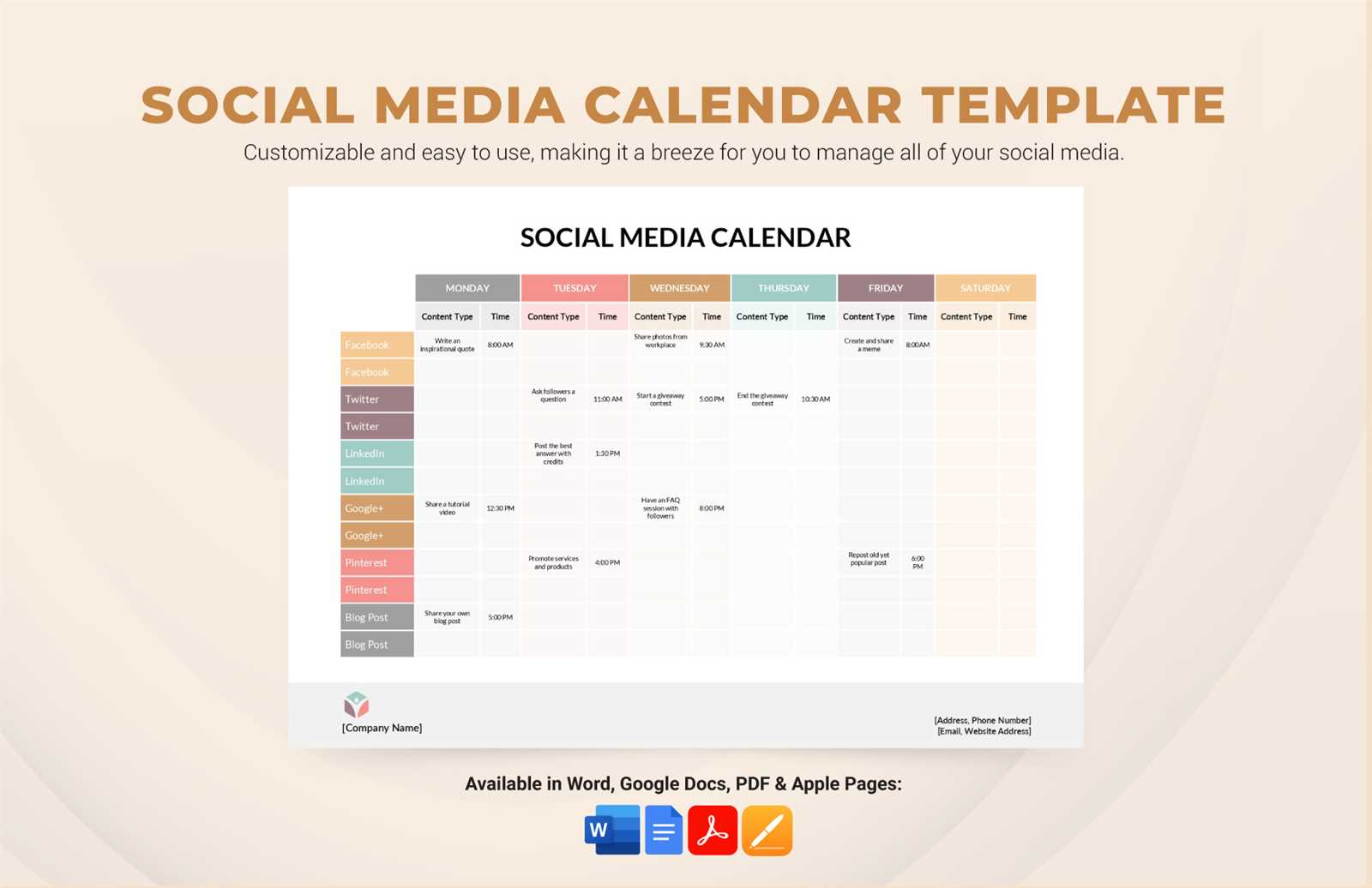
A content calendar template is a pre-designed document or spreadsheet that helps you plan, organize, and schedule content in advance. It typically includes columns or fields for content type, topic, keywords, publication date, channel, and team member responsible. The goal is to streamline content creation, ensure consistency, and improve collaboration among team members.
Benefits of Using a Content Calendar Template
Using a content calendar template offers several benefits:
Improved organization: A content calendar template helps you keep track of multiple content pieces, deadlines, and team members.
Increased productivity: By planning and scheduling content in advance, you can reduce last-minute scrambles and allocate resources more efficiently.
Enhanced collaboration: A shared content calendar template facilitates communication among team members, ensuring everyone is on the same page.
Better SEO optimization: A content calendar template can help you plan and optimize content for specific keywords, topics, and audiences.
Choosing the Right Content Calendar Template
With numerous content calendar templates available, selecting the right one can be daunting. Here are some factors to consider:
Content types: What types of content do you plan to create (e.g., blog posts, social media, videos, podcasts)?
Team size and structure: How many team members will be using the template, and what are their roles and responsibilities?
Channels and platforms: Which channels and platforms will you be publishing on (e.g., website, social media, email newsletter)?
Customization: Can the template be customized to fit your specific needs and branding?
Comparison of Popular Content Calendar Templates
| Template | Features | Benefits | Drawbacks |
|---|---|---|---|
| Google Sheets | Flexible, customizable, collaborative | Easy to use, accessible online | Limited features, may require formulas |
| Microsoft Excel | Robust features, customizable, offline access | Powerful, widely used | Steep learning curve, may be overkill for small teams |
| Trello | Visual, flexible, collaborative | Easy to use, customizable boards | Limited reporting, may require integrations |
| CoSchedule | Comprehensive, customizable, collaborative | All-in-one solution, excellent support | Pricier than other options, may have a learning curve |
"A good content calendar template is like a GPS for your content strategy – it helps you navigate the complexities of planning, organization, and optimization, ensuring you reach your destination efficiently and effectively." – Anonymous
Free Content Calendar Template Download
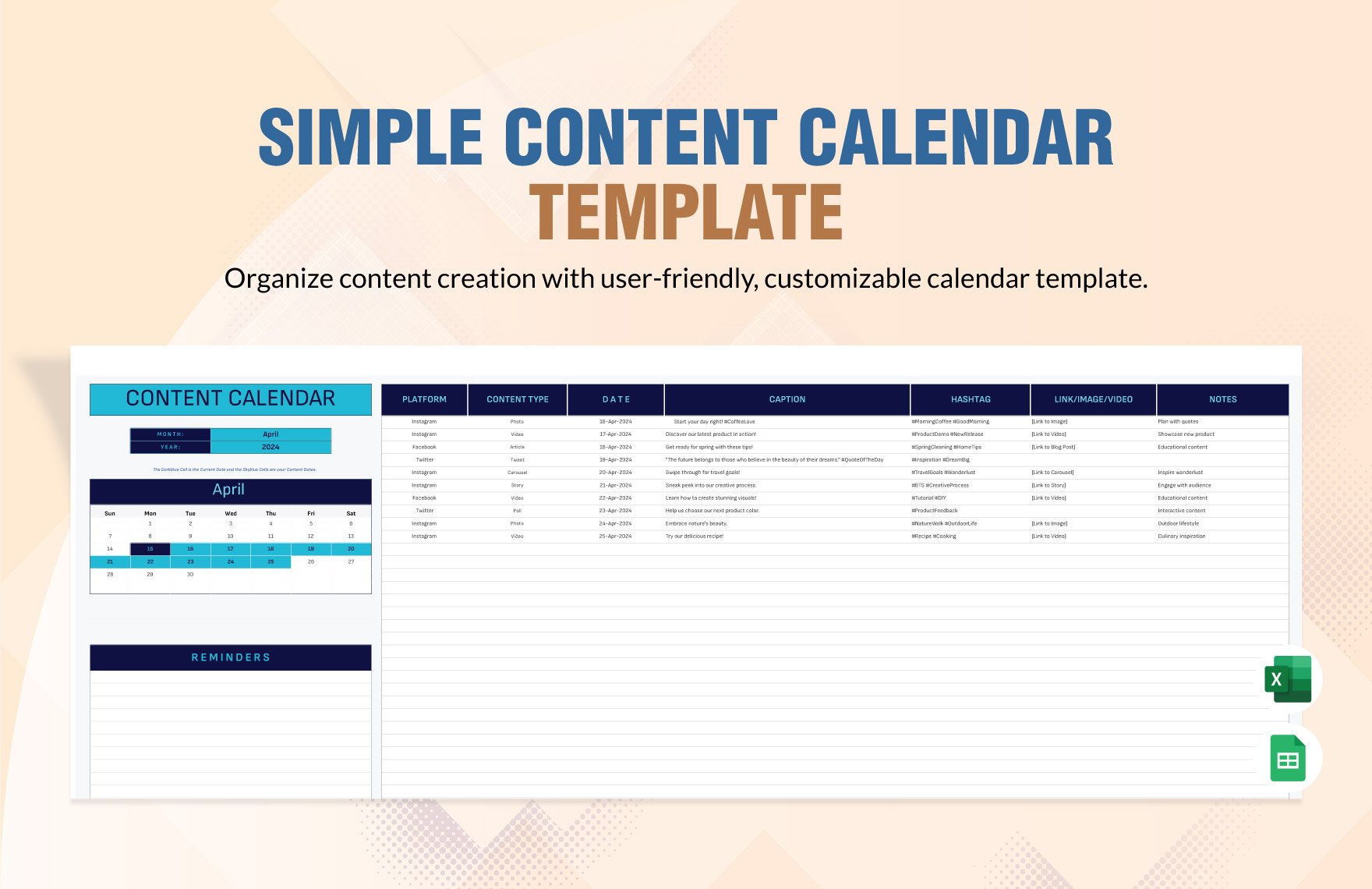
To get started, you can download a free content calendar template in Google Sheets or Microsoft Excel format. This template includes essential columns for planning and organization, such as:
Content type
Topic
Keywords
Publication date
Channel
Team member responsible
Free Content Calendar Template: [Insert link to downloadable template]
Practical Tips for Using a Content Calendar Template
Here are some practical tips for getting the most out of your content calendar template:
Start small: Begin with a simple template and gradually add more features and complexity as needed.
Customize: Tailor the template to your specific needs, branding, and content types.
Collaborate: Share the template with team members and stakeholders to ensure everyone is on the same page.
Review and adjust: Regularly review your content calendar and adjust as needed to optimize performance.
Common Mistakes to Avoid
When using a content calendar template, avoid the following common mistakes:
Overplanning: Don't overcommit by planning too much content at once. Leave room for flexibility and adjustments.
Underutilization: Don't simply use the template as a storage container – actively use it to plan, organize, and optimize content.
Lack of customization: Don't fail to customize the template to fit your specific needs and branding.
FAQs
Here are some frequently asked questions about content calendar templates:
Q: What is the best content calendar template for small teams?
For small teams, Google Sheets or Trello templates are excellent choices due to their flexibility, ease of use, and collaborative features.
Q: Can I use a content calendar template for social media planning?
Yes, many content calendar templates can be adapted for social media planning, including templates specifically designed for social media management.
Q: How do I choose the right content calendar template for my business?
Consider your content types, team size and structure, channels and platforms, and customization needs when selecting a content calendar template.
Conclusion
A content calendar template can be a powerful tool for streamlining content creation, ensuring consistency, and improving collaboration among team members. By choosing the right template, customizing it to fit your needs, and actively using it to plan, organize, and optimize content, you can achieve your content marketing goals more efficiently and effectively. Download our free content calendar template today and start planning your content strategy with confidence.
