
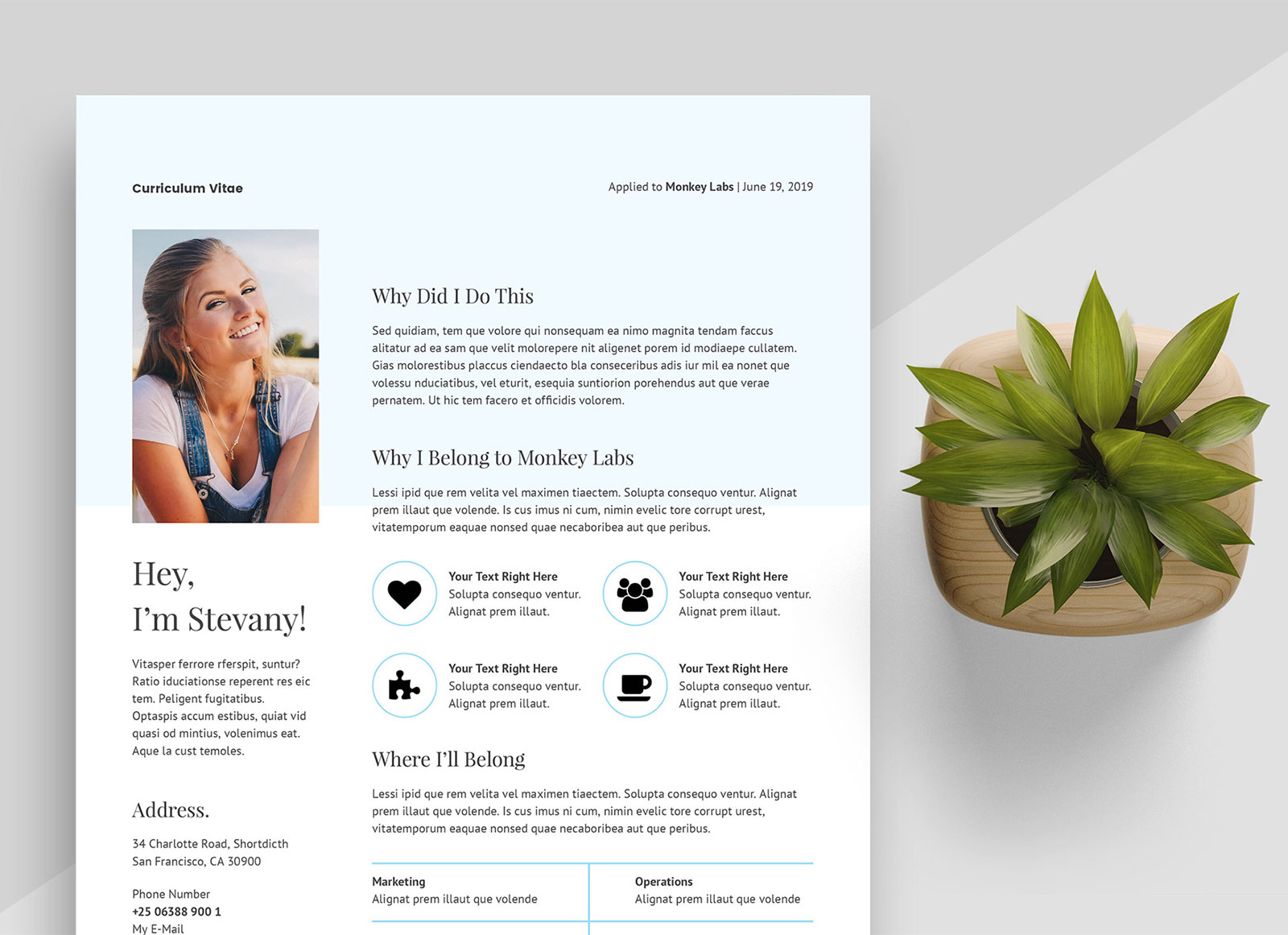
Choosing the Right Resume Template
When you're looking to make a strong impression on potential employers, having a well-crafted resume is essential. But where do you start, especially if you're not sure what format or style will best showcase your skills and experience? The good news is that you don't have to spend a fortune on a professional resume writer or designer to get a great template. There are numerous free resume templates available online that can help you stand out from the competition.
Understanding Resume Types and Formats
Before diving into templates, it's crucial to understand the different types of resumes and formats. The most common types are:
- Chronological Resume: Focuses on work experience, listing jobs in reverse chronological order. Best for those with a lot of relevant work experience.
- Functional Resume: Emphasizes skills and qualifications rather than work history. Suitable for those with gaps in employment or limited work experience.
- Combination Resume: A mix of chronological and functional, highlighting both skills and work experience. Ideal for showcasing a balance of skills and relevant job history.
Finding the Perfect Free Resume Template
There are countless websites offering free resume templates, but not all are created equal. Here are some reputable sources:
- Canva: Offers a wide range of customizable templates and a user-friendly design interface.
- Microsoft Templates: Provides a variety of Word-compatible templates that are easy to download and edit.
- Google Docs Templates: For those who prefer working in the cloud, Google Docs offers several free resume templates.
When choosing a template, consider the following:
- Keep it simple: Avoid overly complex designs that may not translate well when scanned by applicant tracking systems (ATS) or viewed on different devices.
- Choose a clean layout: Ensure there's enough white space to make your resume easy to read.
- Select a professional font: Stick to standard fonts like Arial, Calibri, or Helvetica.
Customizing Your Resume Template
Once you've selected a template, it's time to tailor it to your needs. Here are some tips:

Highlighting Your Experience
- Use action verbs: Begin each bullet point with action verbs like "managed," "created," "developed," and "improved."
- Quantify achievements: Where possible, include numbers to demonstrate the impact of your work (e.g., "Increased sales by 25% in one quarter").
Showcasing Your Skills
- Be specific: Instead of listing generic skills like "computer skills," specify software, programming languages, or tools you're proficient in.
- Tailor to the job: Customize your skills section to match the requirements of the job you're applying for.
Education and Certifications
- Include relevant courses: If you're a recent graduate or student, consider listing relevant courses or academic achievements.
- Highlight certifications: If you have any certifications or licenses relevant to the job, make sure they're prominently displayed.
Common Mistakes to Avoid
- Typos and grammatical errors: A single mistake can disqualify you from consideration. Proofread your resume multiple times.
- Lack of customization: Failing to tailor your resume to each job application can make it seem generic and unappealing.
- Inconsistent formatting: Ensure your formatting is consistent throughout the resume.
Real-Life Example: How a Template Can Make a Difference
Consider the case of Sarah, a marketing professional looking to transition into a managerial role. She used a free template from Canva to create a visually appealing and easy-to-read resume. By highlighting her achievements with action verbs and quantifiable results, she was able to showcase her value as a candidate. The result? She landed an interview within a week of applying and eventually secured her dream job.
Frequently Asked Questions
Q: Can I use a free resume template for any job application?
While free templates can be a great starting point, it's essential to tailor your resume to each specific job application. Customize your skills, experience, and achievements to match the job requirements.
Q: Are free resume templates compatible with applicant tracking systems (ATS)?
Most free templates are designed to be ATS-friendly, but it's crucial to save your resume in a compatible format (usually .docx or .pdf) and avoid excessive graphics or complex formatting.
Q: How do I make my resume stand out from the competition?
Focus on quantifiable achievements, relevant skills, and a clear, concise writing style. Tailor your resume to each job application and use keywords from the job description.
Q: Can I edit a free resume template in Google Docs?
Yes, many free resume templates are compatible with Google Docs. You can also use Google Docs' built-in templates or import a template from another source.
Final Tips for a Winning Resume
Your resume is often the first impression you make on a potential employer, so make it count. Here are some final tips:
- Keep it concise: Aim for a length of one to two pages, depending on your level of experience.
- Use keywords: Incorporate relevant keywords from the job description to help your resume pass through ATS and catch the eye of the hiring manager.
- Proofread: Finally, proofread your resume multiple times to catch any typos or grammatical errors.
By following these tips and using a free resume template as a starting point, you can create a compelling and effective resume that helps you stand out in a competitive job market.
Related: What to Know About Starting Small Business Ideas Online
Related: Small Business Ideas for Women: What Actually Makes Sense?
Related: Finding Profitable Low Competition Online Business Ideas
