
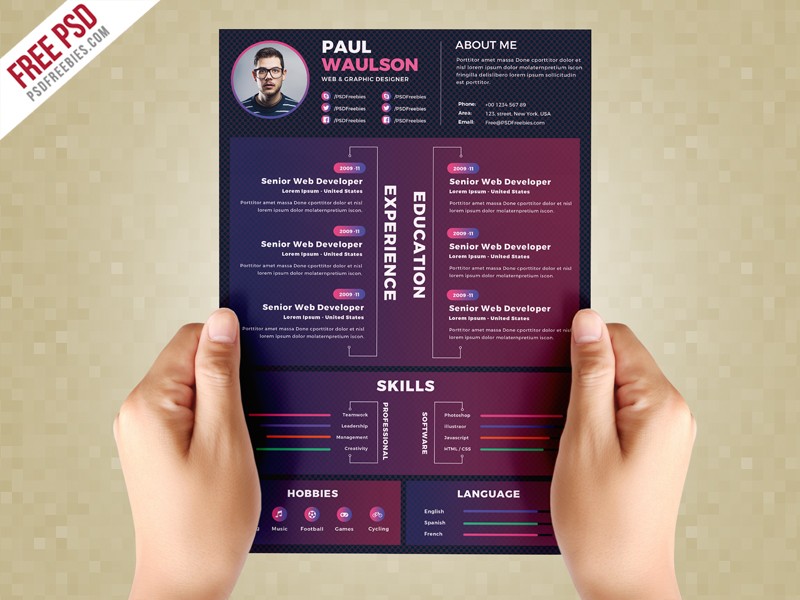
Customize Resume Template Online: What Actually Makes Sense?
Creating a resume that stands out from the crowd can be a daunting task, especially when you're competing with countless other applicants for your dream job. One effective way to make your resume shine is to customize a template online. But with so many options available, what actually makes sense?
Choosing the Right Online Resume Builder
When it comes to customizing a resume template online, the first step is to choose the right tool for the job. There are numerous online resume builders that offer a range of templates, design options, and user interfaces. Some popular options include Canva, Resume.io, and LinkedIn's Resume Builder.
Canva: Known for its user-friendly interface and vast design library, Canva is an excellent choice for those who want to create a visually appealing resume.
Resume.io: This platform offers a wide range of templates and a simple editing process, making it ideal for those who want to create a professional-looking resume quickly.
LinkedIn's Resume Builder: As a professional networking site, LinkedIn's Resume Builder is a great option for those who want to create a resume that's optimized for job searching and recruiter visibility.
Understanding Your Target Audience
Before you start customizing your resume template, it's essential to understand your target audience. Who are you applying to? What are the requirements of the job? What skills and qualifications do you need to highlight?
For example, if you're applying to a creative agency, you may want to use a more design-focused template and highlight your creative skills. On the other hand, if you're applying to a corporate job, you may want to use a more traditional template and emphasize your professional experience.

Customizing Your Resume Template
Once you've chosen your online resume builder and understood your target audience, it's time to customize your resume template. Here are some tips to keep in mind:
Tailor your objective: Your objective should be tailored to the specific job you're applying for. Use keywords from the job description to show that you have the skills and qualifications required.
Highlight your achievements: Instead of just listing your job responsibilities, focus on the achievements and results you've achieved in your previous roles.
Use relevant sections: Use relevant sections such as a summary or skills section to highlight your experience and qualifications.
Keep it concise: Keep your resume concise and easy to read. Use bullet points and clear headings to make your resume easy to scan.
Design Tips for a Standout Resume
While the content of your resume is crucial, the design can also make a big impact. Here are some design tips to help your resume stand out:
Use a clear font: Use a clear font such as Arial, Calibri or Helvetica to make your resume easy to read.
Choose a consistent color scheme: Choose a consistent color scheme that reflects your personal brand or the industry you're applying to.
Use white space effectively: Use white space effectively to make your resume easy to scan and visually appealing.
Common Mistakes to Avoid
When customizing a resume template online, there are several common mistakes to avoid:
Overusing keywords: While keywords are essential for getting past applicant tracking systems (ATS), overusing them can make your resume sound unnatural.
Using a generic template: Using a generic template can make your resume look like everyone else's. Take the time to customize your template to reflect your personal brand and the industry you're applying to.
- Not proofreading: Not proofreading your resume can lead to typos and grammatical errors that can make a negative impression on the recruiter.
Comparison of Online Resume Builders
| Online Resume Builder | Templates | Design Options | User Interface |
|---|---|---|---|
| Canva | 100+ | Vast design library | User-friendly |
| Resume.io | 200+ | Simple editing process | Easy to use |
| LinkedIn's Resume Builder | 10+ | Limited design options | Professional |
Trusting Your Instincts
Ultimately, customizing a resume template online requires trusting your instincts. Don't be afraid to try out different templates and design options until you find one that feels right. Remember, your resume is a reflection of your personal brand and should showcase your unique strengths and qualifications.
Frequently Asked Questions
Q: What is the best online resume builder?
The best online resume builder depends on your specific needs and preferences. Canva, Resume.io, and LinkedIn's Resume Builder are popular options.
Q: How do I customize a resume template online?
To customize a resume template online, choose an online resume builder, select a template, and edit the content and design to reflect your personal brand and the industry you're applying to.
Q: What are the most important sections to include in my resume?
The most important sections to include in your resume are your objective, summary, work experience, education, and skills.
Q: How do I make my resume stand out from the crowd?
To make your resume stand out from the crowd, use a unique template, highlight your achievements, and use relevant keywords from the job description.
Final Tips and Next Steps
Customizing a resume template online can seem overwhelming, but with the right tools and tips, you can create a standout CV that showcases your unique strengths and qualifications. Remember to tailor your objective, highlight your achievements, and use relevant sections to make your resume easy to read and visually appealing. Don't be afraid to try out different templates and design options until you find one that feels right. With a little practice and patience, you can create a resume that helps you land your dream job.
Related: Master Your Finances: A Simple Budget Planner Template
Related: Discover the Best Free Online Course Platforms for Learning
