
Customize Resume Template Online: What Actually Makes Sense?
When you're on the hunt for a new job, your resume is often the first impression you make on a potential employer. In a crowded job market, it's crucial to stand out from the competition, and a well-crafted resume can make all the difference. But what if you're not a design expert or don't know where to start? That's where online resume templates come in – and the option to customize them.
Choosing the Right Template
The internet is awash with free and paid resume templates, ranging from simple and clean to elaborate and creative. But before you start browsing, it's essential to consider your industry, experience level, and personal brand. For instance, if you're in a creative field, a bold and colorful template might be fitting. However, if you're in a more traditional industry, a straightforward and professional template might be a safer bet.
Some popular online resume builders, such as Canva, Resume.io, and LinkedIn's Resume Builder, offer a wide range of templates and customization options. These platforms often cater to different industries and experience levels, making it easier to find a template that suits your needs.
Customization Options to Consider
When customizing a resume template online, there are several key areas to focus on:
Font and color scheme: Choose a font that's easy to read and a color scheme that reflects your personal brand. Stick to one or two fonts and a maximum of three colors to maintain a cohesive look.
Layout and structure: Decide on the layout and structure of your resume, including the order of your sections and the amount of white space.
Section headings and bullet points: Use clear and concise section headings and bullet points to make your resume easy to scan.
Images and graphics: Consider adding a professional profile picture or relevant graphics to break up the text and make your resume more visually appealing.
What's in a Section?
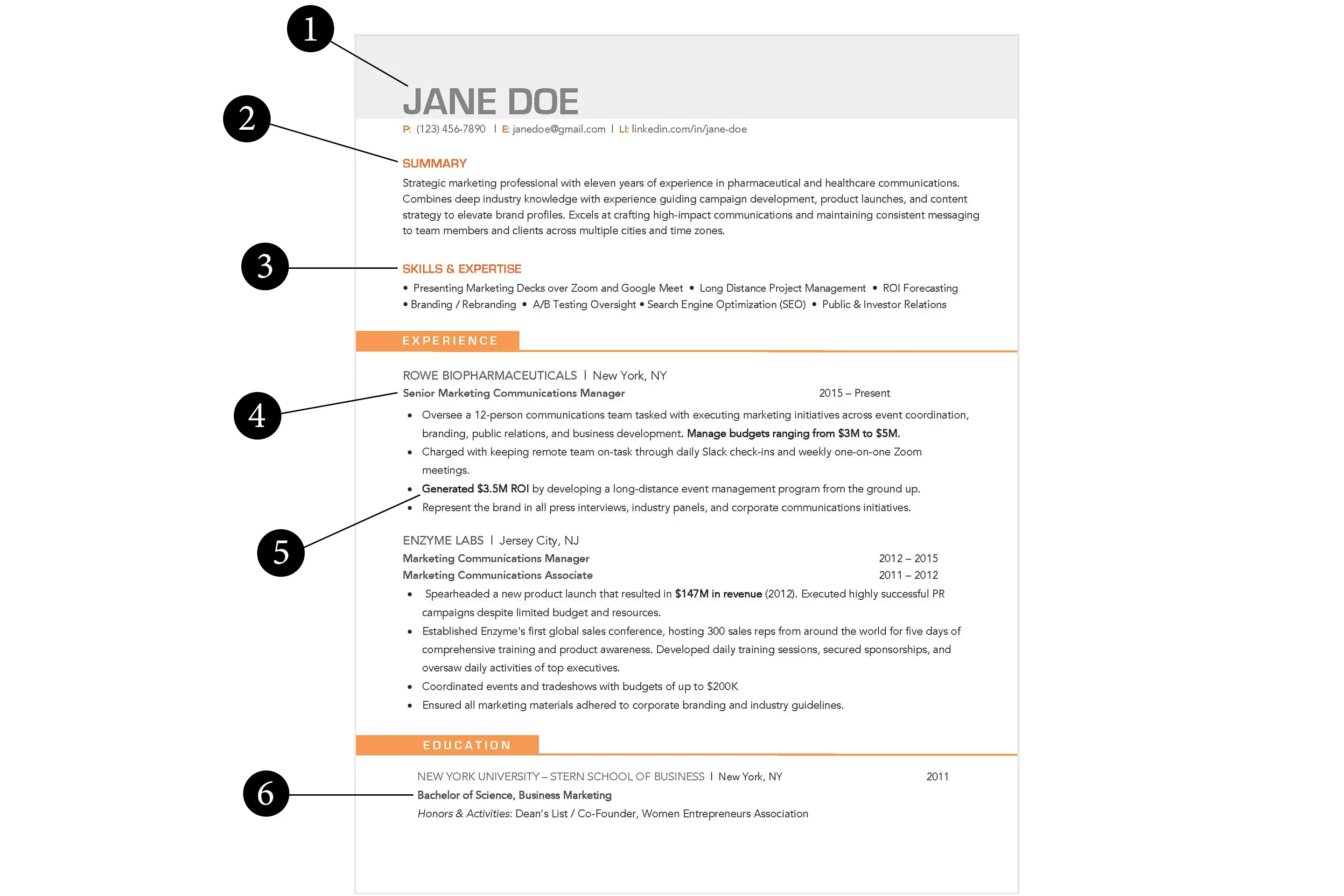
When it comes to sections, most resumes include:
Contact information: Make sure your contact information is up-to-date and easy to find.
Professional summary: Write a brief summary of your experience, skills, and achievements.
Work experience: List your work experience in reverse chronological order, focusing on achievements and skills rather than job responsibilities.
Education and certifications: Include your education and any relevant certifications or training.

Balancing Creativity and Clarity
While it's tempting to get creative with your resume, remember that clarity and readability are essential. Avoid cluttering your resume with too much information or using fonts that are difficult to read.
"Your resume should be a clear and concise representation of your skills and experience, not a work of art." – Jane Doe, Career Coach
A good rule of thumb is to use a clean and simple template as a foundation and then add your personal touch through subtle design elements and strategic formatting.
Comparison Time: Online Builders vs. Traditional Templates
So, how do online resume builders compare to traditional templates? Here's a quick comparison:
| <strong>Feature</strong> | <strong>Online Builders</strong> | <strong>Traditional Templates</strong> |
|---|---|---|
| <strong>Customization options</strong> | Extensive library of templates and design elements | Limited to the template's original design |
| <strong>Ease of use</strong> | User-friendly interface and drag-and-drop functionality | Requires manual formatting and design expertise |
| <strong>Collaboration</strong> | Often allows real-time collaboration and feedback | Difficult to share and collaborate on |
Trust-Building: What Employers Look for
When it comes to resumes, employers often look for:
Relevant experience and skills: Make sure your resume highlights your relevant experience and skills.
Achievements and accomplishments: Quantify your achievements by using numbers and statistics.
Professionalism and attention to detail: Use proper grammar, spelling, and formatting to demonstrate your professionalism.
Practical Tips and Tricks
Here are some practical tips and tricks to keep in mind when customizing your resume template online:
Use action verbs: Use action verbs like "managed," "created," and "developed" to describe your achievements.
Quantify your achievements: Use numbers and statistics to demonstrate the impact of your work.
Tailor your resume: Tailor your resume to each job you apply for by highlighting the skills and experience that match the job requirements.
FAQs
Here are some frequently asked questions about customizing a resume template online:
Q: What's the best online resume builder? The best online resume builder for you will depend on your specific needs and preferences. Popular options include Canva, Resume.io, and LinkedIn's Resume Builder.
Q: How do I choose the right template?
Consider your industry, experience level, and personal brand when choosing a template. Look for a template that's clean, simple, and easy to read.
- Q: Can I use a template for multiple job applications?
While you can use a template as a starting point, it's essential to tailor your resume to each job you apply for by highlighting the skills and experience that match the job requirements.
Final Check
Customizing a resume template online can be a great way to create a standout CV that highlights your skills and experience. By choosing the right template, customizing it to fit your needs, and balancing creativity and clarity, you can increase your chances of landing an interview. Remember to keep it concise, use clear and concise language, and tailor your resume to each job you apply for. With a little practice and patience, you can create a compelling resume that helps you stand out in a crowded job market.
Related: What to Know About Free Online Email Marketing Tools
