
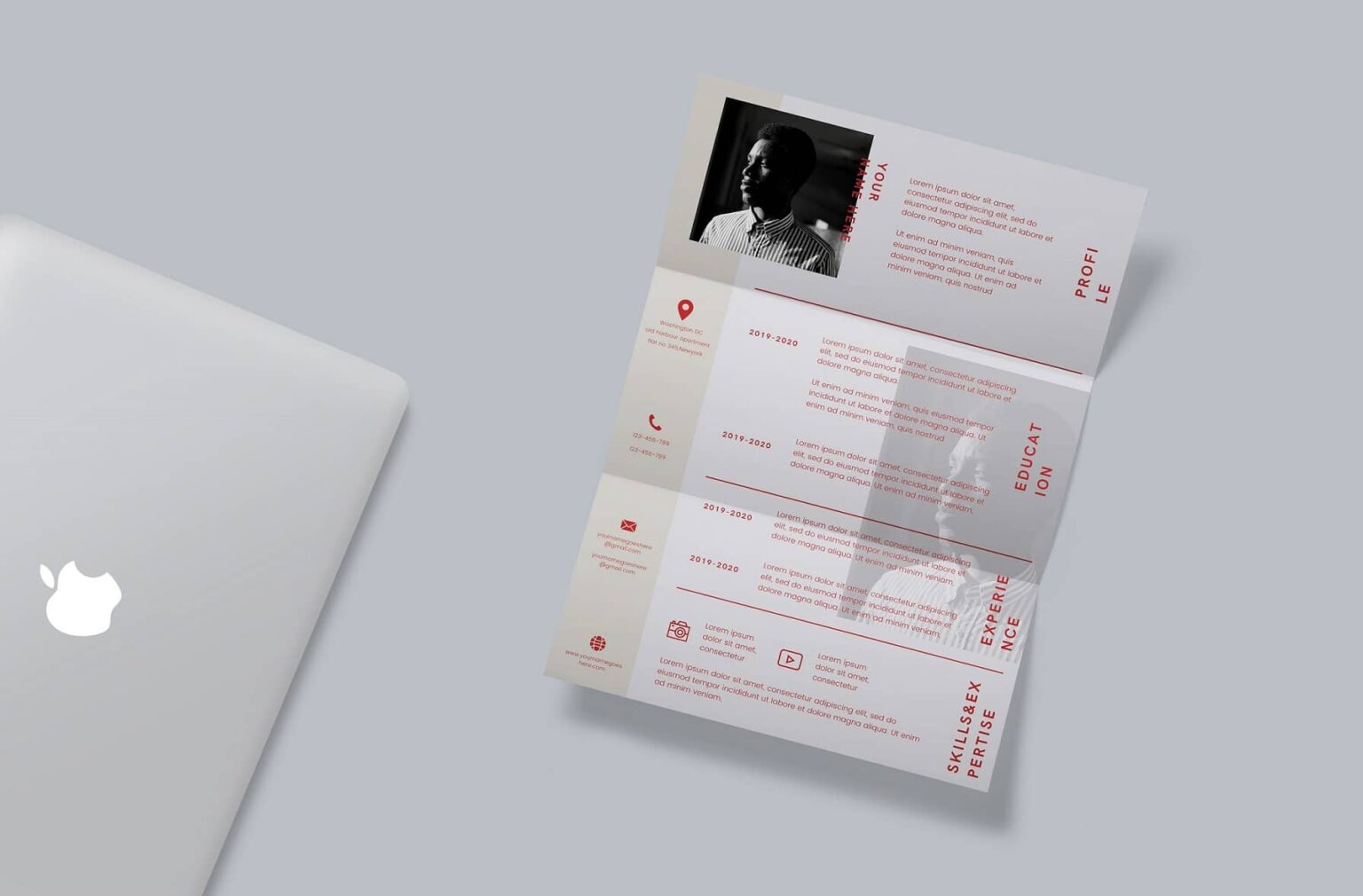
Resume Templates: A Crucial Tool in Job Searching
When searching for a job, having a standout resume is essential. With the numerous resume templates available online, it can be overwhelming to choose the right one. Canva, a popular graphic design platform, offers a wide range of free resume templates that can help you create a visually appealing resume. But what makes a good resume template, and how can you make the most of Canva's free templates?
Benefits and Drawbacks of Using Canva Resume Templates
Canva's free resume templates offer several benefits, including ease of use, a wide range of designs, and customization options. However, there are also some drawbacks to consider. For instance, the templates may not be tailored to specific industries or job types, and the design may not be compatible with applicant tracking systems (ATS).
Benefits
Ease of use: Canva's drag-and-drop interface makes it easy to use, even for those without design experience.
Wide range of designs: Canva offers a vast library of templates, ensuring you can find one that suits your style and industry.
Customization options: Canva allows you to customize your template with various fonts, colors, and graphics.
Drawbacks
Limited ATS compatibility: Canva's templates may not be optimized for ATS, which could lead to your resume being rejected or not parsed correctly.
Limited industry specificity: Canva's templates may not be tailored to specific industries or job types, which could make it harder to stand out.
Choosing the Right Canva Resume Template
With so many templates available, choosing the right one can be daunting. Here are some tips to help you make the right choice:
Consider your industry: Choose a template that is relevant to your industry or job type.
Keep it simple: Avoid templates with too much clutter or overly complex designs.
Customize: Make sure the template allows for easy customization.
Comparison of Popular Canva Resume Templates
| Template Name | Industry Suitability | Customization Options | ATS Compatibility |
|---|---|---|---|
| Modern Resume | Business, Finance | High | Medium |
| Creative Resume | Design, Marketing | High | Low |
| Simple Resume | All industries | Low | High |
Customizing Your Canva Resume Template
Once you've chosen a template, it's essential to customize it to make it stand out. Here are some tips:
Use relevant sections: Make sure to include relevant sections such as a summary or objective statement, education, work experience, and skills.
Tailor your keywords: Use keywords from the job description to help your resume pass through ATS.
Use action verbs: Use action verbs such as "managed," "created," and "developed" to describe your achievements.
Tips for Making Your Resume Stand Out
To make your resume stand out, consider the following tips:
Use a professional summary: Begin your resume with a professional summary that highlights your experience and skills.
Include relevant certifications: Include relevant certifications or licenses to demonstrate your expertise.
Use numbers: Use numbers to quantify your achievements, such as "increased sales by 25% in 6 months."
Common Mistakes to Avoid
When creating your resume, there are several common mistakes to avoid:
Typos and grammatical errors: Make sure to proofread your resume multiple times to catch any typos or grammatical errors.
Poor formatting: Use a clean and easy-to-read format to make your resume easy to scan.
- Lack of relevance: Make sure your resume is tailored to the job you're applying for.
FAQs
Q: Are Canva resume templates free?
Yes, Canva offers a wide range of free resume templates.
Q: Can I customize Canva resume templates?
Yes, Canva allows you to customize your template with various fonts, colors, and graphics.
Q: Are Canva resume templates ATS-friendly?
Some Canva templates may not be optimized for ATS, so it's essential to test your resume before applying.
Q: Can I use Canva resume templates for any industry?
While Canva offers templates for various industries, some templates may be more suitable for certain industries than others.
Final Tips and Next Steps
Creating a standout resume takes time and effort. By choosing the right Canva template, customizing it to fit your needs, and avoiding common mistakes, you can increase your chances of getting noticed by potential employers. Remember to tailor your resume to the job you're applying for, and don't be afraid to try out different templates and designs until you find one that works for you. With these tips and a little practice, you'll be well on your way to creating a winning resume that helps you land your dream job.
Related: A Practical Guide to Finding the Best Free Resume Templates
Related: Find the Perfect Resume: Best Resume Templates 2026 Free
Related: Online Course Web Template: What Actually Makes Sense?
