
Free Design Tools Online: What Actually Makes Sense?
The Hunt for Quality Free Design Tools
When you're on a tight budget or just starting out with a design project, the cost of professional design software can be a significant barrier. Fortunately, the internet is teeming with free design tools online that can help you create stunning visuals without denting your wallet. But with so many options available, it's easy to get overwhelmed. What are the best free design tools that can actually help you achieve professional-looking results?
Graphic Design Powerhouses
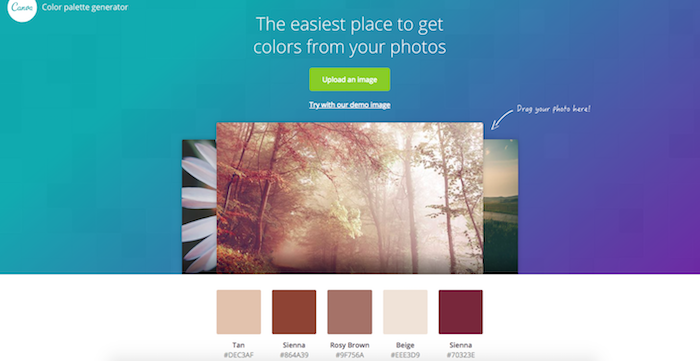
For graphic design enthusiasts, a few tools stand out from the rest. Canva is often the first that comes to mind, and for good reason. This user-friendly platform offers a vast array of templates, fonts, and design elements that make creating social media graphics, presentations, and even logos a breeze. But what really sets Canva apart is its extensive library of user-generated content and the seamless integration with other design apps.
Another strong contender is GIMP, often considered the free alternative to Adobe Photoshop. With a robust set of editing tools, GIMP is perfect for those who need to manipulate images without the hefty price tag. Though it may have a steeper learning curve than Canva, GIMP's capabilities are undeniably impressive.
Digital Art and Illustration
If digital art and illustration are more your thing, there are some fantastic free tools to explore. Krita, for instance, offers an incredibly versatile digital painting experience. Its customizable brushes, extensive color management, and support for a wide range of file formats make it a favorite among artists.
Another notable mention is Inkscape, a powerful vector graphics editor that's comparable to Adobe Illustrator. Its feature-rich environment includes support for layers, paths, and shapes, making it ideal for creating complex illustrations and designs.
Web Design and Prototyping
For those interested in web design, free tools like Figma and Mozilla's Firefox Developer Edition offer robust functionalities. Figma stands out for its cloud-based interface, allowing for seamless collaboration and real-time feedback. Its intuitive design tools and vast plugin library make it a top choice for UI/UX design.
Firefox Developer Edition, on the other hand, provides a comprehensive set of tools for web developers, including a responsive design mode, a JavaScript debugger, and a powerful inspector. It's an invaluable resource for anyone looking to fine-tune their web projects.
Video Editing and Motion Graphics
Video content is all the rage, and thankfully, there are free design tools available for video editing and motion graphics. Shotcut, for example, offers a highly customizable interface and supports a wide range of video formats. Its extensive filter library and intuitive timeline make video editing a snap.
For motion graphics, Blender is a 3D creation software that also happens to have a fantastic video editing and motion graphics suite. Its comprehensive toolset includes modeling, rigging, animation, rendering, and even video editing.
Comparison of Top Free Design Tools
| Tool | Primary Use | Learning Curve | Collaboration Features |
|---|---|---|---|
| Canva | Graphic Design | Easy | Cloud-based, Real-time |
| GIMP | Photo Editing | Medium | Limited |
| Krita | Digital Painting | Medium | Limited |
| Inkscape | Vector Graphics | Medium | Limited |
| Figma | UI/UX Design | Easy | Cloud-based, Real-time |
| Shotcut | Video Editing | Medium | Limited |
| Blender | 3D, Motion Graphics | Hard | Limited |
Practical Tips for Choosing the Right Tool
When selecting a free design tool, consider what you need it for. Are you looking for something to create social media graphics, or do you need advanced photo editing capabilities? Here are a few practical tips:
- Start Simple: If you're new to design, start with user-friendly tools like Canva or Figma. Their intuitive interfaces will help you get started quickly.
- Consider Community Support: Tools with active communities, like GIMP and Krita, often have extensive tutorials and forums where you can find help and inspiration.
- Evaluate Collaboration Needs: If you're working in a team, tools like Figma with real-time collaboration features can significantly streamline your workflow.
Trusting the Tools: Security and Updates
When using free design tools, it's essential to consider security and updates. Opt for tools that are regularly updated and have a transparent development roadmap. Additionally, be cautious about the permissions you grant and ensure you're downloading software from official sources.
Frequently Asked Questions
Q: Are free design tools really as good as paid ones?
While free design tools can offer impressive features and functionalities, they might not always match the capabilities of their paid counterparts. However, many free tools are incredibly powerful and can meet the needs of most users.
Q: Can I use free design tools for commercial projects?
It depends on the tool's licensing terms. Some free tools allow commercial use, while others may have restrictions. Always review the licensing agreement before using a tool for commercial projects.
Q: How do I learn to use these free design tools?
Most free design tools have extensive documentation, tutorials, and community forums. Start with official tutorials and explore user-generated content on platforms like YouTube.
Closing
The world of free design tools online is vast and varied, offering something for every kind of creative project. By choosing the right tool for your needs and leveraging its features effectively, you can create stunning visuals without breaking the bank. Whether you're a seasoned designer or just starting out, there's never been a better time to explore the possibilities of free design tools.
Related: Find Your Perfect Free Digital Planner Without the Hassle
