
Unleashing Creativity with Free Design Tools
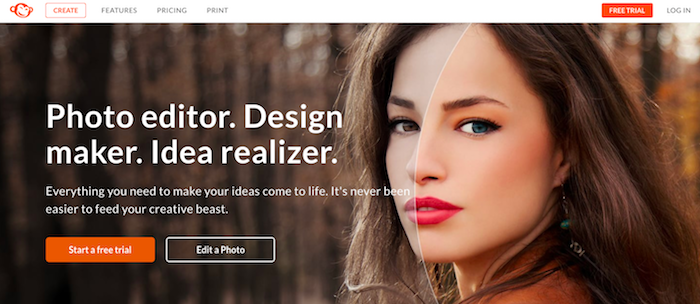
The world of design has become increasingly accessible, thanks to a plethora of free design tools available online. These tools have democratized design, allowing anyone with an internet connection to create stunning visuals, regardless of their budget or experience. Whether you're a seasoned designer or a beginner, free design tools can help you elevate your visual projects and bring your creative vision to life.
Exploring the Landscape of Free Design Tools
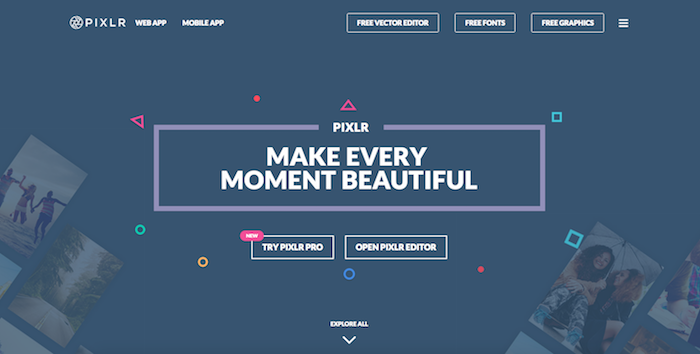
From graphic design and digital art to web design and video editing, the range of free design tools is vast and varied. Some tools focus on specific tasks, like logo creation or social media graphics, while others offer a comprehensive suite of features to tackle complex projects. With so many options available, it can be overwhelming to choose the right tool for the job. In this article, we'll explore some of the top free design tools online, highlighting their strengths, weaknesses, and use cases.
Graphic Design Powerhouses
When it comes to graphic design, a few tools stand out from the rest. Canva is a popular choice, offering a user-friendly interface and a vast library of templates, fonts, and graphics. It's ideal for creating social media graphics, presentations, and blog posts. Another contender is GIMP, a free and open-source raster graphics editor that rivals Adobe Photoshop. With GIMP, you can edit and manipulate images with ease, making it a great option for those who need advanced graphic design features.
Canva vs. GIMP: A Brief Comparison
| <strong>Feature</strong> | <strong>Canva</strong> | <strong>GIMP</strong> |
|---|---|---|
| User Interface | User-friendly, drag-and-drop | Steeper learning curve, but customizable |
| Templates and Graphics | Vast library of templates and graphics | Limited templates, but extensive plugin library |
| Image Editing | Basic image editing features | Advanced image editing features, comparable to Photoshop |
Digital Art and Illustration
For digital artists and illustrators, free design tools like Krita and Inkscape offer a range of possibilities. Krita is a free and open-source painting and illustration tool that boasts an impressive array of brush engines, including customizable brushes, textures, and effects. Inkscape, on the other hand, is a vector graphics editor that allows you to create complex illustrations, logos, and icons.
Web Design and Prototyping
When it comes to web design and prototyping, tools like Figma and Adobe XD (free for limited projects) are popular choices. However, for those on a tight budget or working on personal projects, free alternatives like Webflow and Mockup.io offer a range of features to create and test web designs.
Video Editing and Motion Graphics
Video editing and motion graphics have become increasingly important in visual storytelling. Free design tools like Shotcut and Lightworks offer advanced video editing features, while Blender is a powerful 3D creation software that can be used for motion graphics, animations, and even 3D modeling.
Practical Tips and Tricks
When getting started with free design tools, it's essential to keep a few things in mind:
Start with a clear project goal in mind to help you choose the right tool.
Experiment with different tools and features to find what works best for you.
Take advantage of online tutorials, documentation, and communities to learn new skills.
Don't be afraid to combine different tools to achieve the desired result.
Real-World Applications
Free design tools have been used in a variety of real-world applications, from small business marketing to large-scale creative projects. For example, a freelance graphic designer might use Canva to create social media graphics for clients, while a digital artist might use Krita to create illustrations for a children's book.
Trust and Reliability
When using free design tools, it's natural to have concerns about trust and reliability. While some tools may have limitations or watermarks, many reputable companies offer free versions of their software to ensure users can try before they buy. Always read reviews, check the terms of service, and test the tool with a small project before committing to it.
Frequently Asked Questions
Q: Are free design tools really free?
Most free design tools offer a basic version of their software at no cost, but may have limitations or restrictions on commercial use.
Q: Can I use free design tools for commercial projects?
It depends on the tool and its licensing terms. Always check the terms of service before using a free design tool for commercial projects.
Q: Are free design tools suitable for beginners?
Absolutely! Many free design tools offer user-friendly interfaces and tutorials to help beginners get started.
Q: Can I upgrade to a paid version of a free design tool?
Yes, many free design tools offer paid upgrades or subscriptions with additional features, support, or storage.
Closing
The world of free design tools online is vast and exciting, offering a wealth of creative possibilities for designers, artists, and makers. By exploring the range of tools available, you can find the perfect fit for your project needs and bring your visual vision to life. Whether you're a seasoned pro or just starting out, free design tools can help you elevate your creative game and achieve stunning results.
Related: Best Free Software Design Tools for Creative Projects
