
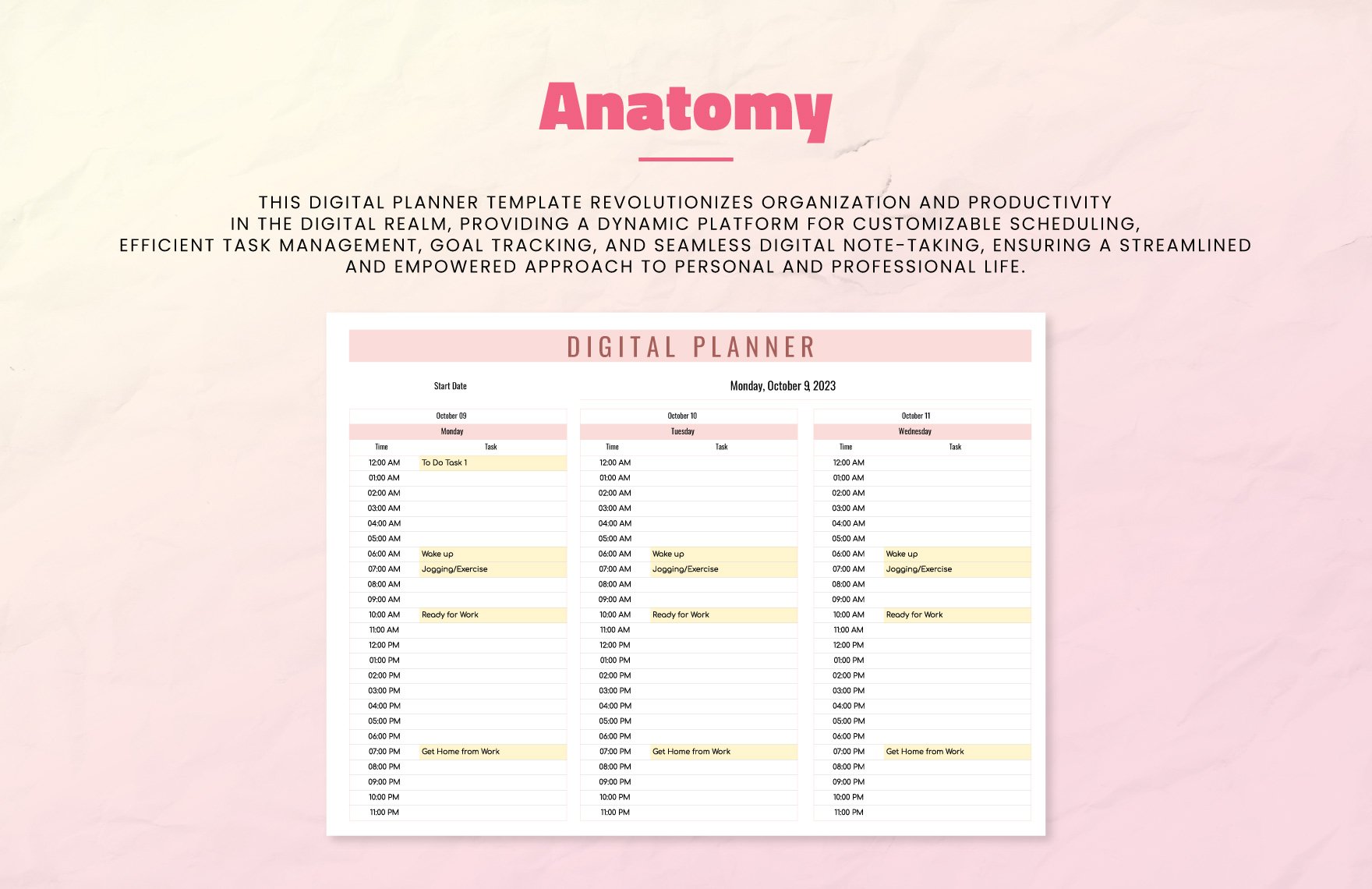
Getting Started with Free Digital Planner Templates
If you're like many people, you've probably tried various methods to stay organized, from paper planners to digital apps. But have you considered using a free digital planner template? These templates can be a great way to boost your productivity and achieve your goals, all without breaking the bank. In this article, we'll explore what makes sense when it comes to free digital planner templates, including how to choose the right one, customize it to your needs, and use it effectively.
What is a Digital Planner Template?
A digital planner template is essentially a downloadable file, often in PDF or editable format, that provides a structured layout for planning your day, week, month, or year. Unlike traditional paper planners, digital templates can be easily accessed on your computer, tablet, or smartphone, making it simple to stay organized on-the-go.
Digital planner templates can vary widely in terms of design, layout, and features. Some may include:
Daily or weekly spreads for scheduling appointments and tasks
Goal-setting templates for tracking progress
Habit trackers for monitoring your daily routines
Budgeting templates for managing your finances
Benefits of Using Free Digital Planner Templates
So why should you consider using a free digital planner template? Here are just a few benefits:
Cost-effective: Free digital planner templates are, well, free! You can try out different templates and styles without spending a dime.
Customizable: Many digital templates are editable, allowing you to tailor them to your specific needs and preferences.
Environmentally friendly: By using a digital planner, you can reduce your paper usage and minimize waste.
Accessible: digital planners can be easily accessed on multiple devices, making it simple to stay organized no matter where you are.
Choosing the Right Free Digital Planner Template
With so many free digital planner templates available, it can be overwhelming to choose the right one. Here are a few factors to consider:
Purpose: What do you want to use your digital planner for? Do you need a daily schedule, a goal-setting template, or a habit tracker?
Design: Do you prefer a simple, minimalist design or a more colorful and decorative layout?
Format: Do you need a PDF template or an editable file, such as a Word doc or Google Doc?
Compatibility: Will the template work on your device, and can you easily edit it if needed?
Comparison of Popular Free Digital Planner Templates
| Template | Format | Design | Features |
|---|---|---|---|
| Google Sheets Template | Editable | Simple | Daily schedule, goal-setting, habit tracker |
| PDF Daily Planner | Minimalist | Daily schedule, to-do list | |
| Canva Template | Editable | Colorful | Weekly schedule, goal-setting, habit tracker |
Customizing Your Free Digital Planner Template
Once you've chosen a template, you may want to customize it to better suit your needs. Here are a few tips:
Add your own sections: If the template doesn't include a section you need, consider adding it. For example, you might add a section for tracking your expenses or monitoring your progress towards a specific goal.
Change the layout: If the template's layout isn't quite right for you, try rearranging the sections or adding new ones.
Use different colors or fonts: Personalize your template with your favorite colors and fonts.
Using Your Free Digital Planner Template Effectively
So you've downloaded and customized your free digital planner template – now what? Here are a few tips for using it effectively:
Set specific goals: Use your template to set specific, achievable goals for yourself. Break down larger goals into smaller, manageable tasks to help you stay on track.
Use it consistently: Try to use your template consistently, ideally at the same time each day or week. This will help you develop a routine and make the most of your template.
Review and adjust: Regularly review your progress and adjust your template as needed. Life can be unpredictable, and your template should be flexible enough to accommodate changes.
Common Mistakes to Avoid
Here are a few common mistakes to avoid when using a free digital planner template:
Not setting realistic goals: Be honest with yourself about what you can accomplish in a given timeframe. Setting unrealistic goals can lead to frustration and disappointment.
Not using the template consistently: Try to use your template at the same time each day or week to develop a routine.
- Not reviewing and adjusting: Regularly review your progress and adjust your template as needed.
Frequently Asked Questions
Q: What is the best format for a digital planner template?
The best format for a digital planner template depends on your needs and preferences. PDF templates are great for printing or viewing on a device, while editable templates (such as Word docs or Google Docs) offer more flexibility.
Q: Can I use a free digital planner template on multiple devices?
Yes, most digital planner templates can be accessed on multiple devices, including computers, tablets, and smartphones.
Q: How do I customize a free digital planner template?
Customizing a free digital planner template is often as simple as adding or removing sections, changing the layout, or using different colors or fonts.
Q: What are some popular alternatives to digital planner templates?
Popular alternatives to digital planner templates include paper planners, digital apps (such as Todoist or Trello), and printable templates.
Final Tips and Recommendations
Free digital planner templates can be a powerful tool for boosting your productivity and achieving your goals. By choosing the right template, customizing it to your needs, and using it consistently, you can stay organized and focused. Remember to avoid common mistakes, such as setting unrealistic goals or not reviewing your progress. With a little practice and patience, you can make the most of your free digital planner template and achieve your goals.
Related: 5 Useful Things to Know About Free Graphic Design Tools
Related: 12 Digital Planning Tips to Boost Your Productivity
