
Free Digital Planner Templates: What Actually Makes Sense?
Finding the Right Start
Imagine having a planner that fits perfectly in your pocket, syncs across all your devices, and is always up-to-date. No more lost pages, no more messy ink, and no more hassle. Welcome to the world of digital planners. With the rise of digital organization tools, free digital planner templates have become increasingly popular. But are they as useful as they seem? And how do you choose the right one for your needs?
What Are Digital Planners and Why Do You Need One?
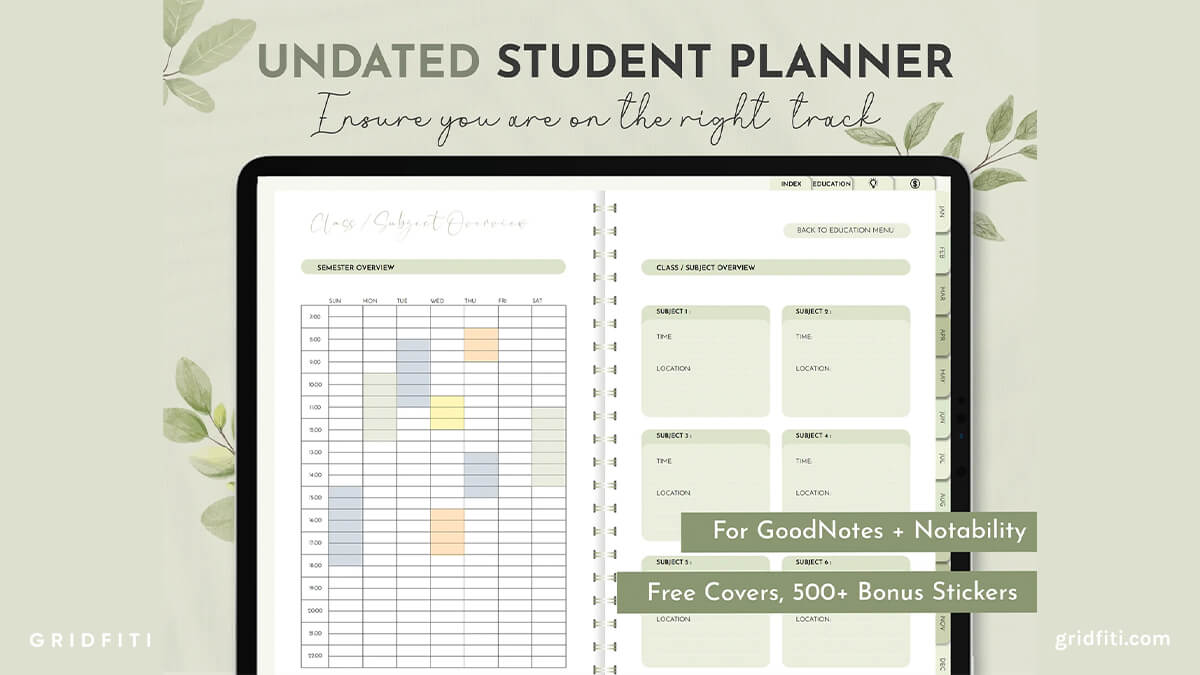
Digital planners are electronic versions of traditional paper planners. They offer a flexible and customizable way to organize your schedule, tasks, and goals. With a digital planner, you can easily edit and rearrange pages, add or remove sections, and sync your data across multiple devices. This makes them perfect for people who are always on the go, need to share their schedule with others, or simply prefer a more modern approach to planning.
Benefits of Using Free Digital Planner Templates
The biggest advantage of free digital planner templates is that they are, well, free. You can try out different templates and styles without committing to a purchase. They are also easily accessible and can be downloaded instantly. Moreover, free digital planner templates can help you:
Save time and money
Increase productivity and organization
Customize your planner to fit your needs
Experiment with different layouts and designs
How to Choose the Right Free Digital Planner Template
With so many free digital planner templates available, it can be overwhelming to choose the right one. Here are a few things to consider:
Purpose: What do you want to use your digital planner for? (e.g., daily planning, weekly review, goal setting)
Design: Do you prefer a minimalist or colorful design?
Layout: Do you need a template with a specific layout, such as a daily or weekly spread?
Compatibility: Is the template compatible with your device or software?
Comparison of Popular Free Digital Planner Templates
| Template Name | Features | Compatibility | Design Style |
|---|---|---|---|
| Google Calendar Template | Syncs with Google Calendar, easy to edit | Google Drive, Google Docs | Simple, minimalistic |
| Canva Digital Planner Template | Highly customizable, drag-and-drop interface | Canva, PDF | Colorful, modern |
| Microsoft Excel Template | Advanced formulas, easy to track progress | Microsoft Excel, PDF | Classic, spreadsheet-style |
Customizing Your Free Digital Planner Template
Once you've chosen a template, it's time to make it your own. Here are some tips for customizing your free digital planner template:
Add your branding: Include your name, initials, or logo to make your planner more personal.
Change the colors: Update the color scheme to match your personal style or favorite colors.
Rearrange the layout: Move sections around to fit your needs and workflow.
Add extra pages: Include additional pages for notes, goal setting, or habit tracking.
Practical Tips for Using Free Digital Planner Templates
To get the most out of your free digital planner template, try these practical tips:
Set aside dedicated planning time: Schedule a specific time each day or week to plan and review your schedule.
Use a consistent layout: Stick to a consistent layout to make it easier to navigate and use your planner.
Make it a habit: Incorporate your digital planner into your daily routine, just like you would with a traditional planner.

Common Mistakes to Avoid
When using free digital planner templates, avoid these common mistakes:
Over-complicating the design: Keep your design simple and easy to use.
Not syncing across devices: Make sure your planner is synced across all your devices to avoid data loss.
Not reviewing regularly: Regularly review your planner to stay on track and make adjustments as needed.
FAQs
Q: What software do I need to use free digital planner templates?
Most free digital planner templates are compatible with popular software such as Google Drive, Microsoft Excel, or Canva. Check the template's description for specific compatibility information.
Q: Can I customize a free digital planner template to fit my needs?
Yes, most free digital planner templates are highly customizable. You can add or remove sections, change the layout, and update the design to fit your needs.
Q: Are free digital planner templates secure?
Yes, most free digital planner templates are secure. However, make sure to check the template's source and reviews to ensure it's from a reputable provider.
Q: Can I use a free digital planner template on multiple devices?
Yes, most free digital planner templates can be synced across multiple devices. Check the template's description for specific syncing information.
Final Tips and Recommendations
Free digital planner templates can be a game-changer for your productivity and organization. When choosing a template, consider your needs, design preferences, and compatibility. Customize your template to make it your own, and use practical tips to get the most out of it. With the right template and a little practice, you can stay organized, focused, and on top of your schedule. So why not give it a try? Download a free digital planner template today and start planning your way to a more organized life.
Related: 5 Useful Things to Know About Free Online Course Platforms
