
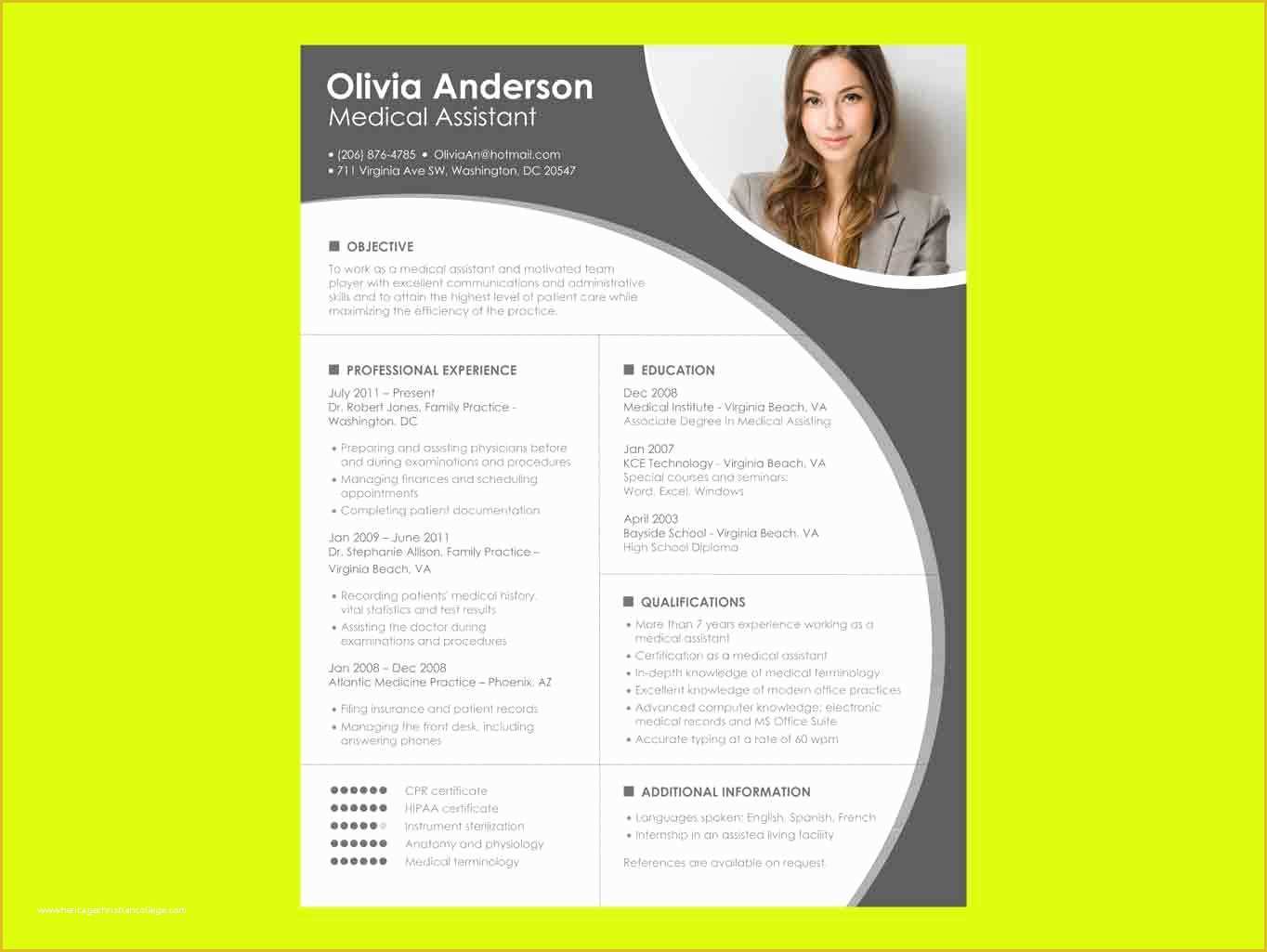
Finding the Right Template
When you're on the hunt for a job, having a standout resume is crucial. But creating one from scratch can be daunting, especially if you're not sure where to start. That's where free Microsoft Word resume templates come in – a practical solution to help you get your foot in the door. With so many options available, it's essential to focus on templates that are both functional and visually appealing.
Benefits of Using Microsoft Word Templates
Using a Microsoft Word template offers several advantages. For one, it's widely accessible; most job seekers already have access to Microsoft Word, making it easy to find and edit templates. Additionally, these templates are designed to be compatible with the software, ensuring that your resume will look professional and consistent across different devices.
Top Free Microsoft Word Resume Templates
Here are some top picks for free Microsoft Word resume templates that can help you land an interview:
- Modern Resume Template: A clean and simple design that's perfect for professionals in creative and corporate fields.
- Professional Resume Template: Ideal for those who want a traditional look with a bit of flair, suitable for various industries.
- Simple Resume Template: Great for those who prefer a no-frills approach, focusing on content rather than design.
How to Choose the Best Template
Choosing the right template can make a significant difference in how your resume is received. Consider the following factors:
Industry: Different industries have different norms when it comes to resume design. For example, a creative field might allow for more design elements, while a corporate job might require something more traditional.
Experience Level: If you're just starting out, a simpler template can help you stand out for your content rather than your design skills. For more experienced professionals, a more sophisticated template can highlight your career achievements.
Customizing Your Template
Once you've chosen a template, it's time to make it your own. Here are some tips for customizing your resume:
Tailor Your Content
Make sure your resume speaks directly to the job you're applying for. Use keywords from the job description to help your resume pass through applicant tracking systems (ATS) and catch the eye of the hiring manager.
Adjust the Layout
Don't be afraid to move sections around or add/remove sections as necessary. For example, if you're just starting out, you might not have as much work experience, so you'll want to highlight your education and any relevant projects.
Add Visual Elements
Use bullet points, bolding, and italicizing to draw attention to important information. However, keep in mind that too many visual elements can make your resume look cluttered.

Common Mistakes to Avoid
When using free Microsoft Word resume templates, there are a few common pitfalls to watch out for:
Overdesign: While it's tempting to use all the bells and whistles, remember that the goal is to communicate your qualifications clearly, not to showcase your design skills.
Lack of Tailoring: A generic resume won't get you far. Make sure to customize your resume for each job application.
Insights: What Employers Look For
According to a survey by CareerBuilder, 58% of employers prefer a resume that's easy to read and well-organized. Furthermore, 45% of employers say that they spend less than a minute reviewing a resume. This underscores the importance of choosing a template that's clear, concise, and visually appealing.
Practical Section: Step-by-Step Guide to Using Templates
Here's a step-by-step guide to finding and using a free Microsoft Word resume template:
- Open Microsoft Word: Start by opening Microsoft Word on your computer.
- Search for Templates: Click on "File" > "New" and then search for "resume templates" in the search bar.
- Browse Templates: Browse through the available templates and choose one that suits your needs.
- Download and Customize: Download the template and start customizing it with your information.
FAQs
Q: Are free Microsoft Word resume templates really free?
Yes, there are many free Microsoft Word resume templates available online. However, some templates might require you to create an account or provide credit to the designer.
Q: Can I use a free template for a professional job application?
Absolutely. Many free templates are designed with professionals in mind and can be a great starting point for your job application.
Q: How do I make my resume stand out from the competition?
Tailor your resume to the job description, use keywords, and highlight your achievements rather than just listing your job responsibilities.
Q: Can I use a template if I'm not tech-savvy?
Yes, templates are designed to be user-friendly. If you're not comfortable with Microsoft Word, consider asking a friend or using an online resume builder.
Closing
Finding the right free Microsoft Word resume template can be a game-changer in your job search. By choosing a template that's both functional and visually appealing, you can showcase your qualifications in the best possible light. Remember to tailor your resume to each job application, and don't hesitate to ask for help if you need it. With these tips and a bit of creativity, you'll be well on your way to landing your dream job.
Related: What to Know About Free Online Resume Templates
Related: What to Know About Resume Templates Word Free Download
Related: Essential Pet Care Tips for a Healthy and Happy Cat
