

A Practical Guide to Finding the Perfect Free Online Template for Your Resume
When you're on the hunt for a job, your resume is often the first impression you make on a potential employer. It's crucial that it's not only error-free but also visually appealing and well-structured. However, not everyone has the design skills or the budget to invest in a professional resume. That's where free online templates come in – a cost-effective solution to help you stand out. But with so many options available, how do you choose the right one?
Understanding Your Needs
Before diving into the world of free online templates, it's essential to understand what you're looking for. What type of job are you applying for? What are your skills and qualifications? What makes you unique? Knowing the answers to these questions will help you tailor your resume to the specific job you're applying for. Consider the industry you're in and the level of formality you want to convey. For instance, a creative field might allow for more vibrant templates, while a corporate job might require something more traditional.
Exploring Free Online Templates
The internet is flooded with websites offering free online templates for resumes. Some popular options include Canva, Resume.io, and Hloom. These platforms provide a wide range of templates, from simple and clean to more elaborate and decorative. When exploring these websites, look for templates that are specifically designed for your industry or job type. You can also filter templates by format, such as chronological or functional.
What to Look for in a Template
When browsing through free online templates, there are several things to keep in mind:
Customizability: Can you easily add or remove sections? Can you change the font and color scheme?
Readability: Is the template easy to read, even for those who may not be familiar with your industry?
Relevance: Does the template align with your personal brand and the job you're applying for?
Download and compatibility: Can you easily download the template, and is it compatible with your software?
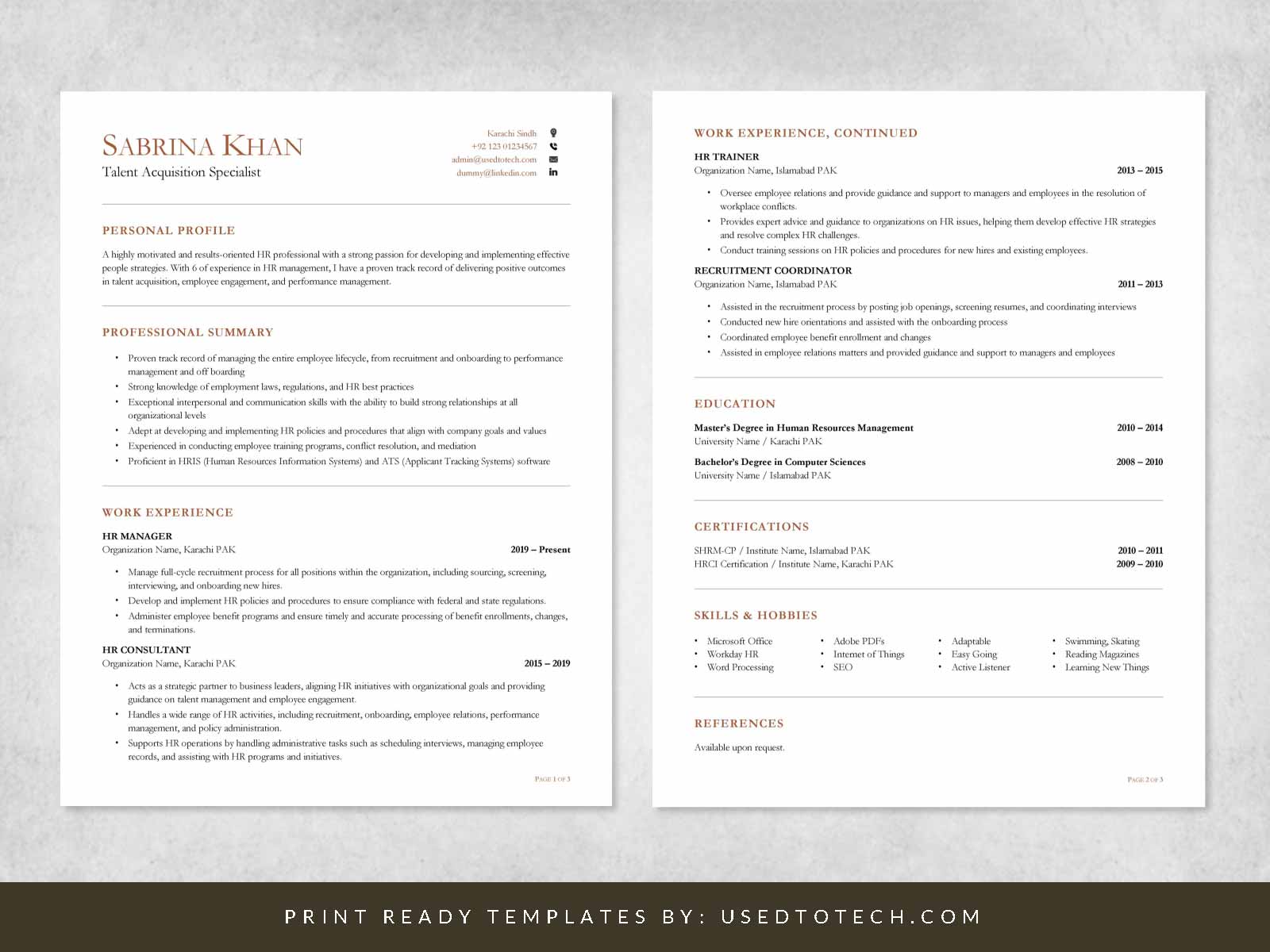
Top Free Online Template Providers
Here's a brief overview of some top free online template providers:
| <strong>Provider</strong> | <strong>Template Variety</strong> | <strong>Customizability</strong> | <strong>Ease of Use</strong> |
|---|---|---|---|
| Canva | High | High | Easy |
| Resume.io | Medium | Medium | Medium |
| Hloom | High | Low | Easy |
Canva stands out for its vast collection of templates and user-friendly interface. Resume.io offers a range of templates, but some users may find the customization options limited. Hloom provides a wide variety of templates, but the editing process can be a bit cumbersome.
Tips for Using Free Online Templates
To get the most out of free online templates, keep the following tips in mind:
Tailor your template to the job: Customize your template to match the requirements of the job you're applying for.
Keep it concise: Avoid cluttering your resume with too much information. Focus on the most important details.
Use action verbs: Use action verbs like "managed," "created," and "developed" to describe your achievements.
Common Mistakes to Avoid
When using free online templates, there are several common mistakes to avoid:
Over-customization: Avoid over-customizing your template with too many fonts, colors, or graphics.
Lack of relevance: Make sure your template is relevant to the job you're applying for.
Typos and errors: Carefully proofread your resume to catch any typos or errors.
Building Trust with Your Resume
Your resume is often the first impression you make on a potential employer. To build trust, make sure your resume is:
Accurate: Ensure that your resume accurately reflects your skills and qualifications.
Professional: Use a professional font and layout.
- Consistent: Use consistent formatting throughout your resume.
Frequently Asked Questions
Q: What is the best free online template for a resume?
The best template for you will depend on your specific needs and the job you're applying for. Consider using a template from Canva, Resume.io, or Hloom.
Q: How do I choose a template that aligns with my personal brand?
Consider your industry, job type, and personal style when selecting a template. Choose a template that reflects your values and aesthetic.
Q: Can I customize a free online template?
Most free online templates can be customized to some extent. Look for templates with easy-to-use editing tools and a range of customization options.
Q: Are free online templates compatible with applicant tracking systems (ATS)?
Most free online templates are compatible with ATS, but it's essential to test your resume before submitting it.
Final Tips and Next Steps
Finding the perfect free online template for your resume takes time and effort. Remember to tailor your template to the job you're applying for, keep it concise, and use action verbs to describe your achievements. Don't be afraid to experiment with different templates and customization options until you find the one that works best for you. With a little creativity and patience, you can create a stunning resume that helps you stand out in a competitive job market.
Related: Free Printable Course Templates
Related: Email Marketing Tool for Beginners
