

As a professional looking to advance your career or transition into a new field, having a well-crafted resume is essential. Your resume is often the first impression you make on potential employers, and it can make or break your chances of getting noticed. However, creating a professional-looking resume from scratch can be daunting, especially if you're not design-savvy. That's where free resume templates come in – a lifesaver for those who want to create a stunning resume without breaking the bank.
Choosing the Right Template for Your Needs
With countless free resume templates available online, selecting the right one can be overwhelming. To narrow down your options, consider your industry, level of experience, and personal style. For instance, if you're in a creative field, you may want to opt for a template that showcases your artistic side. On the other hand, if you're in a more traditional industry, a simple and clean template may be more suitable.When browsing templates, look for the following features:
Clean and concise layout: A clutter-free design that makes it easy for hiring managers to scan your resume.
Customizable sections: A template that allows you to add or remove sections as needed, ensuring your resume is tailored to your experience.
ATS-friendly: A template that's optimized for applicant tracking systems (ATS), which can help your resume pass through automated screenings.
Top Free Resume Templates for Professionals
Here are some of the best free resume templates for professionals: Resume Genius: Offers a range of free templates, including a simple and elegant design that's perfect for traditional industries.
Canva: Provides a vast library of templates, including modern and creative designs that are ideal for those in artistic fields.
Hloom: Features a collection of free templates, including a popular "Chicago" template that's clean and easy to read.
What Makes a Great Resume Template?
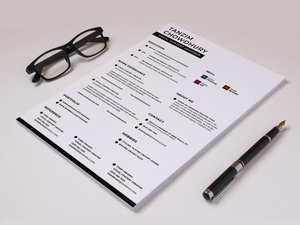
A great resume template should strike a balance between aesthetics and functionality. Here are some key elements to look for: Clear headings: Easy-to-read headings that help hiring managers quickly scan your resume.
Bullet points: A consistent use of bullet points to break up large blocks of text and highlight your achievements.
White space: Ample white space to make your resume easy on the eyes and prevent it from looking cluttered.
How to Customize Your Template
Once you've chosen a template, it's time to customize it to fit your needs. Here are some tips to get you started: Tailor your objective: Write a compelling objective statement that highlights your career goals and relevant experience.
Emphasize your achievements: Use specific numbers and metrics to demonstrate the impact you've made in your previous roles.
Keep it concise: Keep your resume to one or two pages, focusing on the most important information.
Common Mistakes to Avoid
When using free resume templates, it's easy to fall into common pitfalls. Here are some mistakes to avoid: Overusing keywords: While keywords are essential for ATS, overusing them can make your resume sound unnatural.
Lack of action verbs: Failing to use strong action verbs, such as "managed," "created," and "developed," to describe your achievements.
Poor formatting: Using a template that's difficult to read or has inconsistent formatting.
Comparison of Popular Resume Templates
Here's a comparison of three popular free resume templates:| Template | Features | Industry Suitability |
|---|---|---|
| Resume Genius | Clean design, customizable sections, ATS-friendly | Traditional, finance, law |
| Canva | Modern designs, artistic options, easy to use | Creative, tech, marketing |
| Hloom | Simple and elegant, popular "Chicago" template, easy to read | Traditional, business, education |
FAQs
Here are some frequently asked questions about free resume templates: Q: Are free resume templates really free?
Yes, most free resume templates are completely free to download and use. However, some templates may offer premium features or customization options for a fee.
Q: Can I use a free resume template for any industry?
While some templates are versatile, others may be more suitable for specific industries. Choose a template that aligns with your industry and personal style.
Q: How do I know if a template is ATS-friendly?
Look for templates that are specifically designed to be ATS-friendly, or check the template's documentation to see if it's optimized for applicant tracking systems.
Final Tips and Next Steps
Creating a stunning resume is just the first step in your job search journey. Here are some final tips to keep in mind: Tailor your resume to each job: Customize your resume for each job you apply to, highlighting the skills and experience that match the job requirements.
Proofread carefully: Double-check your resume for spelling, grammar, and formatting errors that can make a negative impression.
- Get feedback: Ask a friend or mentor to review your resume and provide feedback on how to improve it.
By following these tips and using a free resume template, you'll be well on your way to creating a professional-looking resume that helps you stand out in a competitive job market.
Related: Free Budget Planner Template for Beginners: What Actually
