
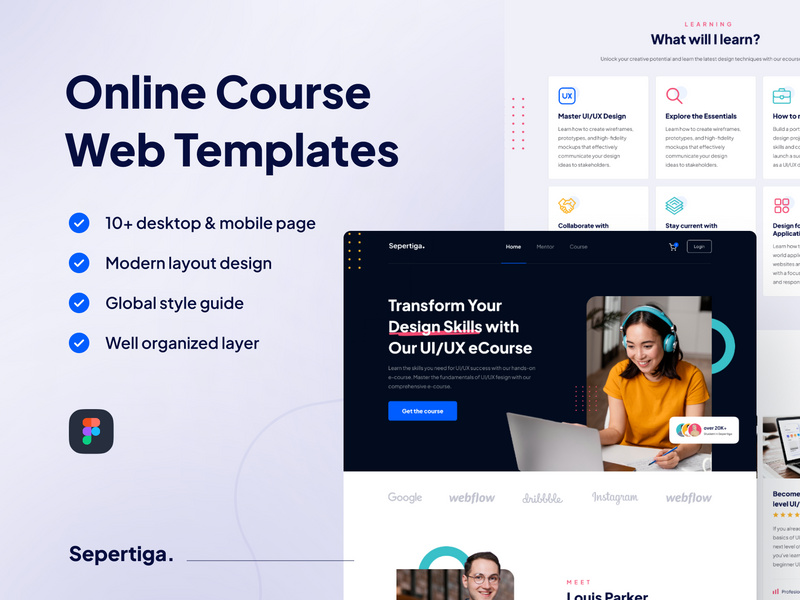
Understanding Your Needs: The Foundation of a Great Online Course Website
When creating an online course website, the template you choose can make or break the user experience. With so many options available, it's easy to feel overwhelmed. A good starting point is to define your needs. What type of courses will you be offering? Who is your target audience? What features do you need to ensure a smooth learning experience?
For instance, if you're planning to offer video-based courses, you'll want a template that supports seamless video playback and has a robust content delivery network (CDN). On the other hand, if your courses are more interactive, you might prioritize templates with built-in quiz and assessment tools.
Key Features to Look for in an Online Course Website Template
Not all online course website templates are created equal. Some key features to look for include:
- Responsive Design: Ensure that the template is mobile-friendly and can adapt to different screen sizes. This is crucial since a significant portion of users will access your site via mobile devices.
- Customization Options: Your template should offer a range of customization options, including color schemes, fonts, and layout flexibility. This allows you to tailor your site to your brand without needing to code.
- Integration with Learning Management Systems (LMS): If you're using an LMS to manage your courses, ensure that the template supports easy integration. This can streamline course enrollment, progress tracking, and content delivery.
- SEO Optimization: A template with built-in SEO optimization can help your site rank better in search engines, increasing visibility and attracting more students.

Comparing Popular Online Course Website Templates
The market offers a variety of online course website templates, each with its strengths and weaknesses. Let's compare a few popular options:
| Template | Key Features | Customization | LMS Integration | Price |
|---|---|---|---|---|
| LearnDash | Course builder, quizzes, assignments | High | Yes | $199/year |
| WP Courseware | Drag-and-drop course builder, quizzes | Medium | Yes | $129/year |
| Edwizo | Responsive design, SEO optimization | Low | No | Free-$99 |
When choosing a template, consider not only the features but also the level of support and community engagement. A template with active community support can be invaluable when you encounter issues or need advice on customization.
"The best template for your online course website is one that aligns with your educational goals, offers the right set of features for your courses, and provides the flexibility to grow and adapt over time."
Customizing Your Online Course Website Template
Once you've selected a template, the next step is customization. This is where you can truly make your site your own. Start by:
- Uploading Your Logo and Branding Elements: Ensure your logo is clear and scalable for various devices.
- Choosing a Color Scheme: Select colors that reflect your brand and are visually appealing.
- Configuring Course Settings: Set up course categories, tags, and other organizational elements.
Customization is not just about aesthetics; it's also about functionality. Make sure to test your site on different devices and browsers to ensure a smooth user experience.
Common Mistakes to Avoid When Choosing an Online Course Website Template
When selecting and implementing your template, there are several pitfalls to avoid:
- Overlooking Mobile Responsiveness: Ensure your template looks and functions well on mobile devices.
- Ignoring SEO Best Practices: Choose a template with built-in SEO features to improve your site's visibility.
- Not Testing Thoroughly: Test your site extensively before launch to catch any issues.
Building Trust with Your Audience
Your online course website is not just a platform for selling courses; it's also a place to build trust with your audience. Here are a few tips to establish credibility:
- Showcase Testimonials: Display feedback from satisfied students prominently on your site.
- Offer a Money-Back Guarantee: Consider offering a guarantee to alleviate the risk for new students.
- Provide High-Quality Content: Ensure your courses are well-produced and offer real value.
Frequently Asked Questions
Q: What is the best online course website template for beginners?
For beginners, look for templates with drag-and-drop functionality and user-friendly interfaces, such as LearnDash or WP Courseware.
Q: Can I change my online course website template after launching my site?
Yes, but it may require some technical expertise. Ensure you back up your site before making changes and test thoroughly afterward.
Q: How do I ensure my online course website is mobile-friendly?
Choose a template labeled as "responsive" or "mobile-friendly." Test your site on various devices to ensure it adapts well.
Q: What features are essential for an online course website?
Essential features include a user-friendly course builder, quiz and assessment tools, mobile responsiveness, and integration with payment gateways.
Next Steps: Launching and Growing Your Online Course Website
Choosing the right online course website template is just the beginning. After launching your site, focus on creating high-quality content, marketing your courses effectively, and continually gathering feedback from your students. By doing so, you'll not only attract students but also build a loyal community around your courses. With dedication and the right approach, your online course website can become a leading platform for online education.
