
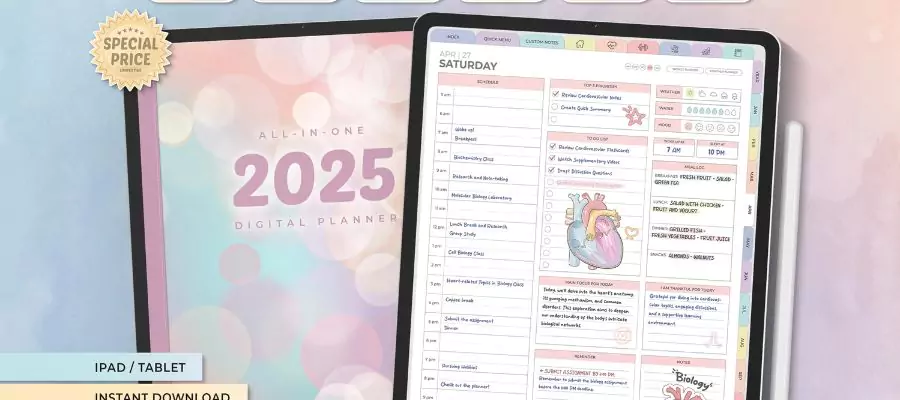
Understanding the Rise of Digital Planners
In recent years, digital planners have gained immense popularity, and for good reason. They offer a flexible, accessible, and often more organized way to manage tasks, set goals, and keep notes compared to traditional paper planners. With the vast array of digital tools available, it's easier than ever to find a planner that fits your unique needs and preferences.
What Are Digital Planners?
Digital planners are essentially digital versions of traditional paper planners. They can be accessed through various devices such as smartphones, tablets, or computers. These planners come in many forms, including apps, PDFs, and interactive digital files that can be edited directly on your device. They often include features like customizable layouts, reminders, and integration with other digital tools, making them a powerful ally in the quest for better productivity.
Benefits of Using Digital Planners
One of the main advantages of digital planners is their flexibility. Unlike paper planners, digital versions can be easily edited and updated. This means you can quickly change your plans, add new tasks, or modify existing ones without having to erase or cross out information. Additionally, digital planners often come with automatic reminders and notifications, helping you stay on track and ensuring you never miss a deadline.
Another significant benefit is accessibility. With a digital planner, you can access your schedule and tasks from anywhere, at any time, as long as you have your device with you. This is particularly useful for people with busy lives who need to stay organized across multiple projects or commitments.
Types of Digital Planners
Digital planners come in various formats, each catering to different needs and preferences:
- Apps: Apps like Trello, Asana, and Todoist are popular for task management and project planning. They offer features like boards, lists, and cards to organize tasks visually.
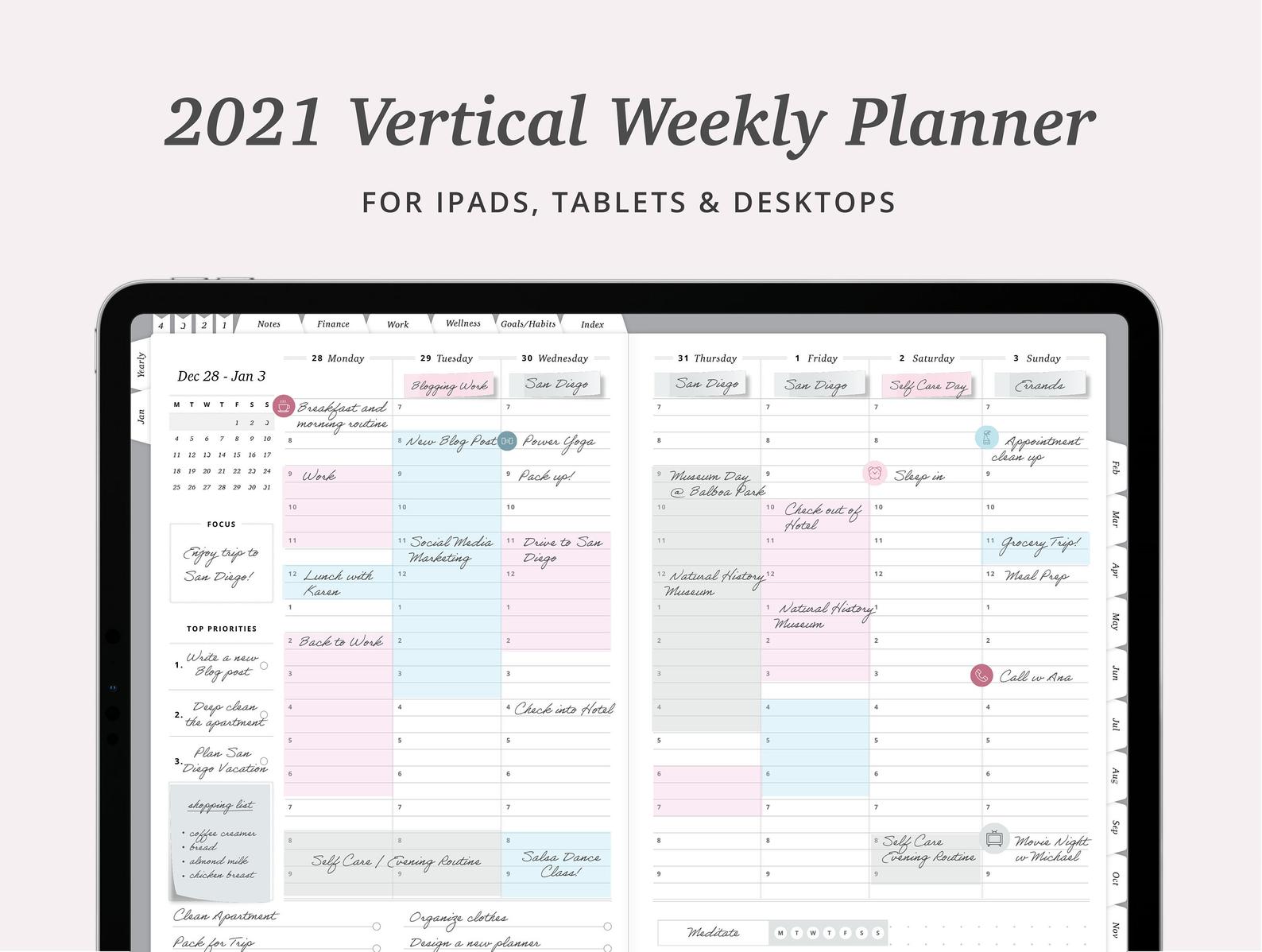
- Digital PDF Planners: These are digital versions of traditional paper planners. They can be downloaded and printed or used digitally with annotation tools. PDF planners are great for those who prefer a more traditional planning experience but want the flexibility of digital access.
- Interactive Digital Planners: These planners are often part of larger productivity suites or platforms. They offer interactive features such as clickable buttons, form fields, and sometimes even artificial intelligence to help plan and suggest tasks.
Choosing the Right Digital Planner
When selecting a digital planner, consider the following factors:
Your Needs and Preferences
- Purpose: What do you want to use the planner for? If it's for task management, a project management app might be best. For daily or weekly planning, a digital PDF planner could suit you better.
- Ease of Use: Choose a planner that is intuitive and easy to navigate. You should be able to quickly find features and make changes without spending too much time figuring things out.
Features and Integrations
- Customization: Look for a planner that allows you to customize layouts, colors, and fonts. This can help make your planning experience more enjoyable and tailored to your preferences.
- Integrations: Consider how well the planner integrates with other tools you use. For example, if you're already using Google Calendar, a planner that integrates seamlessly with it could be very beneficial.
Practical Tips for Maximizing Digital Planner Efficiency
To get the most out of your digital planner, follow these tips:
Set Clear Goals and Objectives
Start by setting clear goals and objectives. What do you want to achieve with your digital planner? Whether it's improving your time management skills, increasing productivity, or simply staying more organized, having clear goals will help you choose the right planner and use it effectively.
Regularly Review and Adjust
Regularly review your planner and adjust as needed. This could mean weekly or monthly reviews to ensure you're on track with your goals and tasks. Adjustments might involve changing your layout, trying out new features, or even switching to a different planner if the current one isn't working for you.
Comparison of Popular Digital Planners
| <strong>Digital Planner</strong> | <strong>Best for</strong> | <strong>Key Features</strong> |
|---|---|---|
| Trello | Project management, team collaboration | Boards, lists, cards, integrations with Google Drive, Slack |
| Evernote | Note-taking, research, organization | Notebooks, tags, search, web clipper |
| Todoist | Task management, productivity | Tasks, projects, labels, filters, integrations with Google Calendar |
Common Mistakes to Avoid
When adopting a digital planner, avoid the following common mistakes:
- Over-complicating: Don't get too caught up in features and functions. Choose a planner that meets your basic needs and is easy to use.
- Not Integrating: Take advantage of integrations with other digital tools you use. This can streamline your workflow and make your planner even more effective.
FAQs
Q: What is the best digital planner for beginners?
For beginners, Todoist or Trello might be a good start. They offer a straightforward interface and are easy to learn.
Q: Can I use a digital planner on multiple devices?
Most digital planners are accessible on multiple devices. Apps and cloud-based planners usually sync across devices, ensuring you can access your information anywhere.
Q: Are digital planners secure?
Yes, most digital planners offer robust security measures, including encryption and password protection. Always check the security features of a planner before choosing it.
Conclusion
Digital planners offer a powerful way to enhance your productivity and organization. By understanding your needs, choosing the right type of planner, and using it effectively, you can significantly improve your ability to manage tasks and achieve your goals. Take the time to explore different options, and don't be afraid to try out a few until you find the one that works best for you.
Related: Best Free Email Marketing Tool
Related: A Practical Guide to Choosing the Best Platform for Your
Related: What to Know About Free Digital Planner Templates
Related: 5 Useful Things to Know About Free Graphic Design Tools
