

Understanding the Importance of a Well-Crafted Resume
When it comes to job hunting, your resume is often the first impression you make on a potential employer. A well-crafted resume can make all the difference in getting noticed and landing an interview. However, creating a professional-looking resume from scratch can be daunting, especially if you're not design-savvy. That's where free resume templates come in – they can be a great starting point for creating a polished and effective resume.
What to Look for in a Free Resume Template
With countless free resume templates available online, it can be overwhelming to choose the right one. Here are some key factors to consider:
Clean design: A simple and clean design is essential for a professional resume. Avoid templates with too much clutter or overly decorative elements.
Customizability: Look for templates that are easy to customize, with clear headings and sections that can be easily modified.
Compatibility: Ensure the template is compatible with your software and devices. For example, if you're using Google Docs or Microsoft Word, choose a template that's specifically designed for those platforms.
Relevance: Choose a template that's relevant to your industry or profession. For example, if you're in a creative field, you may want a template that showcases your creativity.
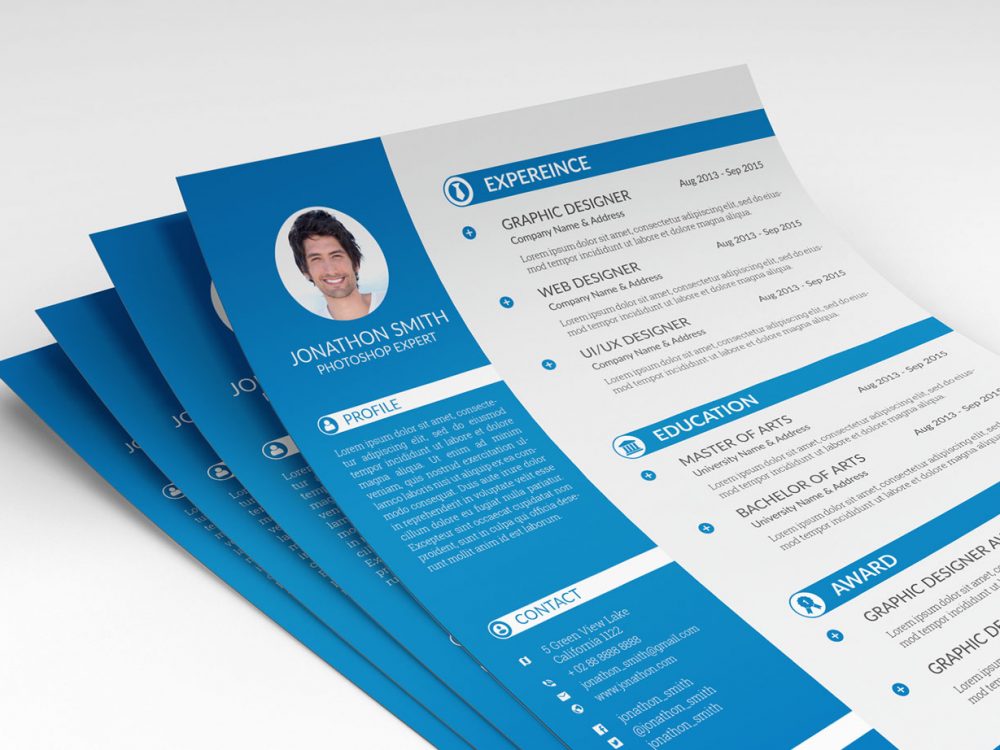
Top Free Resume Templates for Professional Use
Here are some of the top free resume templates for professional use:
| Template Name | Description | Compatibility |
|---|---|---|
| Resume Genius | A clean and modern template with a focus on highlighting achievements | Microsoft Word, Google Docs |
| Canva Resume Template | A versatile template with a range of design options and fonts | Canva, Google Docs, Microsoft Word |
| Hloom Resume Template | A simple and easy-to-use template with a focus on showcasing work experience | Microsoft Word, Google Docs |
| Resume Companion | A professional template with a focus on highlighting skills and education | Microsoft Word, Google Docs |
How to Customize Your Free Resume Template
Once you've chosen a template, it's time to customize it to fit your needs. Here are some tips:
Tailor your objective: Your objective should be specific to the job you're applying for. Use keywords from the job description to show you're a strong fit.
Highlight achievements: Instead of just listing job responsibilities, focus on the achievements and results you've achieved in your previous roles.
Use action verbs: Use action verbs like "managed," "created," and "developed" to describe your achievements.
Quantify your achievements: Use numbers and statistics to demonstrate the impact of your work.
"A great resume is not just about listing your job responsibilities, but about showcasing the value you can bring to a potential employer. Use specific examples and achievements to demonstrate your skills and experience." - Career Coach
Common Mistakes to Avoid in Your Resume
Here are some common mistakes to avoid when creating your resume:
Typos and grammatical errors: A single mistake can make a negative impression and hurt your chances of getting hired.
Lack of relevance: Make sure your resume is tailored to the job you're applying for, and that you're highlighting the skills and experience that match the job requirements.
Poor formatting: Use a clean and easy-to-read format, with clear headings and bullet points.
Tips for Standing Out in a Competitive Job Market
In a competitive job market, it's essential to make your resume stand out. Here are some tips:
Use keywords: Use keywords from the job description to show you're a strong fit for the role.
Highlight transferable skills: Emphasize the skills you've developed in previous roles that can be applied to the job you're applying for.
Include relevant sections: Consider adding relevant sections, such as a portfolio or certifications, to demonstrate your expertise.
Frequently Asked Questions
Q: What is the best free resume template for professionals?
The best free resume template for professionals will depend on your specific needs and industry. Consider a template that's clean, modern, and easy to customize.
Q: How do I choose the right resume template for my industry?
Choose a template that's relevant to your industry or profession. For example, if you're in a creative field, you may want a template that showcases your creativity.
Q: Can I use a free resume template for a job application?
Yes, you can use a free resume template for a job application. Just make sure to customize it to fit your needs and the job requirements.
Q: How do I customize a free resume template?
Customize a free resume template by tailoring your objective, highlighting achievements, using action verbs, and quantifying your achievements.
Final Tips and Next Steps
Creating a professional-looking resume doesn't have to break the bank. With the right free resume template and some customization, you can create a polished and effective resume that helps you stand out in the job market. Remember to tailor your resume to the job you're applying for, and don't be afraid to showcase your achievements and skills. Good luck with your job search!
Related: Small Business Ideas for Ambitious Entrepreneurs
Related: 5 Free Marketing Ideas That Work for Small Businesses
