
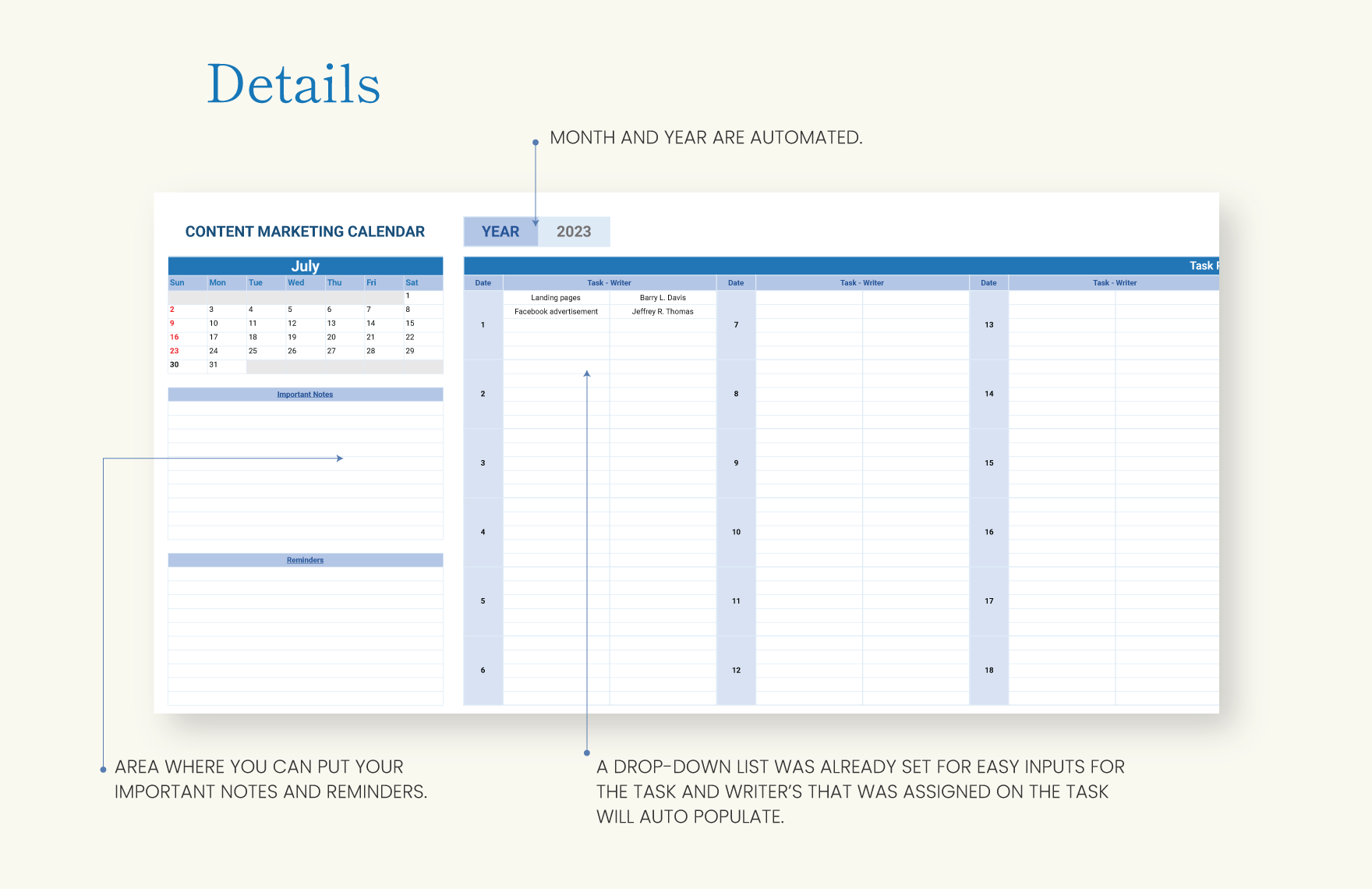
Understanding the Importance of a Marketing Content Calendar
A marketing content calendar is more than just a scheduling tool; it's a strategic asset that aligns your content creation with your business goals. By planning your content in advance, you can ensure consistency, reduce last-minute scrambles, and improve collaboration among team members. For many businesses, especially those with limited resources, using a simple and accessible tool like Excel can be an effective way to manage their content calendar.
Choosing the Right Template for Your Needs
When searching for a marketing content calendar template in Excel, you'll find numerous options available online. These templates can range from simple spreadsheets that list out dates and content topics to more complex ones that include space for keywords, target audiences, and publishing channels. The key is to select a template that aligns with your marketing strategy and is easy for your team to use.

What to Look for in a Template
- Ease of Use: The template should be intuitive, allowing team members to quickly understand and contribute to the content planning process.
- Customization: Look for a template that you can easily customize to fit your specific marketing goals and channels.
- Collaboration Features: If multiple team members will be contributing to the calendar, ensure the template allows for easy sharing and updating.
Setting Up Your Content Calendar Template in Excel
Creating a marketing content calendar template in Excel doesn't have to be complicated. Start with a basic spreadsheet and add columns that are relevant to your content strategy. Here are some essential columns to consider:
- Date: The publication date of each piece of content.
- Content Type: Blog post, social media post, video, etc.
- Topic: The subject or theme of the content.
- Channel: Where the content will be published (e.g., website, Facebook, Twitter).
- Status: Draft, in review, published.

A Simple Example
| Date | Content Type | Topic | Channel | Status |
|---|---|---|---|---|
| 2023-04-01 | Blog Post | Spring Trends | Website | Draft |
| 2023-04-03 | Social Post | Easter Offers | Scheduled |
Balancing Planning and Flexibility
One of the challenges of using a content calendar is balancing the need for planning with the flexibility to adapt to changes. Your content calendar should be a guide, not a rigid plan. Regularly review and update your calendar to reflect changes in your marketing strategy, industry trends, and team capacity.
Integrating Your Content Calendar with Your Marketing Strategy
Your content calendar is a tool to execute your marketing strategy, not a standalone plan. Ensure that the content you schedule aligns with your business goals, target audience needs, and marketing channels. Regularly review your content performance and adjust your calendar accordingly.
Common Mistakes to Avoid
- Overplanning: Be realistic about what your team can produce and publish. Overcommitting can lead to burnout and decreased quality.
- Ignoring Performance Data: Use analytics to inform your content strategy. If certain types of content or channels aren't performing well, adjust your calendar to focus on what works.
- Failing to Collaborate: Make sure all relevant team members are involved in the planning process. This ensures everyone is aligned and can contribute their expertise.
Frequently Asked Questions
Q: How often should I update my content calendar?
Update your content calendar regularly, ideally on a weekly or bi-weekly basis, to reflect changes in your strategy, team capacity, and industry trends.
Q: Can I use Excel for a large team's content calendar?
While Excel can work for small to medium-sized teams, larger teams might find it cumbersome. Consider transitioning to a dedicated content management tool for better collaboration and scalability.
Q: What if my team doesn't have a lot of content to publish?
Even a small business or team can benefit from a content calendar. Start small and focus on key channels and content types that drive the most engagement.
Q: How do I ensure my content calendar aligns with my SEO strategy?
Incorporate SEO considerations into your calendar by including columns for keywords, meta descriptions, and target search terms. Regularly review your content's performance and adjust your strategy to improve SEO.
Closing
Creating and using a marketing content calendar template in Excel is a practical step towards organizing your content strategy and improving team efficiency. By selecting the right template, customizing it to your needs, and regularly updating it, you can ensure your content aligns with your business goals and resonates with your audience.
Related: 5 Useful Tools for Small Businesses on a Budget
Related: Find Your Perfect Resume Template Online Without the Hassle
