

Understanding the Benefits of a Digital Weekly Planner Template
As we navigate our increasingly busy lives, staying organized and focused is crucial for achieving our goals. A digital weekly planner template can be a powerful tool in helping you manage your time and prioritize tasks. By using a digital template, you can easily plan and adjust your schedule, set reminders, and track your progress.
Many people struggle with traditional paper-based planners, finding them cumbersome and inflexible. A digital weekly planner template, on the other hand, offers a range of benefits, including:
Easy accessibility across multiple devices
Customizable layouts and designs
Automated reminders and notifications
Seamless integration with other digital tools
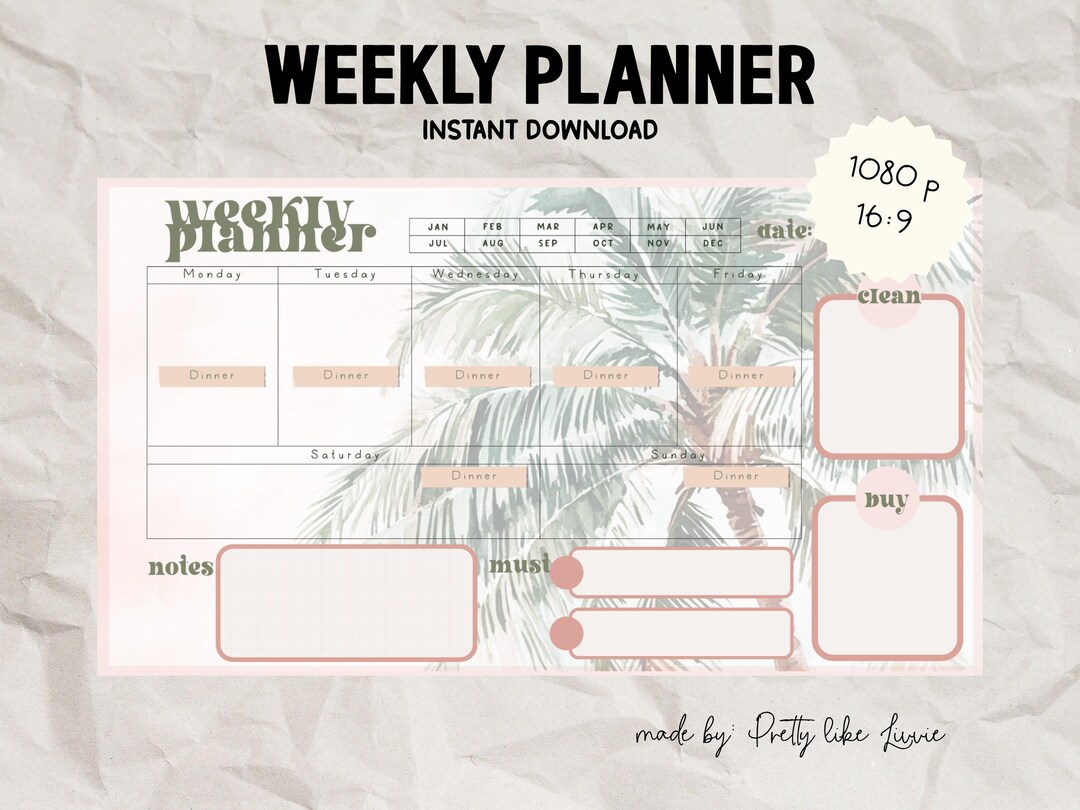
Choosing the Right Digital Weekly Planner Template
With so many digital weekly planner templates available, it's essential to choose one that meets your specific needs. Here are some factors to consider:
Layout and design: Look for a template with a clean and intuitive design that makes it easy to navigate and plan your week.
Customization options: Choose a template that allows you to customize the layout, colors, and fonts to suit your personal style.
Integration with other tools: Consider a template that integrates seamlessly with other digital tools you use, such as Google Calendar or Trello.
Some popular digital weekly planner templates include:
Google Sheets templates
Microsoft Excel templates
Printable PDFs with fillable fields
Specialized planning apps like Trello or Asana
Implementing Your Digital Weekly Planner Template
Once you've chosen a template, it's time to start using it. Here are some steps to help you get started:
Set clear goals and objectives: Before you start planning your week, define your goals and objectives. What do you want to achieve? What tasks need to be completed?
Prioritize tasks: Identify the most important tasks that need to be completed and prioritize them accordingly.
Schedule tasks: Use your digital weekly planner template to schedule tasks and allocate specific time slots for each activity.
Example: Using a Digital Weekly Planner Template in Google Sheets
Let's say you're using a Google Sheets template for your digital weekly planner. Here's an example of how you might set it up:
| Day | Task | Time |
|---|---|---|
| Monday | Respond to urgent emails | 9:00-10:00 |
| Monday | Team meeting | 10:00-11:00 |
| Tuesday | Project work | 9:00-12:00 |
Tips for Maximizing Productivity with Your Digital Weekly Planner Template
To get the most out of your digital weekly planner template, here are some tips to keep in mind:
Review and adjust regularly: Regularly review your schedule and adjust it as needed.
Use reminders and notifications: Set reminders and notifications to stay on track and ensure you don't miss important deadlines.
Track progress: Use your digital weekly planner template to track your progress and identify areas for improvement.
Comparison of Digital Weekly Planner Templates
| Template | Features | Benefits |
|---|---|---|
| Google Sheets | Customizable, integrates with Google Calendar | Easy to use, flexible |
| Microsoft Excel | Advanced formatting options, integrates with other Microsoft tools | Powerful, feature-rich |
| Printable PDFs | Simple, easy to use, no digital distractions | Accessible offline |
Common Mistakes to Avoid When Using a Digital Weekly Planner Template
Here are some common mistakes to avoid when using a digital weekly planner template:
Overcommitting: Be realistic about what you can accomplish in a week. Don't overload your schedule with too many tasks.
Not reviewing regularly: Regularly review your schedule to ensure you're on track and make adjustments as needed.
Not customizing: Customize your template to suit your needs and preferences.
Frequently Asked Questions
Q: What are the benefits of using a digital weekly planner template?
A digital weekly planner template can help you stay organized, focused, and productive. It allows you to easily plan and adjust your schedule, set reminders, and track your progress.
Q: How do I choose the right digital weekly planner template?
Consider factors such as layout and design, customization options, and integration with other digital tools.
Q: Can I use a digital weekly planner template on multiple devices?
Yes, most digital weekly planner templates can be accessed across multiple devices, making it easy to stay organized on the go.
Q: How do I avoid overcommitting with a digital weekly planner template?
Be realistic about what you can accomplish in a week. Don't overload your schedule with too many tasks, and prioritize the most important ones.
Conclusion
A digital weekly planner template can be a powerful tool for boosting productivity and organization. By choosing the right template, implementing it effectively, and avoiding common mistakes, you can achieve your goals and stay focused on what matters most. Take control of your schedule and start planning your week with a digital weekly planner template today.
