
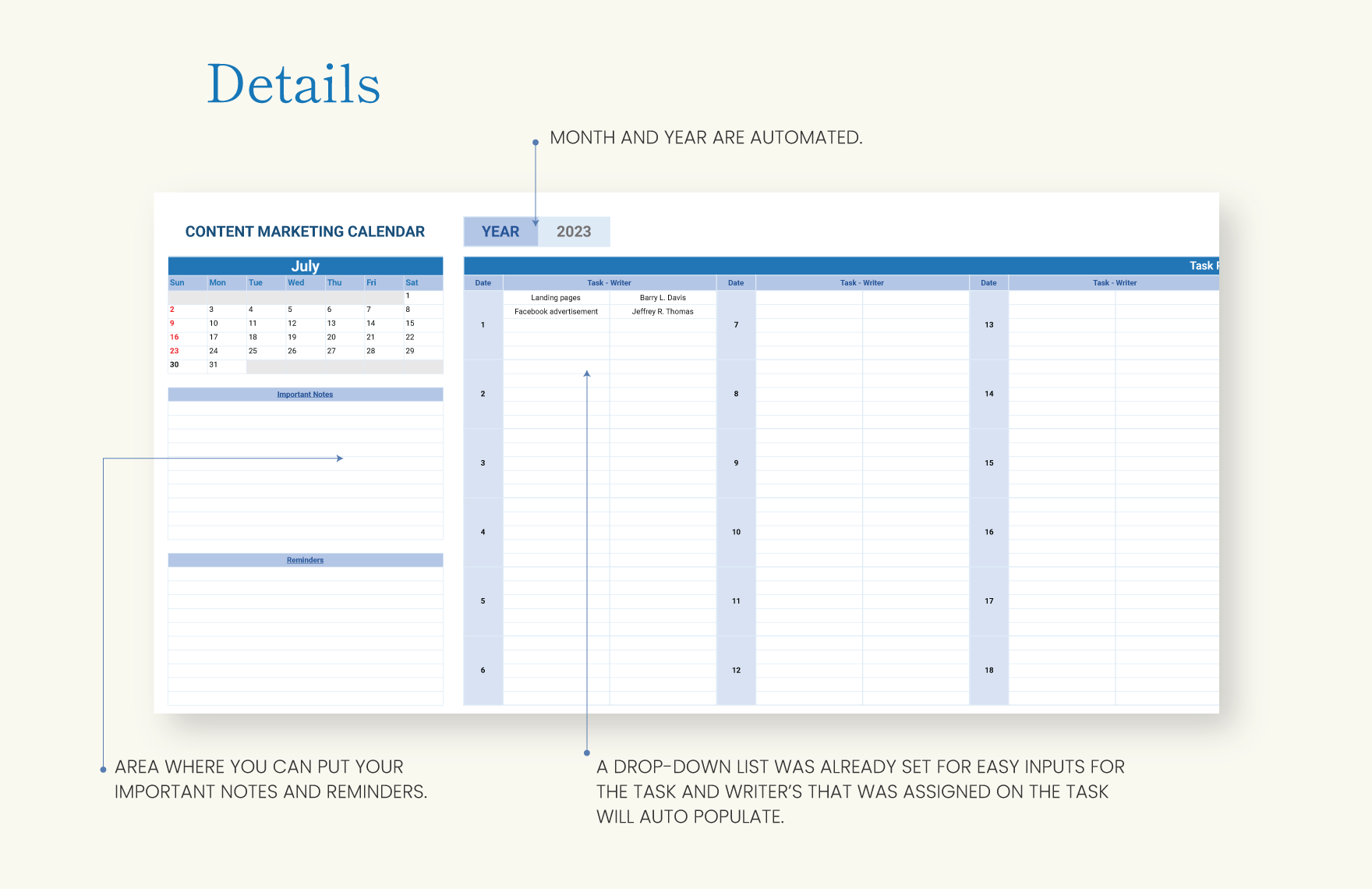
Understanding the Importance of a Marketing Content Calendar
As a marketer, you're likely no stranger to the chaos that comes with managing multiple content pieces across various channels. A marketing content calendar is a powerful tool that helps you organize, plan, and execute your content strategy with ease. By using a template in Excel, you can create a customized calendar that meets your specific needs and streamlines your content creation process.
What is a Marketing Content Calendar Template?
A marketing content calendar template is a pre-designed spreadsheet that helps you plan, organize, and schedule your content across different channels. It's a visual representation of your content strategy, allowing you to see what content is being published, when, and on which channels. With a template in Excel, you can easily customize the layout, add or remove columns, and make it your own.
Benefits of Using a Marketing Content Calendar Template in Excel
Using a marketing content calendar template in Excel offers numerous benefits, including:
Improved organization: A content calendar helps you keep track of multiple content pieces, deadlines, and channels, ensuring that you never miss a publication date.
Increased productivity: By planning and scheduling your content in advance, you can reduce last-minute scrambles and focus on higher-level tasks.
Enhanced collaboration: A shared content calendar enables team members to stay on the same page, reducing miscommunication and errors.
Better analysis: With a content calendar, you can track performance, identify gaps, and make data-driven decisions to optimize your content strategy.
Creating Your Marketing Content Calendar Template in Excel
To create a marketing content calendar template in Excel, follow these steps:
- Open a new Excel spreadsheet: Start with a blank slate and give your template a name.
- Define your columns: Determine what information you want to track, such as:
- Set up your calendar layout: Create a table or grid with your defined columns as headers.
- Customize your template: Add or remove columns, adjust formatting, and make it your own.
Example of a Marketing Content Calendar Template in Excel
Here's an example of what your template might look like:
| Content Title | Channel | Publication Date | Author | Status |
|---|---|---|---|---|
| Blog Post: Summer Sale | Blog | 2023-06-01 | John Doe | Draft |
| Social Media Post: New Product Launch | Social Media | 2023-06-05 | Jane Smith | Scheduled |
| Email Newsletter: Monthly Update | 2023-06-15 | Bob Johnson | Published |
Tips and Best Practices for Using Your Marketing Content Calendar Template
Keep it up-to-date: Regularly update your content calendar to reflect changes, cancellations, or new additions.Use filters and sorting: Use Excel's built-in features to quickly filter and sort your content by channel, author, or status.
Share with your team: Collaborate with team members by sharing your content calendar and setting permissions.
Review and adjust: Regularly review your content calendar to identify areas for improvement and adjust your strategy accordingly.
Common Mistakes to Avoid When Creating a Marketing Content Calendar Template
Not defining clear goals: Before creating your content calendar, ensure you have a clear understanding of your content strategy and goals.Not making it collaborative: Failing to share your content calendar with team members can lead to miscommunication and errors.
Not reviewing and adjusting: Regularly review your content calendar to ensure it's working effectively and make adjustments as needed.
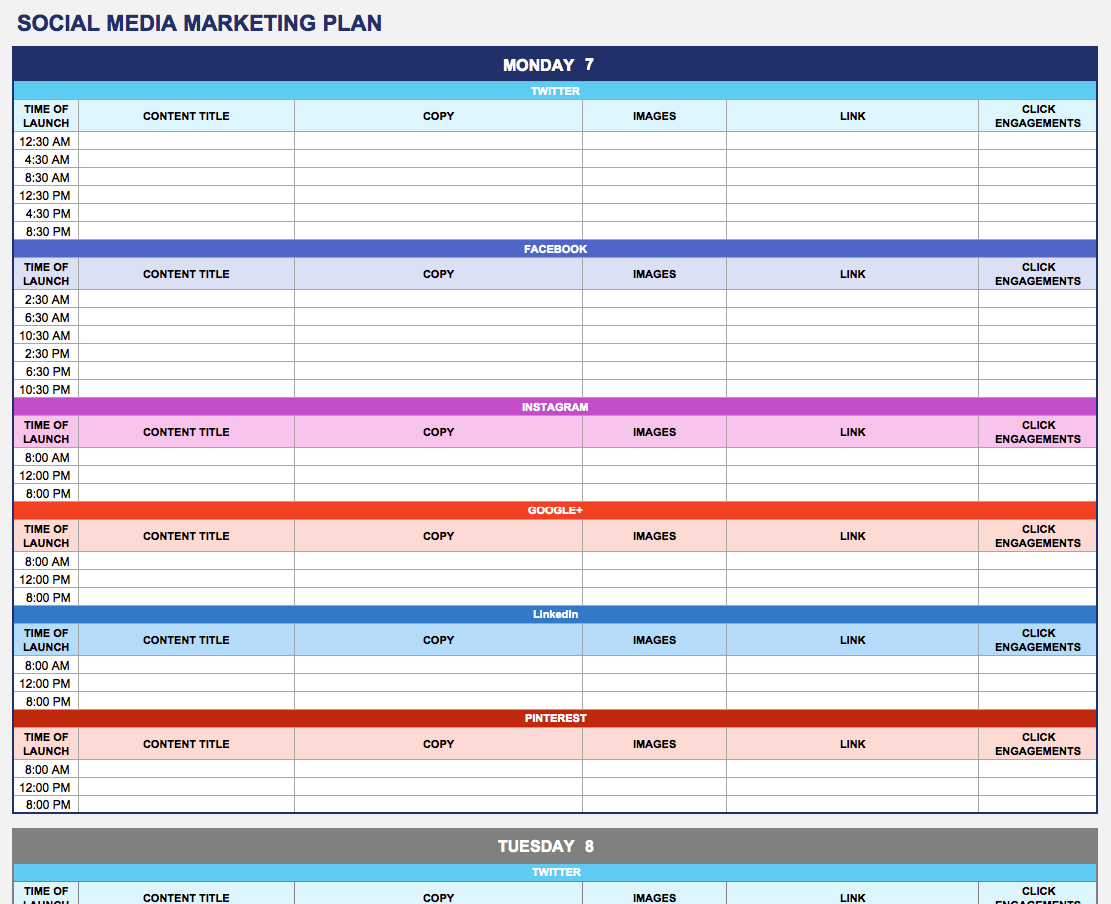
Comparison of Marketing Content Calendar Templates: Excel vs. Other Tools
While Excel is a popular choice for creating a marketing content calendar template, other tools are available, such as:
| Tool | Pros | Cons |
|---|---|---|
| Excel | Highly customizable, widely available, cost-effective | Can be complex, may require manual updates |
| Google Sheets | Collaborative, cloud-based, automatic updates | Limited offline access, may lack advanced features |
| Content calendar software | Streamlined, automated, integrated with other tools | Can be expensive, may require training |
FAQs
Q: What is the best way to create a marketing content calendar template in Excel?
Start by defining your columns, setting up your calendar layout, and customizing your template to meet your specific needs.
Q: How do I share my marketing content calendar template with team members?
Use Excel's sharing features to collaborate with team members and set permissions to control access.
Q: Can I use a marketing content calendar template for multiple channels?
Yes, a marketing content calendar template can be used to plan and organize content across multiple channels, including social media, blog, email, and more.
Q: How often should I review and adjust my marketing content calendar template?
Regularly review your content calendar to ensure it's working effectively and make adjustments as needed, ideally on a monthly or quarterly basis.
Putting it All Together: A Practical Example
Let's say you're a marketing manager for an e-commerce company, and you want to create a content calendar to promote your summer sale. Using the template above, you might plan and schedule the following content:
Blog post: "Summer Sale: Top 10 Deals" (publication date: June 1st)
Social media post: "Summer Sale Now On!" (publication date: June 5th)
Email newsletter: "Exclusive Summer Sale Offers" (publication date: June 15th)
By using a marketing content calendar template in Excel, you can visualize your content strategy, ensure consistency across channels, and make data-driven decisions to optimize your content performance.
Final Tips and Next Steps
Start small: Begin with a simple template and gradually add complexity as needed.
Make it a habit: Regularly update and review your content calendar to ensure it's working effectively.
Experiment and adjust: Try new channels, content types, and strategies, and adjust your template accordingly.
By following these tips and best practices, you'll be well on your way to creating a marketing content calendar template in Excel that streamlines your content creation, improves organization, and boosts productivity.
Related: A Practical Guide to Creating a Content Calendar Template
Related: Website Builder Ecommerce Tips
