
The Chaos of Travel Packing
Imagine standing in your hotel room, surrounded by the chaos of your luggage, wondering if you've forgotten something crucial. This scenario is all too familiar for many travelers. A disorganized packing process can lead to stress, wasted time, and even additional travel expenses. In this article, we'll explore how to bring order to your travel preparations with a simple yet powerful tool: a travel packing checklist Excel template.
What is a Travel Packing Checklist Excel Template?
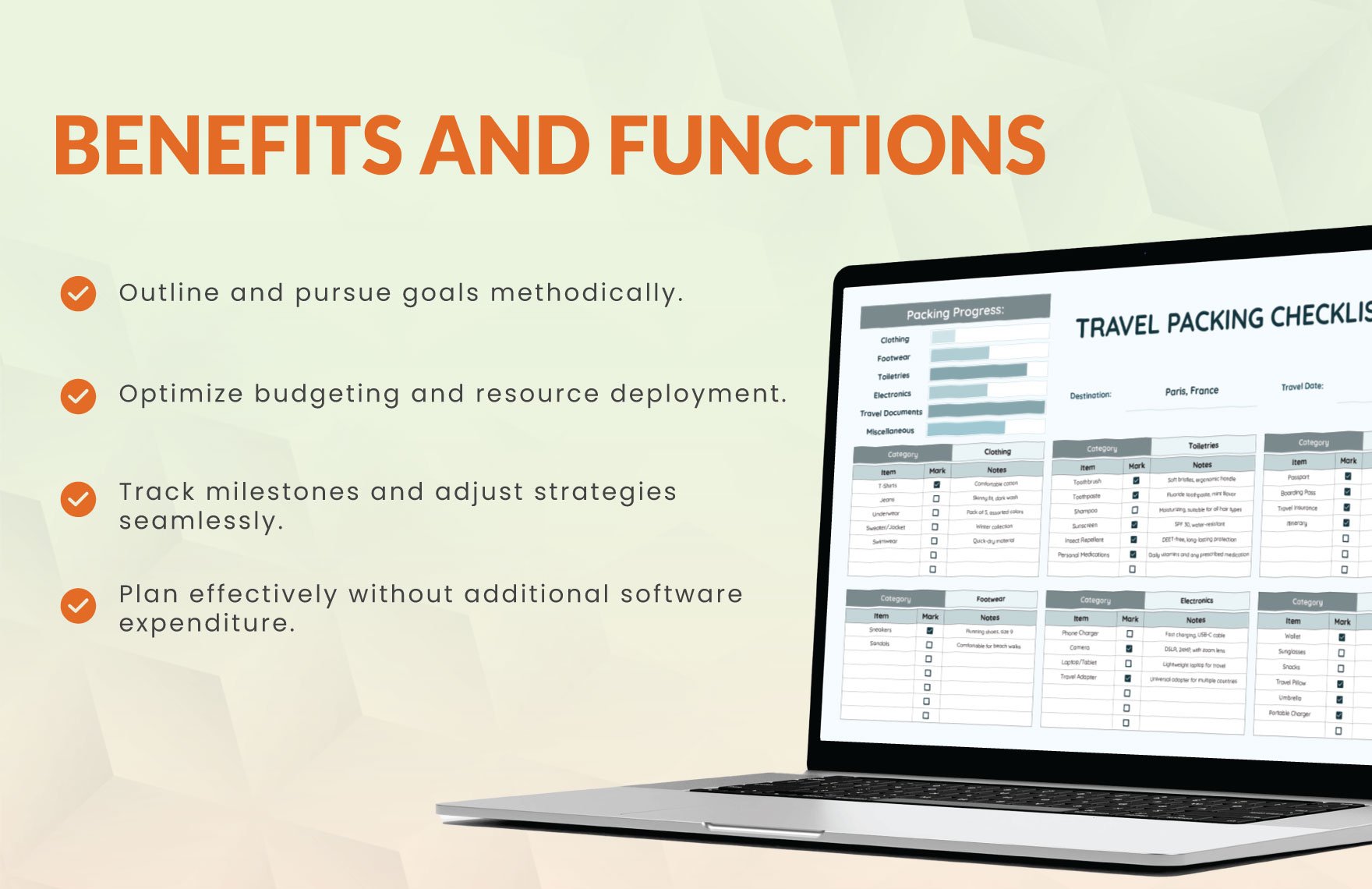
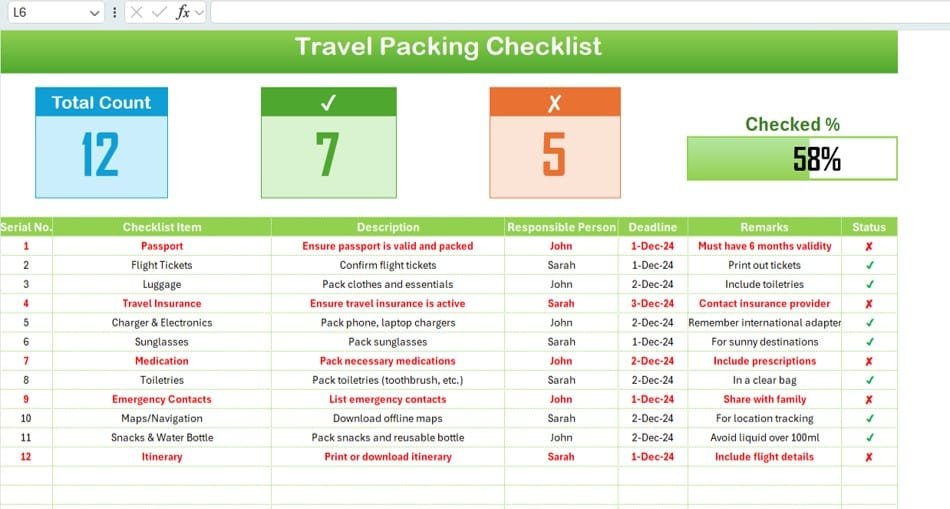
A travel packing checklist Excel template is a pre-designed spreadsheet that helps you systematically plan and track your packing. It typically includes categories for clothing, toiletries, electronics, and documents, allowing you to customize the list based on your specific travel needs. This template can be easily created or downloaded and tailored to fit your travel style, duration, and destination.
Benefits of Using a Packing Checklist
Using a packing checklist offers numerous benefits:
Reduces Stress: By having a clear plan, you can avoid last-minute panic about forgotten items.
Saves Time: A checklist streamlines your packing process, making it quicker and more efficient.
Prevents Overpacking: With a list, you're less likely to pack unnecessary items, reducing luggage space and potential baggage fees.
Ensures Nothing is Forgotten: A comprehensive checklist helps you remember all essentials, from adapters to medications.
Creating Your Own Excel Packing Checklist
Creating your own Excel packing checklist is straightforward. Here's a basic structure to get you started:

Essential Categories
Clothing:
Shirts
Pants/Trousers
Dresses
Undergarments
Socks
Jackets/Coats
Toiletries:
Toothbrush
Toothpaste
Shampoo
Conditioner
Soap
Electronics:
Smartphone
Laptop
Charger
Camera
Documents:
Passport
Visa
Travel Insurance
Driver's License
Customization
Add or remove categories based on your travel needs.
Include specific items you can't forget, like medications or travel adapters.
Use Excel's conditional formatting to highlight essential items or indicate quantities.
Using Pre-Made Templates
If you're short on time or prefer a more guided approach, consider using pre-made Excel packing checklist templates available online. These templates often come with:
Pre-populated Categories: Common items are already listed, saving you time.
Customizable Fields: Easily add or remove items based on your needs.
User-Friendly Design: Intuitive layouts make it simple to use and navigate.
Some popular sources for pre-made templates include:
Microsoft Excel Templates
Template Archive
Vertex42
Comparison of Packing Checklist Tools
While Excel templates are highly effective, they're not the only tools available for managing your packing list. Here's a comparison with other popular options:
Packing Checklist Apps
Pros:
Mobile accessibility
Real-time updates
Collaboration features
Cons:
Requires internet connection
Potential for distractions
Physical Checklists
Pros:
No digital dependency
Tactile experience
Cons:
Easily lost or damaged
Limited customization
Printable PDFs
Pros:
Easy to use offline
No software required
Cons:
Limited customization
Risk of loss or damage
Tips for Effective Packing
Regardless of the tool you choose, here are some tips to enhance your packing efficiency:
Plan Ahead: Start packing a few days before your trip to avoid last-minute stress.
Pack Multipurpose Items: Choose items that serve multiple purposes to reduce luggage space.
Check the Weather: Tailor your packing list to the expected weather conditions at your destination.
Frequently Asked Questions
Q: How do I create a packing list in Excel?
Open Excel, create a new spreadsheet, and list your categories (e.g., clothing, toiletries) in columns. Add items and check them off as you pack.
Q: What should I include in a travel packing checklist?
Include essentials like clothing, toiletries, electronics, documents, and any specific items required for your destination or activities.
Q: Can I use a packing checklist for multiple trips?
Yes, you can reuse a packing checklist for multiple trips by adjusting it according to your specific needs for each trip.
Q: Are there any apps that can help with packing?
Yes, several apps are available that can help you create and manage packing lists, such as PackPoint, Travel List, and PackMe.
Finalizing Your Packing Process
A travel packing checklist Excel template is a simple yet powerful tool for organizing your travel preparations. By leveraging such a template, you can ensure that you never forget essential items, reduce packing stress, and make your travel experience more enjoyable. Whether you choose to create your own template or use a pre-made one, the key is to find a system that works for you and stick to it. Happy travels.
Related: 5 Useful Things to Know About Travel List Checklists in PDF
