
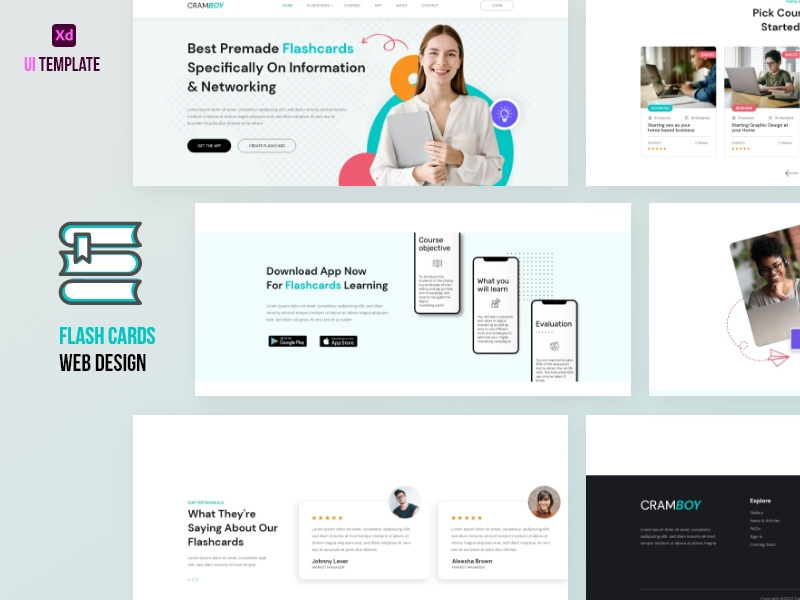
online learning platforms have become an essential part of modern education, offering students and professionals a flexible and accessible way to acquire new skills. When building an online learning platform, selecting the right website template is crucial for creating an engaging and effective learning environment. In this article, we'll explore the key features to look for in online learning platform website templates, discuss the importance of customization and optimization, and provide expert insights on what actually makes sense for your e-learning business.
Choosing the Right Template for Your Online Learning Platform
With numerous website templates available, selecting the right one for your online learning platform can be overwhelming. A good starting point is to consider the type of content you'll be offering, the target audience, and the desired user experience. For instance, if you're creating a platform for professional development courses, you may want a template with a more corporate look and feel. On the other hand, if you're building a platform for K-12 education, a template with a more playful and interactive design might be more suitable.
When evaluating templates, look for the following essential features:
Responsive design: Ensure the template is optimized for various devices, including desktops, laptops, tablets, and smartphones.
Course catalog: A clear and organized course catalog is vital for easy navigation and discovery.
Course player: A built-in course player can simplify the learning experience and reduce technical issues.
User profiles: A user-friendly profile system allows learners to track their progress and access their course materials.
Customization: Tailoring Your Template to Your Needs
While pre-designed templates can save time and effort, customization is crucial for creating a unique and engaging learning environment. Consider the following aspects when customizing your template:
Branding: Incorporate your organization's logo, color scheme, and typography to create a consistent brand identity.
Layout: Rearrange the layout to prioritize the most important features and content.
Content: Develop high-quality content that aligns with your learning objectives and engages your target audience.
"Customization is key to creating a memorable and effective online learning experience. By tailoring your template to your specific needs, you can differentiate your platform and build a loyal user base." - Jenny Walker, Instructional Designer
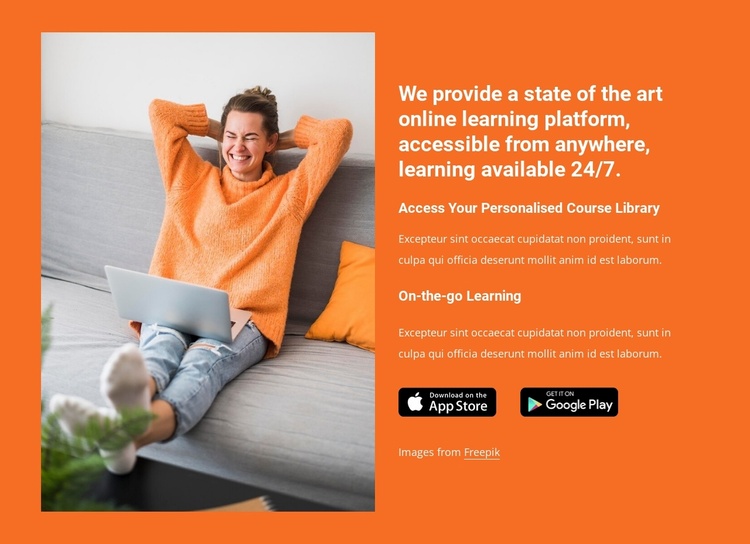
Optimization: Ensuring Your Template Performs Well
Optimization is critical for ensuring your online learning platform loads quickly, is easy to navigate, and provides a seamless user experience. Consider the following optimization strategies:
Page speed: Optimize images, minify CSS and JavaScript files, and leverage browser caching to improve page speed.
Search engine optimization (SEO): Use relevant keywords, meta descriptions, and header tags to improve your platform's visibility in search engine results.
Accessibility: Ensure your template meets accessibility standards, including clear navigation, closed captions, and keyboard-navigable interfaces.
Comparison of Popular Online Learning Platform Website Templates
| Template | Features | Customization | Optimization |
|---|---|---|---|
| LearnDash | Course catalog, course player, user profiles | Highly customizable | Optimized for SEO and page speed |
| Teachable | Course creation tools, payment gateways, user engagement features | Customizable layout and branding | Optimized for accessibility and SEO |
| Thinkific | Course builder, user profiles, discussion forums | Highly customizable | Optimized for page speed and SEO |
Practical Considerations for Implementing Your Template
When implementing your chosen template, consider the following practical aspects:
Integration with learning management systems (LMS): Ensure your template is compatible with popular LMS platforms, such as Moodle or Blackboard.
Payment gateways: Integrate secure payment gateways to facilitate transactions and manage subscriptions.
Analytics and reporting: Use built-in analytics tools or third-party integrations to track user engagement and measure the effectiveness of your platform.
Building Trust with Your Users
Establishing trust with your users is vital for creating a loyal and engaged community. Consider the following strategies for building trust:
Clear communication: Provide transparent and regular updates on platform developments, new courses, and technical issues.
User support: Offer responsive and helpful support through multiple channels, such as email, phone, or live chat.
Security and data protection: Implement robust security measures to protect user data and ensure compliance with relevant regulations.
Frequently Asked Questions
Q: What are the most important features to look for in an online learning platform website template?
Key features include a responsive design, course catalog, course player, and user profiles.
Q: How can I customize my online learning platform website template?
Customize your template by incorporating your branding, rearranging the layout, and developing high-quality content.
Q: What optimization strategies should I use for my online learning platform?
Optimize your platform by improving page speed, using SEO techniques, and ensuring accessibility.
Q: How can I build trust with my users on my online learning platform?
Establish trust by providing clear communication, user support, and robust security measures.
Final Considerations
Selecting the right online learning platform website template is a critical step in creating an engaging and effective learning environment. By considering key features, customization, optimization, and practical implementation aspects, you can create a platform that meets the needs of your target audience and sets your e-learning business up for success. By following the expert insights and best practices outlined in this article, you can build a trusted and loyal community of learners who appreciate the value of your online learning platform.
