
Understanding the Struggle of Content Planning
Are you tired of scattered ideas, missed deadlines, and a chaotic content creation process? You're not alone. Many content creators and marketers face the same challenges, wasting valuable time and energy on disorganization. A content calendar is a powerful tool that can help you overcome these obstacles, but creating one from scratch can be daunting.
What is a Content Calendar and Why Do You Need One?
A content calendar is a visual representation of your content plan, outlining what content will be created, published, and promoted across various channels. It's a centralized hub that helps you organize, schedule, and manage your content in advance. With a content calendar, you can:
Plan and visualize your content strategy
Ensure consistency and efficiency in content creation
Reduce stress and last-minute scrambles
Improve collaboration and communication among team members
Introducing Notion: A Flexible and Powerful Tool
Notion is an all-in-one workspace that allows you to create a customized content calendar template tailored to your needs. Its flexibility and versatility make it an ideal platform for content creators and marketers. With Notion, you can:
Create a centralized hub for your content calendar
Customize templates and layouts to suit your workflow
Integrate with other tools and apps for seamless collaboration

Creating a Notion Content Calendar Template
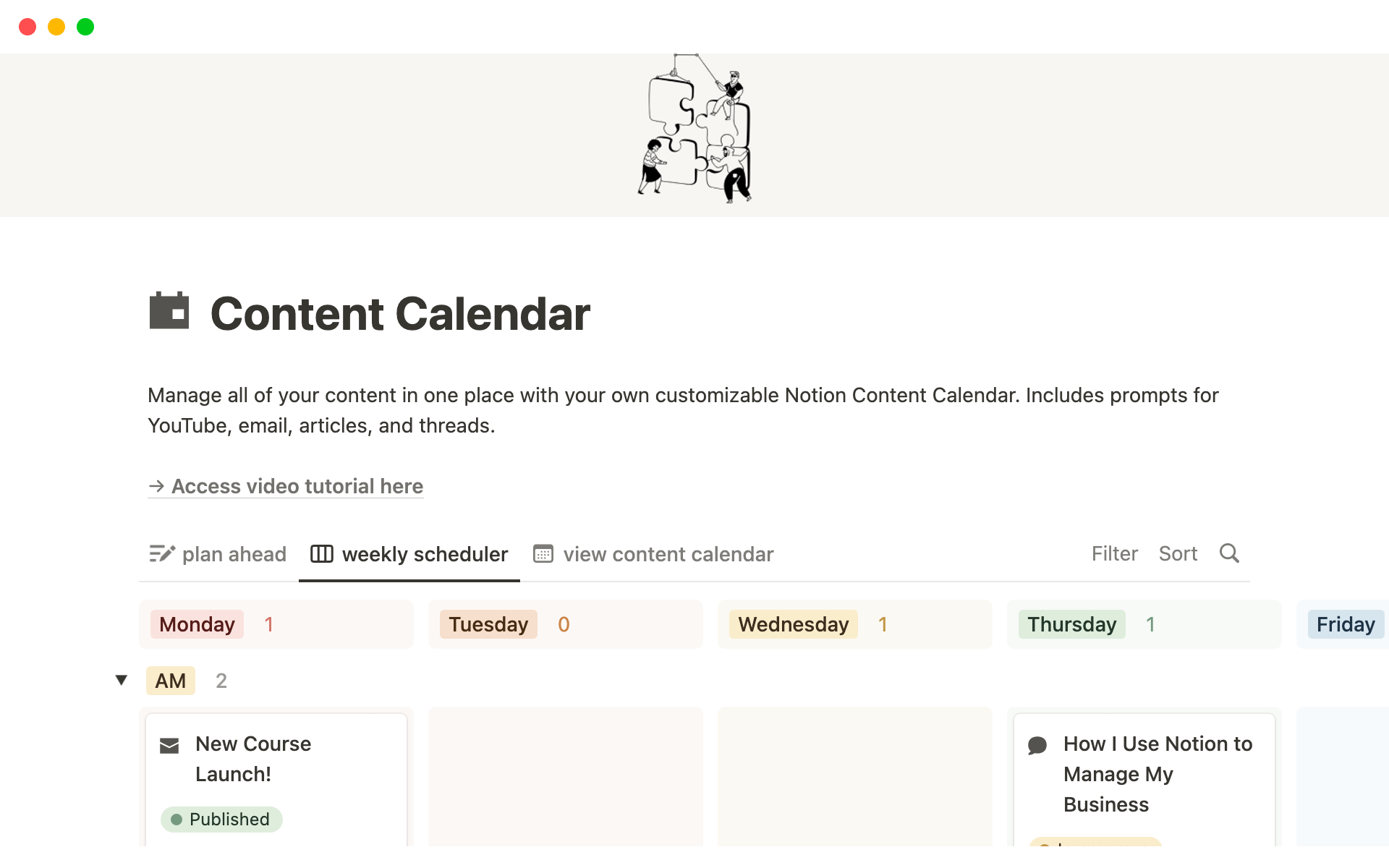
To create a Notion content calendar template, start by setting up a new page in your Notion workspace. Choose a template that resonates with your content strategy, or begin from scratch. Consider the following essential elements:
Content types: Define the types of content you'll be creating, such as blog posts, social media posts, videos, or podcasts.
Publication channels: Identify the channels where your content will be published, including your website, social media platforms, or email newsletters.
Dates and deadlines: Schedule publication dates and deadlines for each piece of content.
Assignments and tasks: Assign tasks and responsibilities to team members, including writers, editors, and designers.
A Simple Template to Get You Started
Here's a basic template you can use as a starting point:
| Content Type | Publication Channel | Date | Deadline | Assigned To |
|---|---|---|---|---|
| Blog Post | Website | 2023-03-15 | 2023-03-10 | John |
| Social Media Post | 2023-03-12 | 2023-03-09 | Sarah | |
| Video | YouTube | 2023-03-20 | 2023-03-15 | Michael |
Customizing Your Template for Maximum Efficiency
As you become more comfortable with your Notion content calendar template, consider customizing it to fit your specific needs. You can:
Add filters and views: Create filters and views to categorize and prioritize your content, making it easier to manage and analyze.
Integrate with other tools: Connect your Notion template with other tools and apps, such as Google Calendar or Trello, to streamline your workflow.
Create a dashboard: Design a dashboard that provides an overview of your content calendar, highlighting key metrics and deadlines.
"A content calendar is not just a planning tool; it's a strategic asset that helps you create cohesive, engaging content that resonates with your audience." - Joe Pulizzi
Best Practices for Using Your Notion Content Calendar Template
To get the most out of your Notion content calendar template, follow these best practices:
Regularly review and update: Schedule regular reviews to ensure your template remains up-to-date and aligned with your content strategy.
Collaborate with your team: Invite team members to contribute to your template, promoting transparency and accountability.
Analyze and adjust: Use your template to track key metrics and adjust your content strategy accordingly.
Common Mistakes to Avoid
When creating and using a Notion content calendar template, avoid the following common mistakes:
Over-complicating the template: Keep your template simple and intuitive, avoiding unnecessary complexity.
Failing to update: Regularly review and update your template to ensure it remains relevant and effective.
Not collaborating with your team: Encourage team members to contribute to your template, promoting a collaborative and efficient workflow.
Frequently Asked Questions
Q: How do I create a content calendar in Notion?
Start by setting up a new page in your Notion workspace, choosing a template or beginning from scratch. Define essential elements, such as content types, publication channels, dates, and deadlines.
Q: What is the best template for a content calendar?
The best template for a content calendar is one that is tailored to your specific needs and workflow. Consider using a simple table or Kanban board to visualize your content plan.
Q: How do I plan my content calendar?
Plan your content calendar by defining your content strategy, identifying key themes and topics, and scheduling publication dates and deadlines.
Q: What is a Notion calendar template?
A Notion calendar template is a pre-designed template that helps you create a customized calendar in Notion, streamlining your workflow and improving productivity.
Putting it All Together: A Real-World Example
Let's say you're a marketing manager for a fashion brand, responsible for creating and publishing content across social media, email newsletters, and the company blog. Using a Notion content calendar template, you can plan and visualize your content strategy, ensuring consistency and efficiency across all channels.
By following the best practices outlined above and customizing your template to fit your specific needs, you can:
Streamline your content creation process
Improve collaboration and communication among team members
Increase productivity and efficiency
Final Tips and Next Steps
To take your content calendar to the next level, consider:
Experimenting with different templates and layouts
Integrating your template with other tools and apps
Regularly reviewing and updating your template to ensure it remains effective
By following these tips and using a Notion content calendar template, you'll be well on your way to creating a cohesive, engaging content strategy that resonates with your audience.
Related: Free Resume Template for Mac
Related: 5 Useful Things to Know About Free Content Calendar Templates
