
Understanding the Importance of Resume Templates
When it comes to job searching, a well-crafted resume is essential for making a strong first impression. A good resume template can help you stand out from the competition and increase your chances of landing an interview. But what makes a resume template effective? In this article, we'll explore the key elements of resume template development and provide tips on how to create a template that showcases your skills and experience.
Defining Your Goals and Target Audience
Before you start designing your resume template, it's essential to define your goals and target audience. What type of job are you applying for? What are the key skills and qualifications required for the position? Who is your ideal employer? Understanding your goals and target audience will help you tailor your resume template to their needs and increase your chances of success.
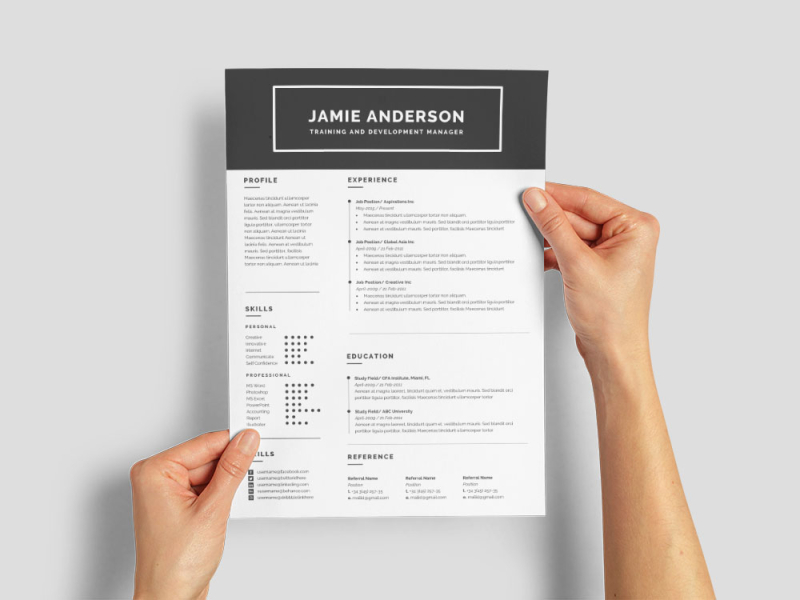
For example, if you're applying for a job in a creative field, you may want to use a more visually appealing template with a bold font and bright colors. On the other hand, if you're applying for a job in a more traditional industry, you may want to use a more conservative template with a clean and simple design.
Key Elements of a Resume Template
A good resume template should include the following key elements:
Contact Information: Your name, address, phone number, and email address should be prominently displayed at the top of the page.
Professional Summary: A brief summary of your skills, experience, and qualifications should be included at the top of the page.
Work Experience: A reverse chronological list of your work experience, with the most recent experience first.
Education: A list of your educational qualifications, including degrees earned and institutions attended.
Skills: A list of your relevant skills, including technical, language, and soft skills.
Design Tips for a Resume Template
When it comes to designing a resume template, there are several things to keep in mind. Here are a few tips:
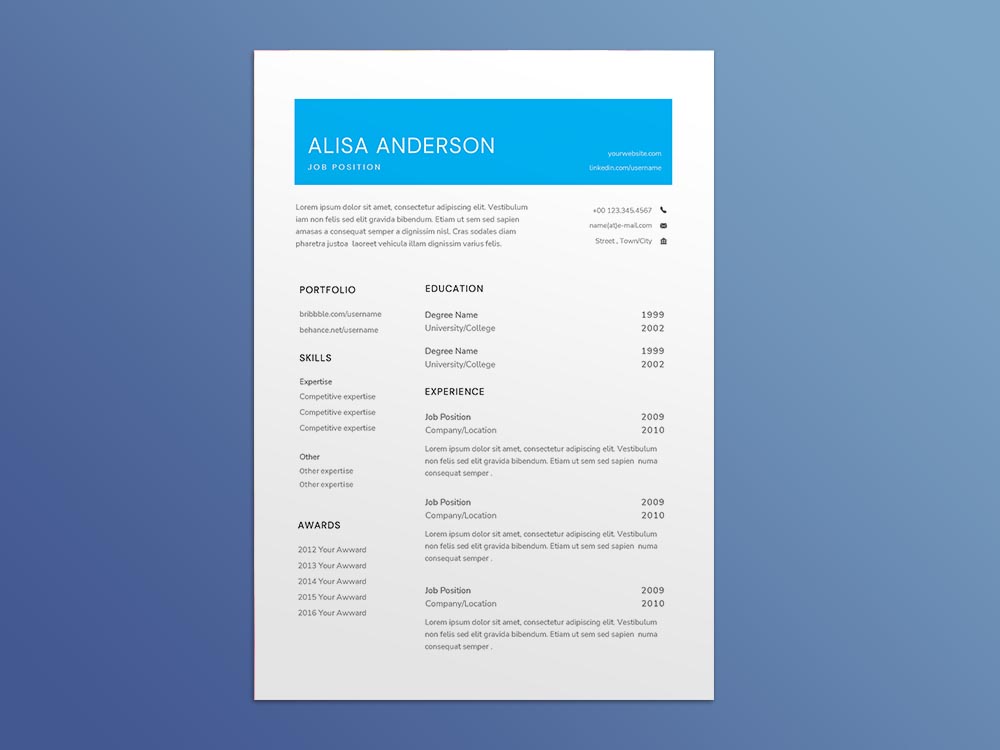
Keep it Simple: Avoid clutter and keep your template clean and simple.
Use a Clear Font: Choose a font that is easy to read and consistent throughout the template.
Use Bullet Points: Bullet points can help to break up large blocks of text and make your template more readable.
Use White Space Effectively: White space can help to create a clean and professional look.
Comparison of Popular Resume Templates
| Template Name | Description | Pros | Cons |
|---|---|---|---|
| <strong>Chronological</strong> | A traditional template that lists work experience in reverse chronological order. | Easy to read, emphasizes work experience. | May not be suitable for those with gaps in employment. |
| <strong>Functional</strong> | A template that emphasizes skills and qualifications rather than work experience. | Suitable for those with gaps in employment, highlights transferable skills. | May not be suitable for those with a lot of work experience. |
| <strong>Combination</strong> | A template that combines elements of chronological and functional templates. | Suitable for most job seekers, emphasizes both work experience and skills. | May be more difficult to read if not formatted correctly. |
Creating a Resume Template that Stands Out
While a well-designed template is essential, it's also important to make sure your resume stands out from the competition. Here are a few tips:
Use Keywords: Use keywords related to the job you're applying for to help your resume pass through applicant tracking systems (ATS).
Include Relevant Sections: Include relevant sections such as a professional summary, certifications, or relevant projects.
Use Action Verbs: Use action verbs such as "managed," "created," and "developed" to describe your experience.
"A well-crafted resume template is not just about aesthetics; it's about creating a clear and concise narrative that showcases your skills, experience, and qualifications." - Career Coach
Common Mistakes to Avoid
When creating a resume template, there are several common mistakes to avoid:
Typos and Grammar Errors: Make sure to proofread your template carefully to avoid typos and grammar errors.
Poor Formatting: Make sure your template is well-formatted and easy to read.
Lack of Relevance: Make sure your template is tailored to the job you're applying for and highlights your relevant skills and experience.
Checklist for Creating a Resume Template
Define your goals and target audience
Choose a clear and concise font
Use bullet points and white space effectively
Include relevant sections such as a professional summary and certifications
Use keywords related to the job you're applying for
- Proofread carefully to avoid typos and grammar errors
Frequently Asked Questions
Q: What is the best font to use for a resume template?
The best font to use for a resume template is a clear and easy-to-read font such as Arial, Calibri or Helvetica.
Q: How long should my resume template be?
Your resume template should be no longer than two pages, and ideally one page.
Q: Should I include a photo on my resume template?
It's generally not recommended to include a photo on your resume template, unless you're applying for a job in a creative field.
Q: How often should I update my resume template?
You should update your resume template every six to twelve months, or whenever you gain new skills or experience.
Final Tips and Next Steps
Creating a effective resume template takes time and effort, but it's worth it to increase your chances of landing an interview. Remember to tailor your template to the job you're applying for, use keywords and action verbs, and proofread carefully to avoid typos and grammar errors. By following these tips and creating a well-designed template, you'll be well on your way to landing your dream job.
The key takeaways from this article are to focus on simplicity, relevance and clarity when creating your resume template. With these elements in place, you'll be able to create a strong resume that helps you stand out in a competitive job market. Now that you've learned how to create an effective resume template, it's time to put these tips into practice and start applying for jobs.
Related: Meal Prep Ideas Slow Cooker: What Actually Makes Sense?
