

Choosing the Right Online Resume Template Builder
When it comes to creating a professional resume, one of the most important decisions you'll make is which online template builder to use. With so many options available, it can be overwhelming to navigate the sea of templates, features, and pricing plans. In this guide, we'll walk you through the key considerations for selecting the best online resume template builder for your needs.
For instance, Canva and Resume.io are two popular platforms that offer a wide range of templates, drag-and-drop editors, and user-friendly interfaces. On the other hand, LinkedIn's Resume Builder and Microsoft's Resume Assistant are integrated with larger career development platforms, offering a more streamlined experience.
Understanding Your Resume Goals and Needs
Before diving into the world of online template builders, take a step back and consider your resume goals. What type of job are you applying for? What are your key skills and qualifications? What sets you apart from other candidates?
Knowing your goals and needs will help you choose a template that aligns with your career aspirations. For example, if you're in a creative field, you may want a template that showcases your artistic skills. If you're in a more traditional industry, a simple, clean template may be more suitable.
Key Features to Look for in an Online Resume Template Builder
When evaluating online resume template builders, there are several key features to look for:
Template variety and customization: A good builder should offer a range of templates that can be tailored to your needs.
User interface and ease of use: The builder should be intuitive and easy to navigate, even for those without design experience.
Content suggestions and guidance: Look for builders that offer helpful tips and guidance on crafting a compelling resume.
ATS optimization: Ensure that the builder can help you create a resume that's optimized for applicant tracking systems (ATS).
Practical Tips for Using Online Resume Template Builders
Now that you've chosen an online resume template builder, it's time to get started. Here are some practical tips to keep in mind:
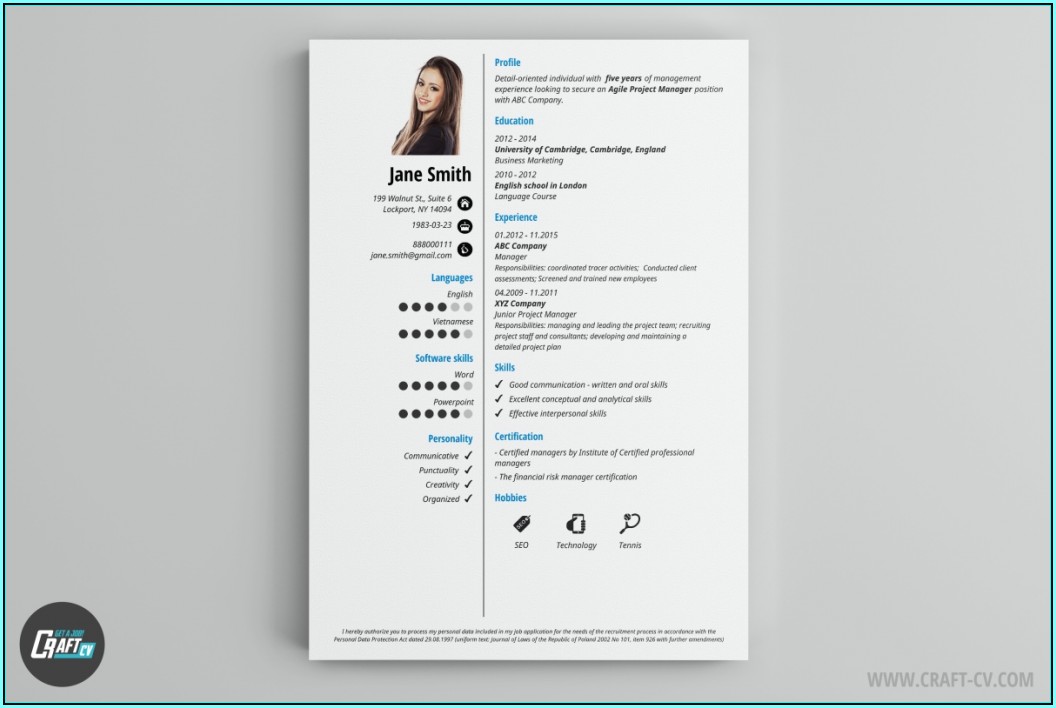
Tailor Your Template to the Job
Customize your template to match the requirements of the job posting. Use keywords from the job description to help your resume pass through ATS filters.
Keep it Concise and Focused
Use clear, concise language and focus on the most important information. Avoid clutter and excessive formatting.
Use Action Verbs and Quantifiable Results
Use action verbs like "managed," "created," and "developed" to describe your achievements. Quantify your results wherever possible, using numbers and statistics to demonstrate impact.
Comparison of Popular Online Resume Template Builders
| Builder | Template Variety | Customization | User Interface | ATS Optimization | Pricing |
|---|---|---|---|---|---|
| Canva | 50+ | High | Easy | Limited | Free-$12.95/month |
| Resume.io | 200+ | Medium | Easy | Yes | Free-$14.99/month |
| LinkedIn's Resume Builder | 10+ | Low | Easy | Yes | Free |
| Microsoft's Resume Assistant | 10+ | Medium | Easy | Yes | Free |
Insight: The Importance of ATS Optimization
Applicant tracking systems (ATS) are used by many companies to screen and filter resumes. To increase your chances of getting past the ATS and in front of a human recruiter, it's essential to optimize your resume.
Here are some tips for ATS optimization:
Use keywords: Incorporate relevant keywords from the job description into your resume.
Use a clear format: Use a clean, easy-to-read format with clear headings and bullet points.
Save in a compatible format: Save your resume in a format that's compatible with ATS, such as PDF or Word.
Building Trust: What to Look for in a Resume Template Builder
When choosing an online resume template builder, it's essential to consider the credibility and trustworthiness of the platform. Here are some factors to look for:
User reviews and ratings: Check out reviews from other users to get a sense of the platform's strengths and weaknesses.
Security and data protection: Ensure that the platform takes your data seriously and offers robust security measures.
Customer support: Look for platforms that offer helpful customer support, such as email, phone, or live chat.
FAQ
Q: What's the best online resume template builder for a creative field?
Canva and Adobe Creative Cloud are popular choices for creative professionals, offering a wide range of templates and design tools.
Q: How do I optimize my resume for ATS?
Use keywords from the job description, use a clear format, and save in a compatible format.
Q: Can I use a free online resume template builder?
Yes, many online resume template builders offer free templates and features. However, some may have limitations or require payment for premium features.
Q: How do I choose the right template for my resume?
Consider your career goals, industry, and personal brand when choosing a template. Look for templates that are clean, easy to read, and customizable.
Final Tips and Next Steps
Creating a professional resume with an online template builder takes time and effort, but it's worth it. Remember to tailor your template to the job, keep it concise and focused, and use action verbs and quantifiable results.
Take the next step and start building your resume today. With the right online template builder and a little practice, you'll be well on your way to creating a standout resume that helps you achieve your career goals.
