

As a recent graduate or someone entering the job market for the first time, creating a strong resume can be daunting. You may have heard that a well-crafted CV is crucial in making a good first impression on potential employers. But where do you start, especially when you're on a tight budget or have limited design experience? The good news is that there are many free resume templates available online that can help you get started.
Choosing the Right Template
When it comes to selecting a resume template, it's essential to consider your industry, experience, and personal brand. A template that works for a creative professional may not be suitable for someone in a more traditional field. As a fresher, you'll want to focus on templates that are clean, easy to read, and highlight your education and skills.Some popular options for free resume templates include:
Microsoft Word templates: Microsoft offers a range of free resume templates that are easy to download and customize. These templates are great for those who are familiar with Word and want a straightforward design.
Google Docs templates: Google Docs provides a variety of free resume templates that are collaborative and easy to edit. These templates are ideal for those who work with others or prefer a cloud-based solution.
Canva templates: Canva offers a wide range of free resume templates that are visually appealing and customizable. These templates are perfect for those who want to add a creative touch to their CV.
What to Look for in a Resume Template
When evaluating a resume template, there are several factors to consider. Here are some key things to look for: Clean design: A clean and simple design is essential for a resume. Avoid templates with too much clutter or overly complex layouts.
Easy to read: Choose a template with a clear and easy-to-read font. Avoid fonts that are too small or too ornate.
Customizable: Opt for a template that is easy to customize. You should be able to add or remove sections as needed.
Relevant sections: Make sure the template includes relevant sections such as education, skills, and work experience.
Creating a Standout CV
Once you've selected a template, it's time to start filling in your information. Here are some tips to help you create a standout CV: Tailor your CV to the job: Customize your CV for each job you apply to. Use keywords from the job description to help your CV pass through applicant tracking systems (ATS).
Highlight your education: As a fresher, your education is one of your strongest assets. Make sure to highlight your degree, institution, and relevant coursework.
Emphasize transferable skills: Even if you don't have direct work experience, you may have skills that are transferable to the job. For example, if you've worked on group projects or volunteered, highlight these experiences.
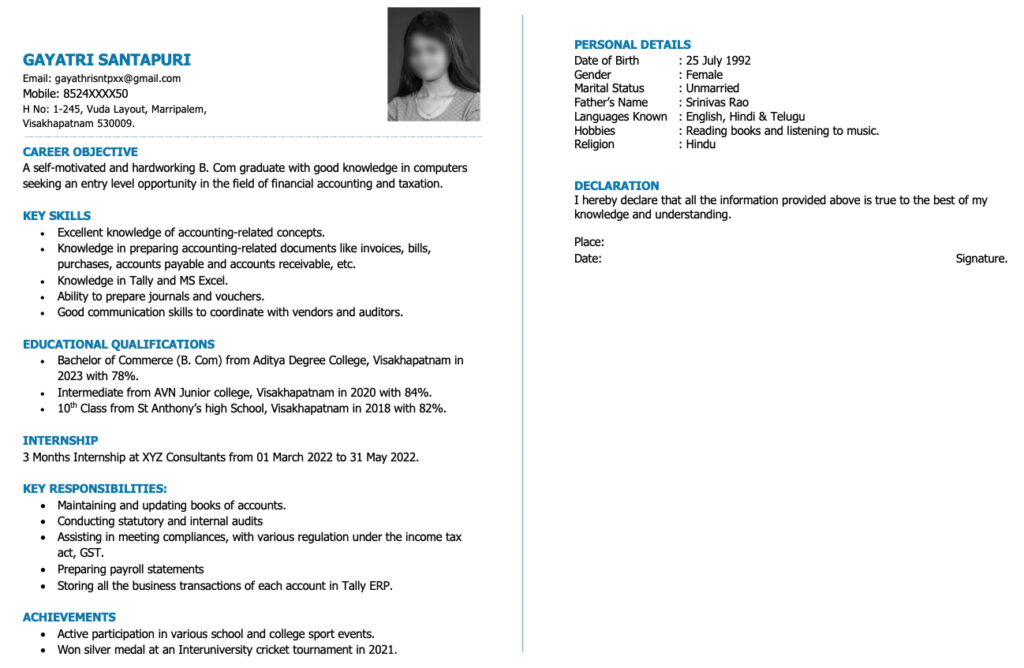
Comparison of Popular Resume Templates
| Template | Design | Customizability | Ease of Use |
|---|---|---|---|
| Microsoft Word | Simple, traditional | Easy | High |
| Google Docs | Collaborative, modern | Easy | High |
| Canva | Creative, visually appealing | Easy | Medium |
As you can see, each template has its strengths and weaknesses. Microsoft Word templates are great for those who want a traditional design, while Google Docs templates are ideal for those who want to collaborate with others. Canva templates offer a wide range of creative options, but may require more design experience.
Common Mistakes to Avoid
When creating a resume, there are several common mistakes to avoid. Here are a few things to watch out for: Typos and grammatical errors: A single mistake can make a negative impression on potential employers. Make sure to proofread your CV multiple times.
Lack of relevance: Make sure your CV is relevant to the job you're applying for. Use keywords from the job description to help your CV pass through ATS.
Poor formatting: Choose a template with a clear and easy-to-read format. Avoid using too many fonts or colors.
Trusting Your Instincts
Ultimately, the best resume template for you will depend on your personal preferences and style. Trust your instincts and choose a template that feels right for you. Don't be afraid to experiment and try out different templates until you find one that works.Frequently Asked Questions
Q: What is the best free resume template for freshers?
The best free resume template for freshers will depend on your industry, experience, and personal brand. Consider using a clean and simple template that highlights your education and skills.
Q: How do I create a resume with no experience?
Focus on highlighting your education, skills, and transferable experiences. Use a template that includes relevant sections such as education and skills.
Q: Can I use a resume template for multiple jobs?
While you can use a template for multiple jobs, make sure to customize your CV for each job you apply to. Use keywords from the job description to help your CV pass through ATS.
Final Tips
Creating a strong resume takes time and effort. Don't rush the process, and make sure to tailor your CV to each job you apply to. With the right template and a bit of creativity, you can create a standout CV that helps you land your dream job. Remember to proofread your CV multiple times, and don't be afraid to ask for help if you need it. Good luck!Related: A Practical Guide to Finding Cheap Resume Templates in Rio
