
You've probably been there - you're typing away on your keyboard, and suddenly, a key gets stuck. It's frustrating, especially if you're on a deadline or in the middle of an important project. The good news is that you don't need to remove the keys to clean them. In this article, we'll show you how to clean sticky keyboard keys without removing them, so you can get back to work quickly.
Understanding Sticky Keyboard Keys
Before we dive into the cleaning process, let's talk about what causes sticky keyboard keys in the first place. There are several reasons why your keyboard keys might become sticky:
Spills: Liquids like coffee, soda, or water can seep between the keys and cause them to stick.
Dust and dirt: Tiny particles can accumulate under the keys and make them difficult to press.
Food particles: Crumbs, dust, and other debris can get stuck under the keys.
Wear and tear: Over time, the mechanisms under the keys can wear out, causing them to stick.
Preparing Your Keyboard for Cleaning
Before you start cleaning, make sure to:
Turn off your computer: This will prevent any accidental key presses or damage to your computer.
Unplug your keyboard: If your keyboard is connected to your computer via USB, unplug it to prevent any electrical shocks.
Turn your keyboard upside down: This will help loosen any debris that might be stuck under the keys.
Cleaning Sticky Keyboard Keys
Now that your keyboard is prepared, it's time to start cleaning. Here are a few methods you can try:
Compressed air: Use compressed air to blow out any debris that might be stuck under the keys. Hold the can upright and spray the air in short bursts, moving the can around the keyboard to dislodge any particles.
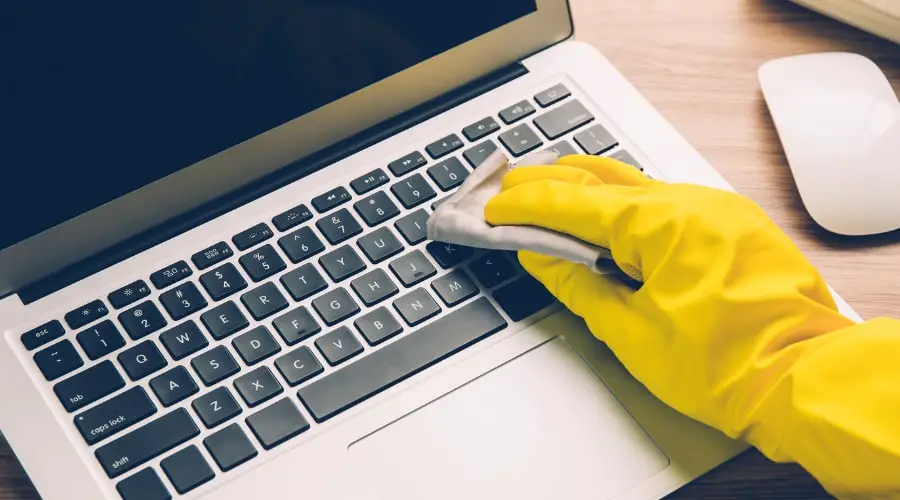
Damp cloth: Dampen a cloth with water, but make sure it's not soaking wet. Gently wipe down the sticky keys, working from top to bottom. Avoid getting any liquids between the keys or into the openings.
Cotton swab: Use a cotton swab to clean hard-to-reach areas, like between the keys or under the keycaps. Dampen the swab with water, but make sure it's not too wet.
Dealing with Stubborn Sticky Keys
If the above methods don't work, you might need to use a more advanced cleaning technique:
Using a Cleaning Solution
Mix a cleaning solution: Mix 1 part white vinegar with 2 parts water. Dip a cotton swab into the solution and gently apply it to the sticky keys.
Let it sit: Allow the solution to sit on the keys for a few minutes to help loosen any stubborn debris.
Wipe clean: Use a damp cloth to wipe away the solution and any debris.
Using a Keyboard Cleaning Brush
Invest in a keyboard cleaning brush: A keyboard cleaning brush is a small, soft-bristled brush specifically designed for cleaning keyboards.
Gently sweep away debris: Use the brush to gently sweep away any debris that might be stuck under the keys.
Preventing Sticky Keyboard Keys
To prevent sticky keyboard keys from happening in the first place, follow these tips:
Clean your keyboard regularly: Use compressed air or a damp cloth to regularly clean your keyboard.
Avoid eating or drinking near your keyboard: This will help prevent spills and crumbs from getting stuck under the keys.
Use a keyboard cover: Consider using a keyboard cover to protect your keyboard from dust and debris.
Comparison of Cleaning Methods
| Method | Effectiveness | Ease of Use |
|---|---|---|
| Compressed air | High | Easy |
| Damp cloth | Medium | Easy |
| Cotton swab | Medium | Medium |
| Cleaning solution | High | Medium |
| Keyboard cleaning brush | High | Easy |
Frequently Asked Questions
Q: Can I use a vacuum cleaner to clean my keyboard?
No, it's not recommended to use a vacuum cleaner to clean your keyboard, as it can create static electricity and damage the keyboard.
Q: Can I use a disinfectant wipe to clean my keyboard?
No, disinfectant wipes can be too harsh for keyboards and may damage the finish or harm the electronics.
Q: How often should I clean my keyboard?
It's a good idea to clean your keyboard every 1-2 months, or more often if you use it frequently.
Q: Can I clean my laptop keyboard using the same methods?
Yes, the methods outlined in this article can be used to clean laptop keyboards, but be careful not to get any liquids into the openings.
Final Tips and Tricks
Cleaning sticky keyboard keys without removing them is a simple process that requires some patience and the right techniques. Remember to:
Be gentle: Avoid using too much pressure or liquid, which can damage the keyboard.
Test a small area first: Before using any cleaning method, test it on a small area of the keyboard to ensure it won't damage the finish or harm the electronics.
- Use the right tools: Invest in a keyboard cleaning brush or compressed air to make cleaning easier and more effective.
By following these tips and techniques, you should be able to clean your sticky keyboard keys without removing them and get back to work quickly.
Related: 5 Useful Things to Know About Why Your PC is Making a
Related: 5 Useful Things to Know About Free Daily Checklist Apps
