
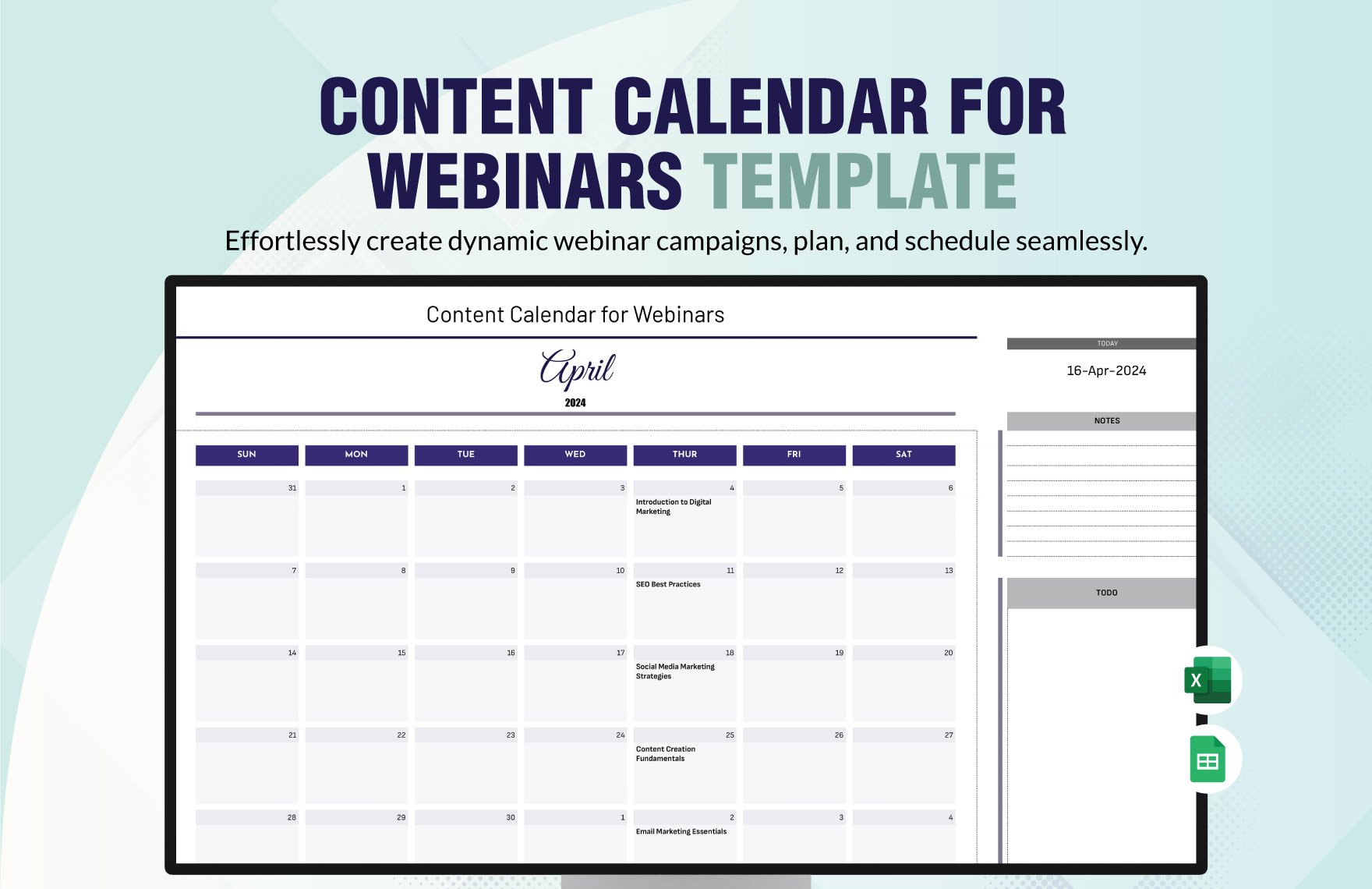
Why a Content Calendar Template Matters
As a content creator, you know how overwhelming it can be to manage multiple projects, deadlines, and publishing schedules. A content calendar template is a lifesaver in this situation. It helps you plan, organize, and schedule your content in advance, ensuring that your publishing process runs smoothly and efficiently. In this article, we'll explore the benefits of using a content calendar template, provide a step-by-step guide on how to create one, and share some valuable insights on how to make the most out of it.
Understanding Your Content Calendar Needs
Before creating a content calendar template, it's essential to understand your content creation needs. Take a moment to reflect on your current content strategy. What types of content do you create? Who is your target audience? What are your publishing schedules and deadlines? Answering these questions will help you determine what features your content calendar template should have.
For example, if you're a blogger, you may want to include columns for:
Content topic
Publishing date
Author
Category
Keywords
On the other hand, if you're a social media manager, you may want to include columns for:
Post type (e.g., image, video, text-only)
Platform (e.g., Facebook, Twitter, Instagram)
Posting schedule
Engagement metrics
Creating Your Content Calendar Template
Now that you understand your content creation needs, it's time to create your content calendar template. Here's a step-by-step guide to get you started:
- Choose a format: You can create a content calendar template using a spreadsheet software like Google Sheets or Microsoft Excel, or use a project management tool like Trello or Asana.
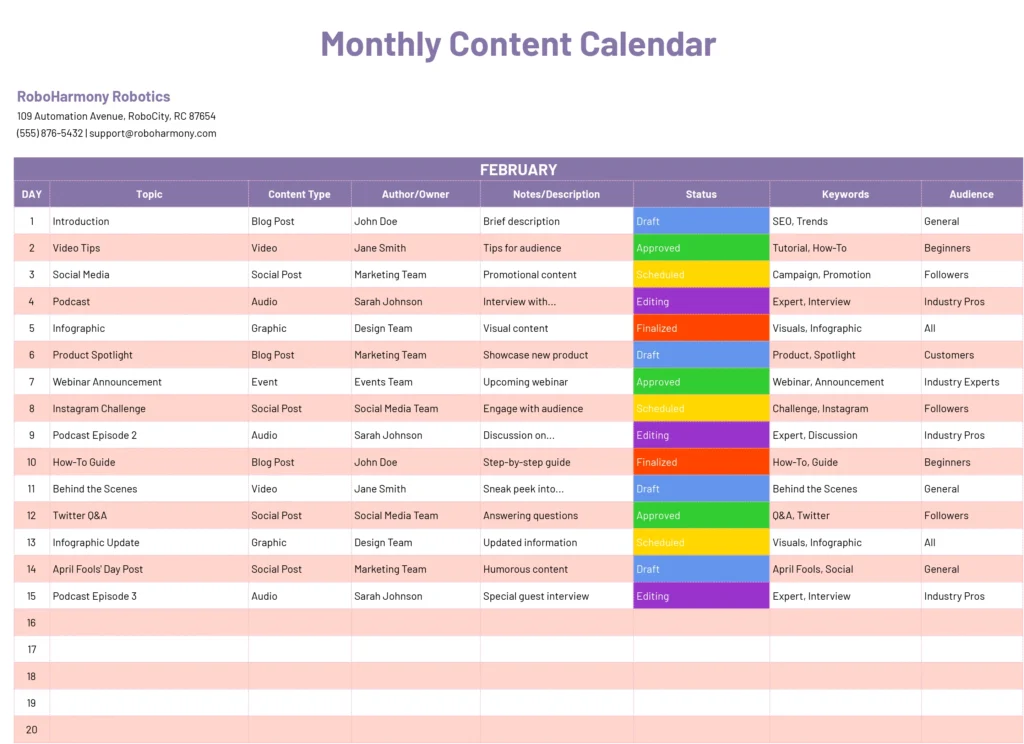
- Determine your columns: Based on your content creation needs, decide what columns you want to include in your template. Some common columns include:
- Set up your template: Create a new spreadsheet or document and set up your columns. You can also use a template or a pre-designed content calendar template to get started.
- Customize your template: Tailor your template to your specific needs. For example, you can add filters or conditional formatting to highlight upcoming deadlines or published content.
Benefits of Using a Content Calendar Template
Using a content calendar template offers numerous benefits, including:
Improved organization: A content calendar template helps you keep all your content in one place, making it easier to manage and track.Increased efficiency: By planning and scheduling your content in advance, you can reduce last-minute scrambles and ensure that your content is published on time.
Better collaboration: A content calendar template makes it easier to collaborate with team members, freelancers, or stakeholders, ensuring that everyone is on the same page.
Comparison of Content Calendar Tools
| Tool | Features | Pricing |
|---|---|---|
| Google Sheets | Customizable template, collaboration features, automatic saving | Free |
| Microsoft Excel | Advanced formatting options, pivot tables, conditional formatting | $6.99/month (basic plan) |
| Trello | Kanban-style board, drag-and-drop functionality, integrations | $12.50/month (team plan) |
| Asana | Task management, workflow automation, reporting | $9.99/month (premium plan) |
Practical Tips for Using Your Content Calendar Template
Here are some practical tips to help you get the most out of your content calendar template:
Schedule regularly: Set aside time each week or month to plan and schedule your content.
Use color-coding: Use different colors to highlight different types of content, such as blog posts, social media posts, or email newsletters.
Track performance: Use your content calendar template to track engagement metrics, such as page views, likes, or comments.
Common Mistakes to Avoid
When creating and using a content calendar template, avoid the following common mistakes:
Not customizing your template: Failing to tailor your template to your specific needs can lead to confusion and inefficiency.
Not updating your template: Failing to regularly update your template can lead to outdated information and missed deadlines.
FAQs
Here are some frequently asked questions about creating a content calendar template:
Q: What is a content calendar template?
A content calendar template is a pre-designed template used to plan, organize, and schedule content in advance.
Q: Why do I need a content calendar template?
A content calendar template helps you streamline your content creation process, improve organization, and boost efficiency.
Q: How do I create a content calendar template?
You can create a content calendar template using a spreadsheet software or a project management tool, and customize it to fit your specific needs.
Q: What are some common columns to include in a content calendar template?
Common columns to include in a content calendar template are content topic, publishing date, author, category, keywords, and status.
Final Tips and Next Steps
Creating a content calendar template is just the first step. To get the most out of it, remember to:
Regularly update your template
Use it to track performance and engagement metrics
Collaborate with team members and stakeholders
- Continuously evaluate and improve your content strategy
By following these tips and using a content calendar template, you'll be well on your way to streamlining your content creation process and achieving your marketing goals.
Related: Commercial Website Builders: What Actually Makes Sense?
Related: What to Know About Job Offer Templates: Free Examples and Key
