
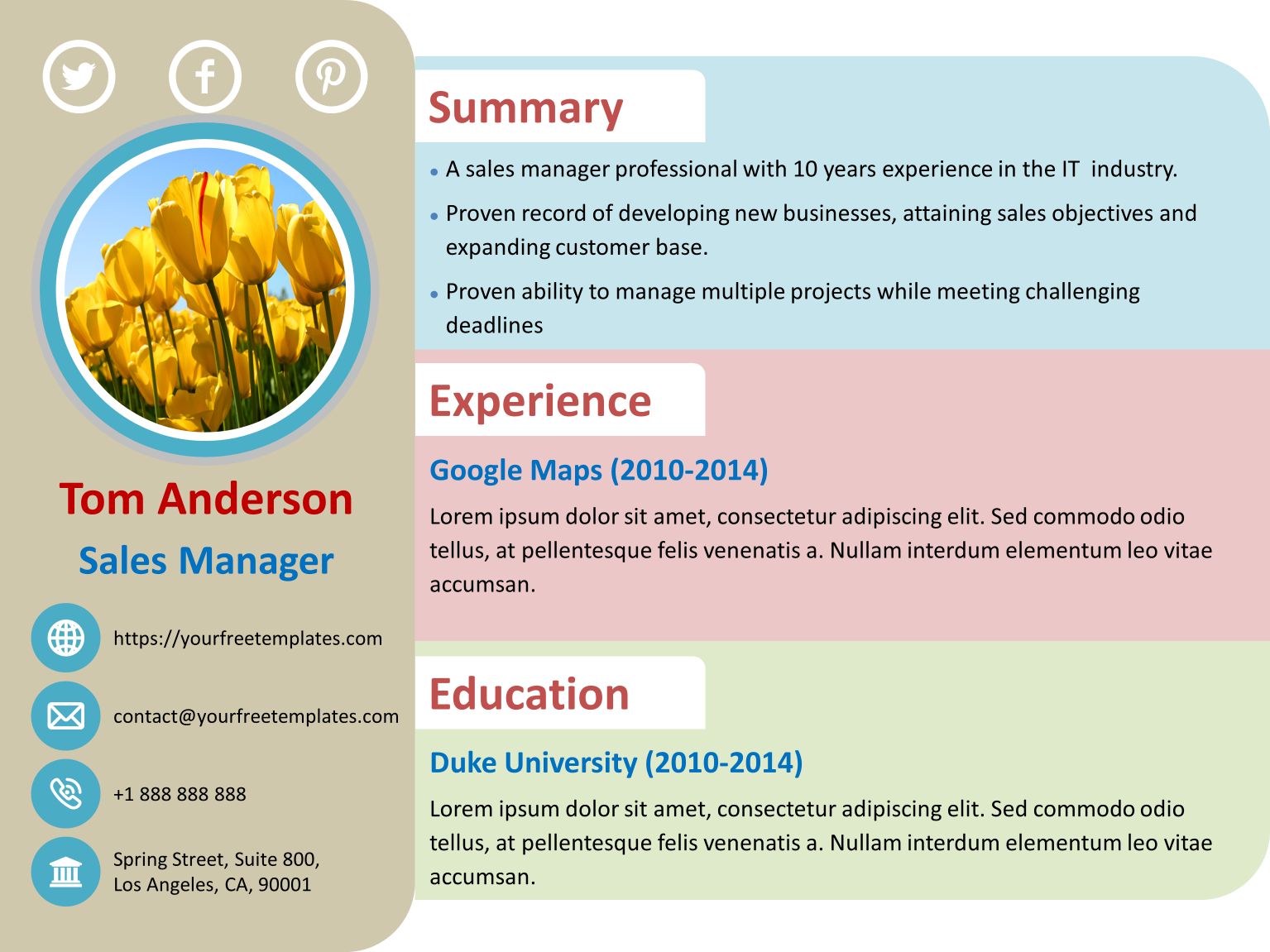
When you're on the hunt for a job, your resume is often the first impression you make on a potential employer. It's crucial that it's not only well-written but also professionally formatted. A free resume template can be a great starting point, but with so many options available, how do you choose the right one?
Understanding the Importance of a Good Resume Template
A well-designed resume template can make a significant difference in how your resume is received. It can help you stand out from the competition, highlight your strengths, and make your experience and skills shine. A good template should be clean, easy to read, and tailored to your industry.Types of Free Resume Templates Available for Download
There are numerous free resume templates available for download, catering to various industries, experience levels, and design preferences. Some popular types include: Chronological templates: Best for those with a lot of work experience, these templates list your work history in reverse chronological order.
Functional templates: Suitable for those with gaps in their work history or limited experience, these templates focus on your skills and qualifications.
Combination templates: A mix of chronological and functional templates, these are ideal for those who want to showcase their experience and skills equally.
What to Look for in a Free Resume Template
When searching for a free resume template, consider the following factors: Industry relevance: Choose a template that's relevant to your industry. For example, a creative field might require a more vibrant and artistic template, while a corporate job might call for a more traditional and professional design.
Customizability: Opt for a template that's easy to customize, with clear headings, sections, and formatting.
Readability: Ensure the template is easy to read, with a clear font and sufficient white space.
Top Sources for Free Resume Templates
Some popular sources for free resume templates include: Canva: Offers a wide range of customizable templates, with a user-friendly interface and a vast library of fonts, colors, and graphics.
Resume Genius: Provides a variety of free templates, along with resume-building tips and advice.
Hloom: Features over 1,000 free resume templates, covering various industries and experience levels.
How to Customize Your Free Resume Template
Once you've chosen a template, it's essential to customize it to fit your needs. Here are some tips: Tailor your objective: Write a compelling objective statement that highlights your career goals and relevant experience.
Emphasize your achievements: Instead of just listing your job responsibilities, focus on the specific achievements and results you've achieved in your previous roles.
Use keywords: Incorporate relevant keywords from the job posting into your resume, especially in your summary, skills section, and work experience.
Common Mistakes to Avoid When Using Free Resume Templates
While free resume templates can be a great resource, there are some common mistakes to avoid: Over-customization: Don't overdo it with too many fonts, colors, or graphics. Keep your design clean and professional.
Lack of originality: Avoid using a template that's too generic or similar to others. Add your own personal touch and tailor it to your industry and experience.
Typos and errors: Make sure to proofread your resume multiple times to catch any typos or formatting errors.
Choosing the Right Format for Your Resume
When it comes to the format of your resume, you have several options:PDF vs. Word
A PDF is a great choice for sending your resume to potential employers, as it ensures your formatting remains intact. However, a Word document can be easier to edit and customize.Length and Layout
Keep your resume concise and focused on the most important information. Aim for one to two pages in length, with clear headings and bullet points to make it easy to scan.FAQs About Free Resume Templates
Here are some frequently asked questions about free resume templates: Q: Are free resume templates really free?
Yes, but be sure to check the terms and conditions of each template to ensure there are no hidden costs or requirements.
Q: Can I use a free resume template for any job application?
No, tailor your template to the specific job and industry you're applying to.
Q: How do I make my resume stand out from the competition?
Use a unique template, highlight your achievements, and incorporate relevant keywords from the job posting.
Final Tips for Making the Most of Your Free Resume Template
To land your dream job, your resume needs to shine. Here are some final tips: Keep it concise: Focus on the most important information and keep your resume to one to two pages.
Use action verbs: Use action verbs like "managed," "created," and "developed" to describe your achievements.
- Proofread: Carefully proofread your resume multiple times to catch any typos or formatting errors.
By following these tips and choosing the right free resume template, you'll be well on your way to creating a professional and effective resume that helps you stand out in a competitive job market.
Related: 5 Useful Things to Know About Productivity Planner Templates
