

Creating Authentic Online Course Certificates
When designing an online course, providing a certificate of completion to learners is a great way to verify their achievements and enhance their professional profiles. A well-crafted online course certificate template is essential to make the certificate look professional and legitimate. In this article, we will discuss the key elements to consider when creating online course certificate templates and provide practical advice on designing and customizing them.
Understanding the Purpose of Online Course Certificates
Online course certificates serve as a testament to a learner's completion of a course or program. They can be used to demonstrate expertise, enhance job prospects, or simply as a motivational tool to encourage learners to complete the course. When creating an online course certificate template, it's essential to keep the purpose in mind and ensure that the design aligns with the course's goals and objectives.
Key Elements of an Online Course Certificate Template
A good online course certificate template should include the following elements:
Course name and description: Clearly indicate the name and description of the course completed by the learner.
Learner's name and ID: Include the learner's name and ID (if applicable) to personalize the certificate and verify authenticity.
Completion date: Specify the date the learner completed the course.
Certificate number: Assign a unique certificate number to prevent counterfeiting.
Issuing organization's name and logo: Display the name and logo of the organization issuing the certificate.
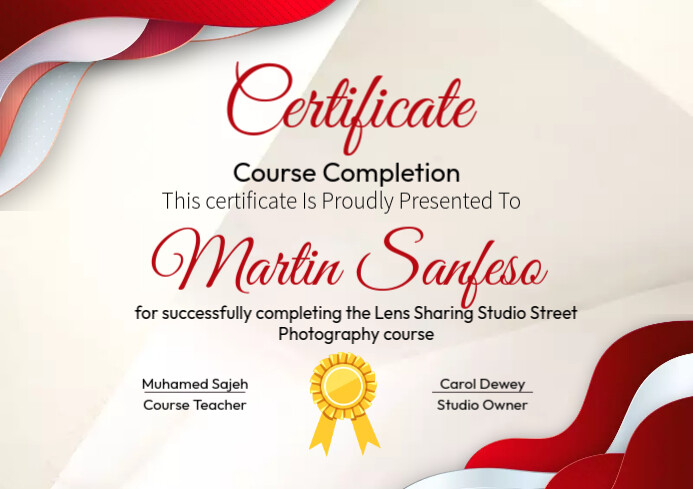
Designing Your Online Course Certificate Template
When designing your online course certificate template, consider the following best practices:
Use a clean and simple layout: Avoid clutter and ensure the certificate is easy to read.
Choose a professional font: Select a font that is clear, legible, and consistent with your organization's branding.
Include a unique design element: Add a unique design element, such as a logo or image, to make the certificate more visually appealing.
Customizing Your Online Course Certificate Template
To make your online course certificate template more effective, consider customizing it to fit your organization's branding and course specific needs. You can:
Add a custom background image: Use a relevant image or graphic to enhance the visual appeal of the certificate.
Include a QR code: Add a QR code that links to the learner's course completion record or a verification page.
Use a digital signature: Use a digital signature to ensure the authenticity and integrity of the certificate.
Comparison of Online Course Certificate Templates
| Template Type | Description | Pros | Cons |
|---|---|---|---|
| <strong>Basic Template</strong> | Simple template with course name, learner's name, and completion date | Easy to create, widely compatible | Limited visual appeal, may not be customizable |
| <strong>Custom Template</strong> | Designed specifically for your organization or course | Unique visual identity, can be tailored to specific needs | Requires design expertise, may be more expensive |
| <strong>Dynamic Template</strong> | Uses data fields to populate certificate information | Automates certificate creation, reduces errors | Requires technical expertise, may be more complex to set up |
"A well-designed online course certificate template is not just a nice-to-have, it's a must-have to verify learning achievements and provide a sense of accomplishment to learners." - Jane Smith, e-Learning Expert
Checklist for Creating an Online Course Certificate Template
Define the purpose and scope of the certificate
Determine the required elements (e.g., course name, learner's name, completion date)
Choose a design template or create a custom design
Customize the template to fit your organization's branding and course specific needs
Test and review the template for accuracy and visual appeal
Frequently Asked Questions
Q: What is the best format for an online course certificate template?
The best format for an online course certificate template is a PDF, as it is widely compatible and can be easily verified.
Q: Can I use a template for multiple courses?
Yes, you can use a template for multiple courses, but ensure that the template is customizable to fit the specific needs of each course.
Q: How do I verify the authenticity of an online course certificate?
You can verify the authenticity of an online course certificate by including a unique certificate number, QR code, or digital signature.
Q: Can I create an online course certificate template without design experience?
Yes, you can create an online course certificate template without design experience by using a template or design tool that provides a user-friendly interface and pre-designed templates.
Finalizing Your Online Course Certificate Template
Creating a professional-looking online course certificate template requires careful consideration of the key elements, design best practices, and customization options. By following the advice and guidelines provided in this article, you can create a certificate that verifies learning achievements and enhances the overall learning experience.
Related: Find the Best Accredited Online Course Platforms for Your
Related: Find the Best Online Course Platforms in Australia Without
Related: Mastering Design Without the Hassle: Free Online Tools to Get
