

Choosing the Right Online Resume Template Maker
When it comes to creating a standout CV, many job seekers turn to online resume template makers for help. These tools offer a range of templates and design options to make the process easier and more efficient. But with so many options available, how do you choose the right one for your needs?
Online resume template makers can save you time and effort, but they may also limit your creativity and customization options. Some popular options include Canva, Resume.io, and LinkedIn's Resume Builder. Each of these tools has its own strengths and weaknesses, which we'll explore in more detail below.
Benefits of Using Online Resume Template Makers
One of the biggest advantages of using an online resume template maker is the speed and convenience they offer. With a few clicks, you can choose a template, add your information, and download a professionally-looking CV. This can be especially helpful for those who are short on time or not familiar with design software.
Another benefit is the consistency and polish that online template makers provide. They often include pre-designed layouts, fonts, and formatting, which can make your resume look more cohesive and visually appealing. This can be especially important for those in creative fields, where a well-designed CV can help you stand out.
Drawbacks and Limitations
However, there are also some potential drawbacks to consider. One of the main limitations of online template makers is the lack of customization options. While they offer a range of templates, you may not be able to make significant changes to the design or layout. This can make it difficult to showcase your unique skills and experience.
Another potential drawback is the cost. While some online template makers are free, others may charge a fee for premium templates or features. This can add up quickly, especially if you're on a tight budget.
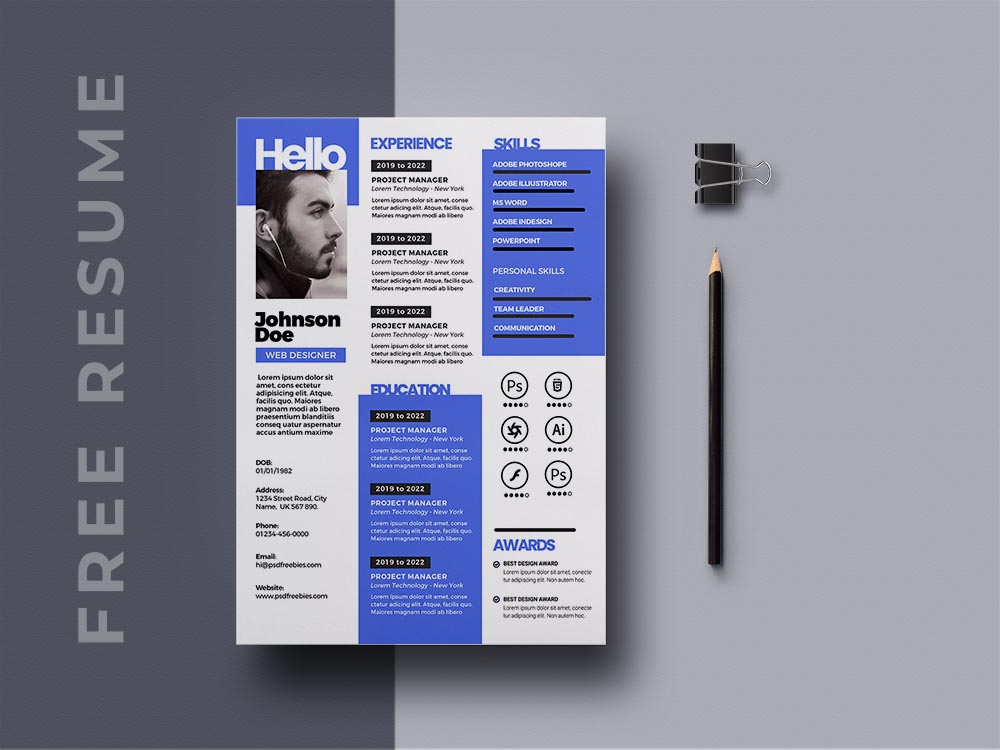
Comparison of Popular Online Resume Template Makers
| <strong>Tool</strong> | <strong>Templates</strong> | <strong>Customization</strong> | <strong>Cost</strong> | <strong>Ease of Use</strong> |
|---|---|---|---|---|
| Canva | 100+ | High | Free-$15 | Easy |
| Resume.io | 20+ | Medium | Free-$29 | Medium |
| LinkedIn Resume Builder | 5+ | Low | Free | Easy |
As you can see, each tool has its own strengths and weaknesses. Canva offers a wide range of templates and high customization options, but may require more design experience. Resume.io provides a more streamlined process, but with fewer customization options. LinkedIn's Resume Builder is easy to use, but limited in terms of templates and design options.
"The key to creating a standout CV is to find a tool that balances ease of use with customization options. You want to be able to showcase your unique skills and experience, without spending hours designing the perfect template." - Rachel, Career Coach
Practical Tips for Using Online Resume Template Makers
So, how can you get the most out of online resume template makers? Here are a few practical tips:
Start with a clear idea of your CV's content and structure. This will help you choose a template that showcases your skills and experience.
Choose a template that's clean and easy to read. Avoid clutter and excessive design elements.
Customize the template to fit your needs. Add or remove sections, change the font or color scheme, and make sure the layout is clear and concise.
Proofread your CV multiple times. A single typo or formatting error can make a big difference.
Common Mistakes to Avoid
When using online resume template makers, there are a few common mistakes to avoid:
Over-customizing the template. While it's tempting to add your own design elements, too much customization can make the CV look cluttered and unprofessional.
Not tailoring the CV to the job. Make sure to highlight the skills and experience that match the job requirements.
- Not saving in the right format. Save your CV in a format that's easy to read, such as PDF or Word.
Building Trust with Your CV
Your CV is often the first impression you make on a potential employer, so it's essential to get it right. By using an online resume template maker, you can create a professional-looking CV that showcases your skills and experience.
However, it's also important to remember that a CV is just one part of the job search process. Make sure to tailor your CV to each job you apply for, and don't be afraid to add your own personal touch.
Frequently Asked Questions
Q: What is the best online resume template maker?
The best online resume template maker for you will depend on your specific needs and design experience. Canva and Resume.io are popular options, but LinkedIn's Resume Builder is also a good choice.
Q: Can I use an online resume template maker for free?
Yes, many online resume template makers offer free templates and features. However, some may charge a fee for premium templates or customization options.
Q: How do I choose the right template for my CV?
Choose a template that's clean, easy to read, and matches your industry and experience. Consider the job requirements and tailor your CV accordingly.
Q: Can I customize an online resume template?
Yes, most online resume template makers offer some level of customization. However, the extent of customization will depend on the tool and template you choose.
Conclusion
Creating a standout CV takes time and effort, but online resume template makers can help. By choosing the right tool and template, you can create a professional-looking CV that showcases your skills and experience. Just remember to tailor your CV to each job you apply for, and don't be afraid to add your own personal touch. With a little creativity and effort, you can create a CV that helps you stand out in a competitive job market.
Related: How to Find the Perfect Free Resume Templates Word Download
