
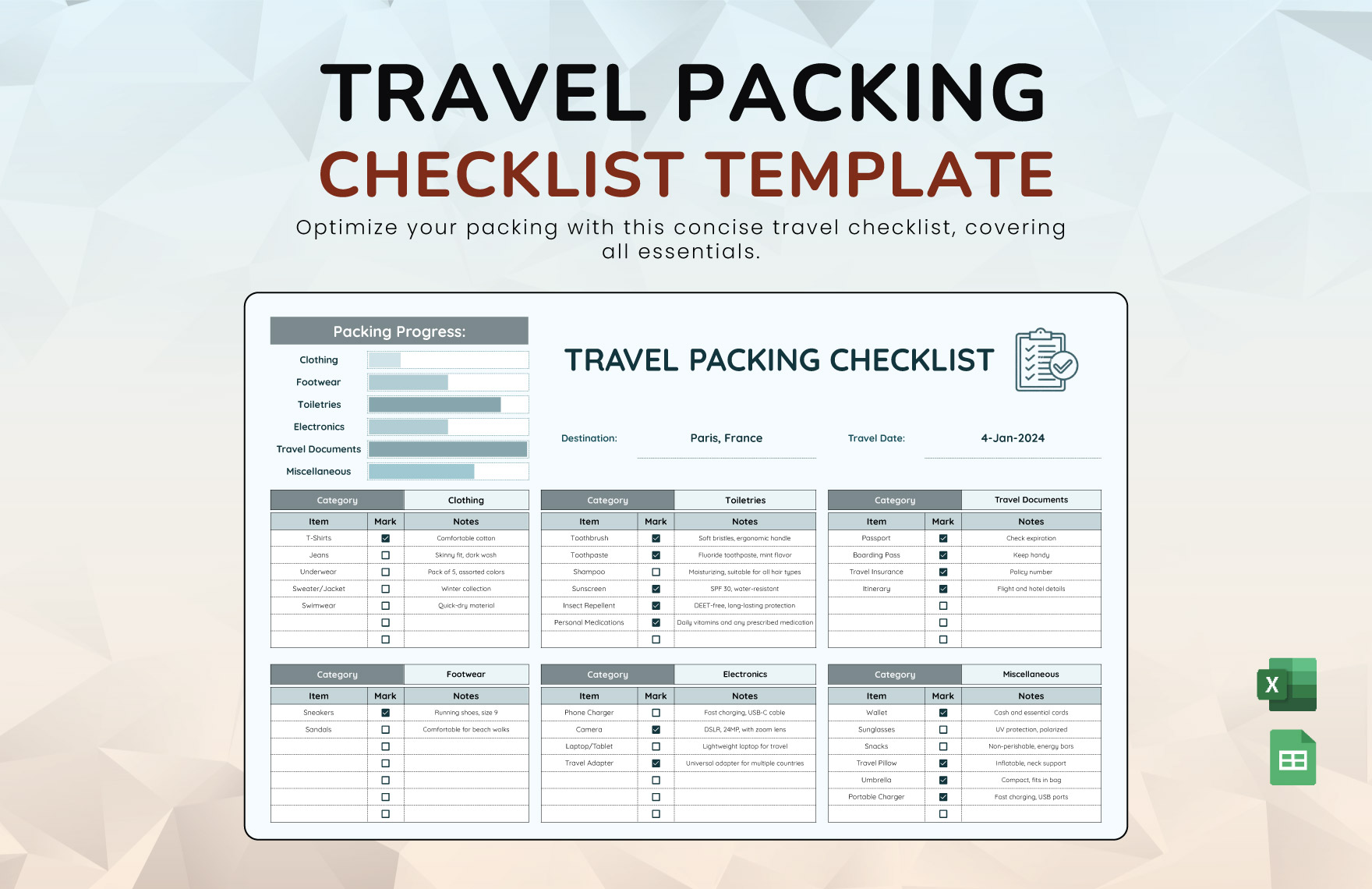
The Perils of Forgetting: Why a Travel Packing Checklist Matters
Imagine standing in your hotel room, realizing you've left your phone charger back home. The stress of traveling can already be overwhelming, and such oversights only add to the anxiety. A well-crafted travel packing checklist can be a lifesaver, ensuring that you arrive at your destination prepared and relaxed. For those who prefer a digital solution, an Excel template offers a customizable and easily accessible platform to manage your packing list.
Choosing the Right Tool: Google vs. Excel
When it comes to digital packing lists, two popular options are Google Sheets and Microsoft Excel. Both platforms offer robust functionalities, but they cater to different needs and preferences.
- Google Sheets offers real-time collaboration features, making it ideal for group trips where multiple people need to contribute to or view the packing list. Its cloud-based nature also means you can access your list from any device with an internet connection.
- Excel, on the other hand, provides advanced formatting and calculation capabilities, which can be beneficial for creating a more detailed and customized packing list. For those already familiar with Excel, using a template within this environment can be more straightforward.
Creating Your Travel Packing Checklist Excel Template
To create an effective travel packing checklist Excel template, consider the following steps:
- Identify Your Needs: Start by listing all the items you typically pack for a trip. This can include clothing, toiletries, electronics, and travel documents.
- Categorize Items: Organize your list into categories (e.g., clothing, electronics, etc.) to make it easier to review and check off items.
- Prioritize Essentials: Highlight or place at the top of your list items that are crucial for your trip, such as your passport, phone charger, and any necessary medications.
- Customize Your Template: Use Excel's formatting tools to make your checklist visually appealing and easy to use. Consider adding checkboxes, conditional formatting to highlight unchecked items, and perhaps a section for notes.
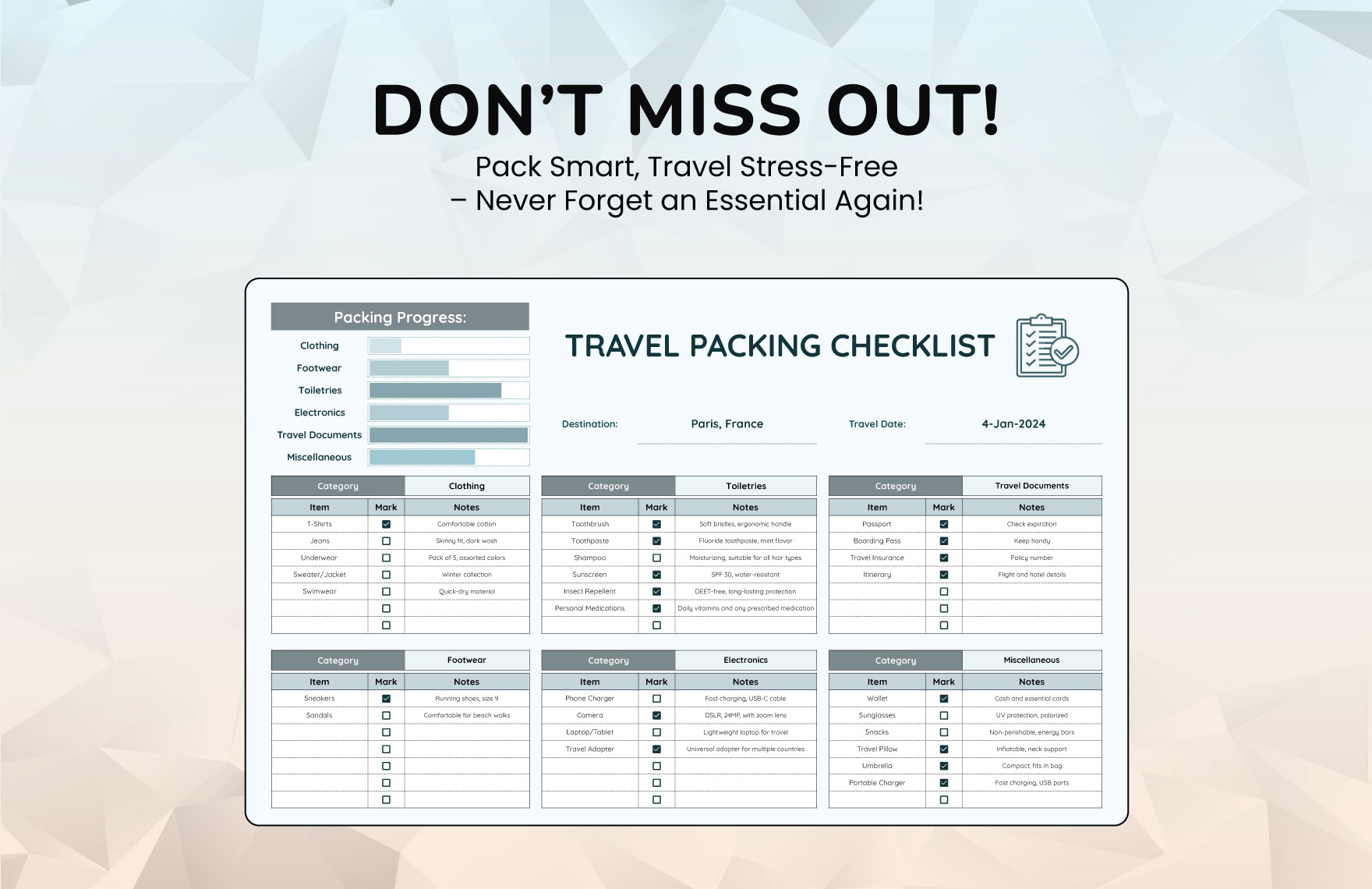
Benefits of a Customizable Template
A customizable Excel template offers several advantages over generic packing lists:
- Personalization: You can tailor your list to your specific travel needs, including the type of trip (business, leisure, etc.), the climate of your destination, and any activities you plan to do.
- Flexibility: As you travel and gather more experience about what you need to pack, you can easily modify your template to reflect these changes.
- Accessibility: With your checklist in Excel, you can access it offline, which is particularly useful when traveling to areas with limited internet connectivity.
Comparing Digital Packing Tools
| <strong>Feature</strong> | <strong>Excel Template</strong> | <strong>Google Sheets</strong> | <strong>Packing Apps</strong> |
|---|---|---|---|
| Customization | High | High | Medium |
| Collaboration | Low | High | Medium |
| Accessibility | Offline | Online | Varies |
| Cost | One-time purchase of Excel | Free with Google account | Varies, often subscription-based |
Practical Tips for Using Your Template
- Review and Update Regularly: Before each trip, review your checklist to ensure it still meets your needs. Update it as necessary based on your experiences.
- Packing Strategy: Consider implementing a packing strategy, such as the "one in, one out" rule, to keep your luggage balanced and avoid overpacking.
- Digital Backup: Keep a digital backup of your checklist, either by saving it to the cloud or on an external hard drive, to prevent loss.
Real-World Application: A Case Study
For a recent European trip, Sarah, a frequent traveler, used a customized Excel packing checklist template. By categorizing her items and prioritizing essentials, she was able to pack efficiently and avoid common mistakes like forgetting her adapter. The template also allowed her to make last-minute adjustments based on changing weather forecasts.
Frequently Asked Questions
Q: Can I use an Excel template for a group trip?
Yes, while Excel itself doesn't offer real-time collaboration like Google Sheets, you can still share your template with group members. They can make edits offline and then manually sync changes.
Q: Are there any pre-made templates available?
Yes, both Microsoft Excel and Google Sheets offer pre-made templates for packing lists that you can customize to fit your needs.
Q: How do I ensure my checklist is comprehensive?
Research your destination's climate, cultural norms, and any specific requirements (like visas or vaccinations). Tailor your list accordingly.
Q: Can I use my packing checklist for different types of trips?
Absolutely. A good checklist is adaptable. Adjust categories and items based on the nature of your trip.
Final Check: Streamlining Your Travel Prep
A travel packing checklist Excel template is more than just a tool; it's a personalized assistant that helps streamline your travel preparation. By investing time in creating and customizing your checklist, you can ensure that your trips are stress-free and enjoyable, with all essentials covered. Whether you're a frequent flyer or an occasional traveler, having a reliable packing list at your fingertips can make all the difference.
