
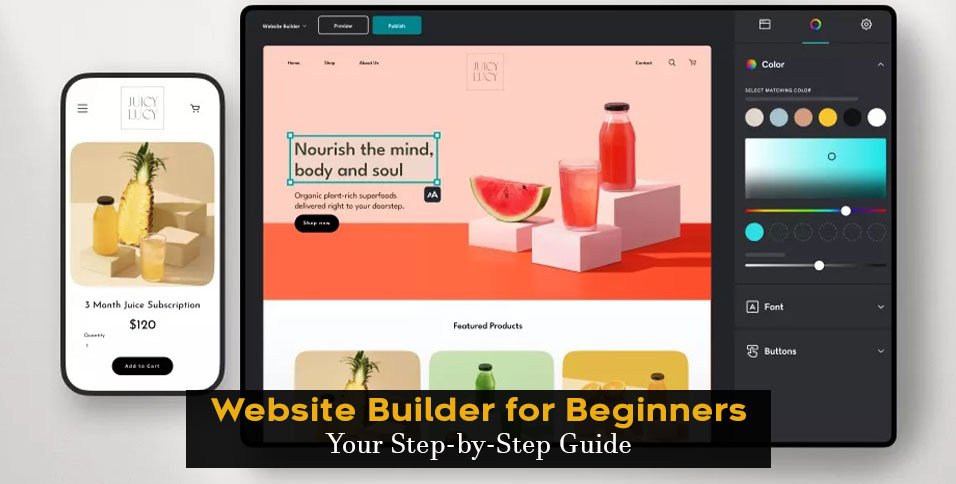
A Fresh Start with Website Templates
Creating a website can seem daunting, especially for those without extensive technical expertise. However, with the advent of website templates, getting started has become significantly easier. Website templates offer a pre-designed foundation for your website, saving you time and effort. As a beginner, choosing the right template is crucial for a successful website. In this article, we'll explore what you need to know about website templates for beginners.
Understanding Website Templates
Website templates are pre-designed layouts for websites, often created by professional designers and developers. They usually include a basic structure, design elements, and sometimes, pre-built pages. Templates can be customized to suit your needs, making it easier to create a unique website. There are various types of templates available, including:
Free templates: Basic templates available for free, often with limited features and customization options.
Premium templates: Paid templates offering advanced features, more extensive customization options, and priority support.
Template builders: Website builders that offer a range of templates and a drag-and-drop editor for easy customization.
Benefits of Using Website Templates
Using website templates offers several benefits, especially for beginners:
Time-saving: Templates save you time and effort in designing and developing a website from scratch.
Cost-effective: Many templates are available for free or at a lower cost compared to hiring a professional designer or developer.
Easy to use: Templates often come with a user-friendly interface, making it easy to customize and manage your website.
Professional design: Templates are designed by professionals, ensuring a visually appealing and well-structured website.
Choosing the Right Template
With numerous templates available, choosing the right one can be overwhelming. Here are some factors to consider:
Purpose: Define the purpose of your website (e.g., blog, e-commerce, portfolio).
Target audience: Consider the demographics, interests, and preferences of your target audience.
Customization: Look for templates with easy customization options, such as drag-and-drop editors or intuitive interfaces.
Responsiveness: Ensure the template is responsive, meaning it adapts to different screen sizes and devices.
Template Comparison: Popular Options
| Template Builder | Features | Pricing |
|---|---|---|
| Wix | Drag-and-drop editor, 500+ templates, e-commerce integration | $14-$25/month |
| Squarespace | Sleek designs, user-friendly interface, e-commerce integration | $14-$26/month |
| WordPress | 10,000+ free templates, highly customizable, extensive plugin library | Free-$100+ |
Practical Tips for Customizing Your Template
Once you've chosen a template, it's time to customize it. Here are some practical tips:
Keep it simple: Avoid over-customizing, as this can lead to a cluttered and confusing website.
Use high-quality images: Invest in high-quality images to enhance the visual appeal of your website.
Make it mobile-friendly: Ensure your website is optimized for mobile devices, as most users access websites through their smartphones.
Common Mistakes to Avoid
As a beginner, it's essential to avoid common mistakes when working with website templates:
Not reading the documentation: Take the time to read the template's documentation and understand its features and limitations.
Over-customizing: Avoid over-customizing, as this can lead to a cluttered and confusing website.
Not testing: Test your website thoroughly to ensure it works as expected and is free of errors.
Trust-Building: Why Website Templates Matter
Website templates offer a reliable and efficient way to create a professional website. By choosing a reputable template provider, you can ensure:
Security: Templates are regularly updated to ensure security patches and fixes.
Support: Many template providers offer priority support and resources to help you get started.
Community: Join a community of users and developers, providing access to valuable resources and expertise.
Frequently Asked Questions
Q: What is the best website template for beginners?
The best website template for beginners depends on your specific needs and goals. Popular options include Wix, Squarespace, and WordPress.
Q: Can I customize a website template?
Yes, most website templates offer customization options, such as drag-and-drop editors or intuitive interfaces.
Q: Are website templates mobile-friendly?
Many website templates are responsive, meaning they adapt to different screen sizes and devices. Ensure the template you choose is mobile-friendly.
Q: Can I use a website template for e-commerce?
Yes, many website templates offer e-commerce integration, making it easy to create an online store.
Getting Started with Your Website Template
Creating a website with a template is a straightforward process:
- Choose a template: Select a template that meets your needs and goals.
- Customize your template: Use the template's customization options to make it your own.
- Add content: Populate your website with high-quality content, including text, images, and multimedia.
- Launch and test: Launch your website and test it thoroughly to ensure it works as expected.
Final Checks
Before launching your website, perform a final check:
Review content: Ensure all content is accurate, up-to-date, and engaging.
Test functionality: Test all features and functionality to ensure they work as expected.
- Optimize for SEO: Optimize your website for search engines to improve visibility and drive traffic.
By following these guidelines and choosing the right website template, you'll be well on your way to creating a professional and effective website.
Related: A Practical Guide to Finding and Using a Free Job Offer
