
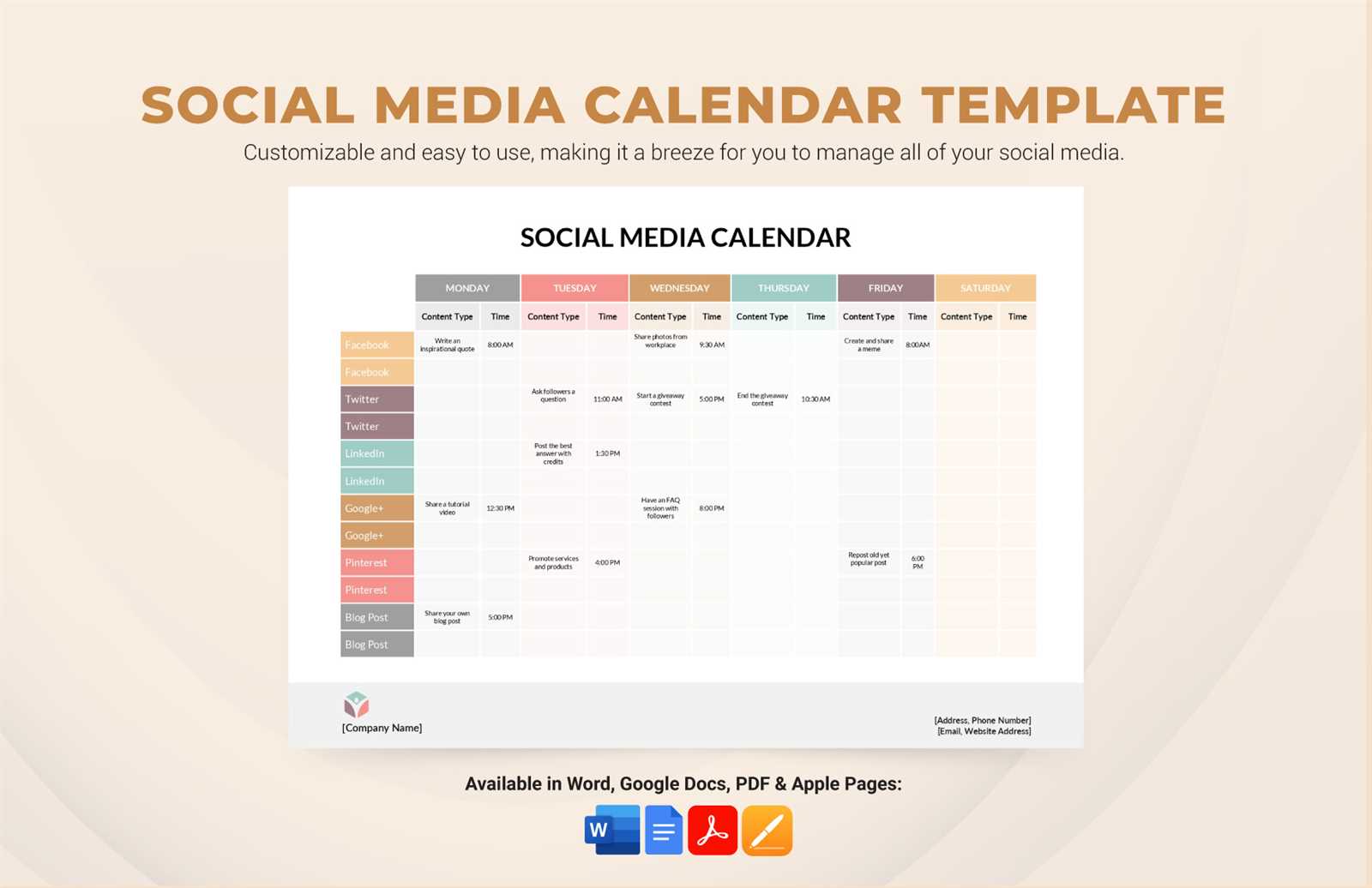
Why You Need a Social Media Content Calendar Template
As a social media manager or content creator, you know how chaotic it can get to keep up with multiple platforms, posts, and engagement. A social media content calendar template is a lifesaver in this situation. It helps you plan, organize, and schedule your content in advance, ensuring that your social media presence is consistent and engaging.
Creating a content calendar template may seem daunting, but it's easier than you think. With a few simple steps, you can create a template that works for you and your team. In this article, we'll explore five useful things to know about creating a social media content calendar template.
Choosing the Right Format for Your Content Calendar Template
When it comes to creating a content calendar template, the format is crucial. You can use a spreadsheet, a calendar app, or even a project management tool. The key is to choose a format that works for you and your team.
Here are a few popular options:
Google Sheets or Microsoft Excel: These spreadsheet tools are great for creating a content calendar template. You can easily add columns and rows, and collaborate with team members in real-time.
Google Calendar or Apple Calendar: These calendar apps are perfect for scheduling posts and setting reminders.
Trello or Asana: These project management tools are ideal for creating a content calendar template that integrates with your workflow.
What to Consider When Choosing a Format
When choosing a format for your content calendar template, consider the following factors:
Collaboration: Can multiple team members access and edit the template?
Customization: Can you add or remove columns and rows as needed?
Integration: Does the format integrate with other tools you use, such as social media scheduling tools?
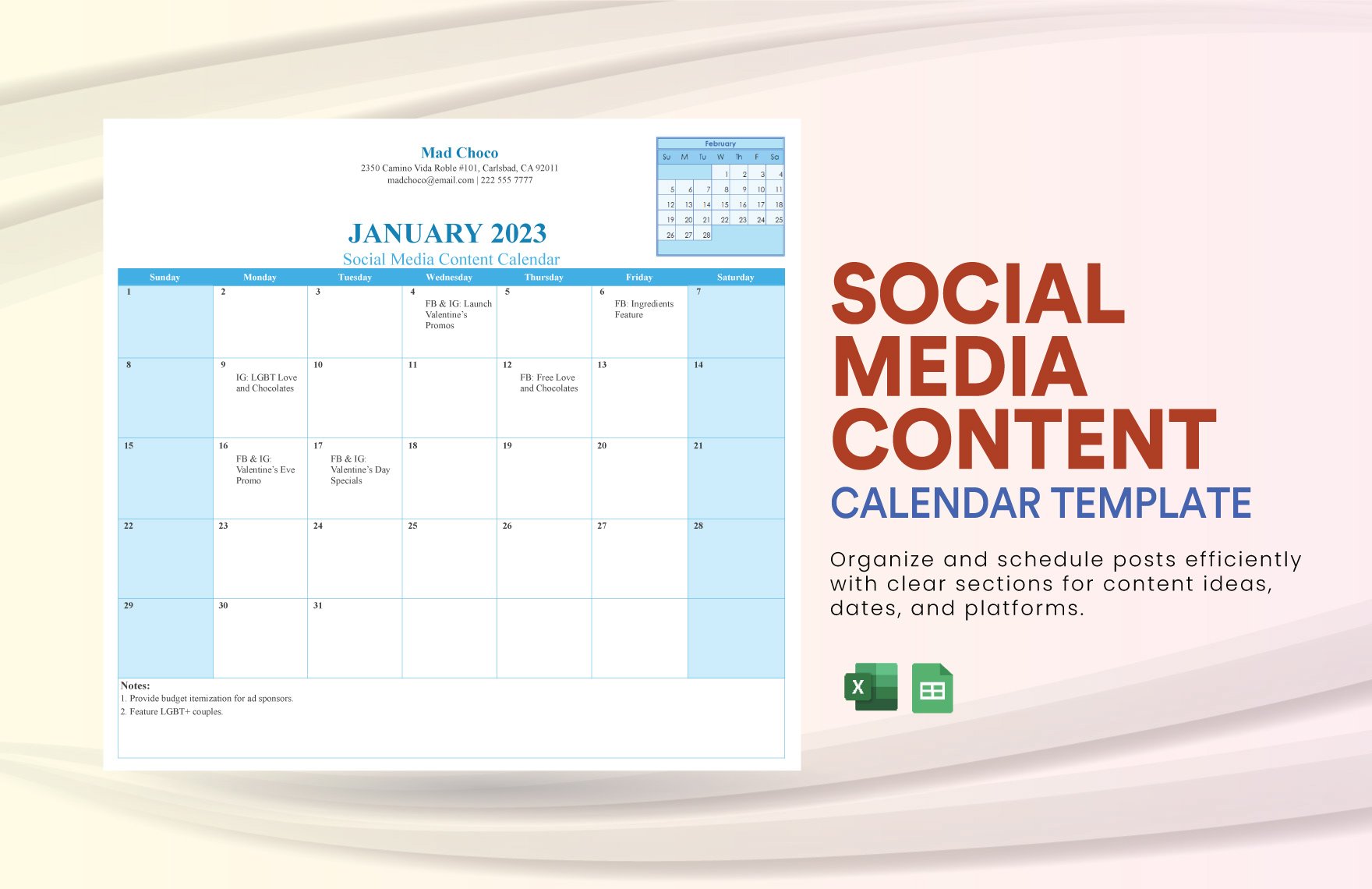
Setting Up Your Content Calendar Template
Once you've chosen a format, it's time to set up your content calendar template. Here are the essential columns and rows you should include:
Date: This column should include the date and time of each post.
Platform: This column should include the social media platform(s) where the post will be published.
Post Type: This column should include the type of post, such as image, video, or text-only.
Content: This column should include the actual content, such as the caption, image, or video.
Engagement: This column should include any engagement metrics, such as likes, comments, or shares.
Example of a Content Calendar Template
Here's an example of what a content calendar template might look like:
| Date | Platform | Post Type | Content | Engagement |
|---|---|---|---|---|
| 2023-02-01 | Image | Happy February! | 100 likes, 20 comments | |
| 2023-02-02 | Text-only | What's your favorite winter activity? | 50 likes, 10 replies | |
| 2023-02-03 | Video | Check out our latest product demo! | 200 views, 30 comments |
Creating a Content Calendar Schedule
With your content calendar template set up, it's time to create a schedule. Here are a few tips to keep in mind:
Post consistently: Aim to post at least 3-5 times per week on each platform.
Mix up your content: Vary your post types, such as images, videos, and text-only posts.
Consider your audience: Think about your audience's preferences and schedule your posts accordingly.
Example of a Content Calendar Schedule
Here's an example of what a content calendar schedule might look like:
Monday: Facebook image post at 10am, Twitter text-only post at 2pm
Tuesday: Instagram video post at 11am, LinkedIn text-only post at 3pm
Wednesday: Facebook video post at 10am, Twitter image post at 2pm
Measuring Success and Adjusting Your Content Calendar
Finally, it's essential to measure the success of your content calendar and adjust it accordingly. Here are a few metrics to track:
Engagement: Track likes, comments, shares, and other engagement metrics.
Reach: Track the number of people who view your posts.
Conversions: Track any conversions, such as sales or sign-ups.
Tips for Adjusting Your Content Calendar
Here are a few tips for adjusting your content calendar:
Analyze your metrics: Use your metrics to identify what's working and what's not.
Adjust your schedule: Adjust your posting schedule based on your metrics.
- Experiment with new content: Try new post types, such as live videos or stories.
Frequently Asked Questions
Q: What is a social media content calendar template?
A social media content calendar template is a tool that helps you plan, organize, and schedule your social media content in advance.
Q: Why do I need a social media content calendar template?
A social media content calendar template helps you streamline your posting schedule, ensure consistency, and boost engagement.
Q: How do I create a social media content calendar template?
You can create a social media content calendar template using a spreadsheet, calendar app, or project management tool. Consider your collaboration, customization, and integration needs.
Q: What should I include in my content calendar template?
Your content calendar template should include essential columns and rows, such as date, platform, post type, content, and engagement metrics.
Conclusion
Creating a social media content calendar template is a practical way to streamline your posting schedule and boost engagement. By choosing the right format, setting up your template, creating a schedule, measuring success, and adjusting your calendar, you can ensure a consistent and engaging social media presence. With these five useful things to know, you're ready to create a content calendar template that works for you and your team.
Related: What to Know About Best Online Course Platforms
Related: 5 Useful Things to Know About Creating a Content Calendar
Related: Design Tools Free Online
