
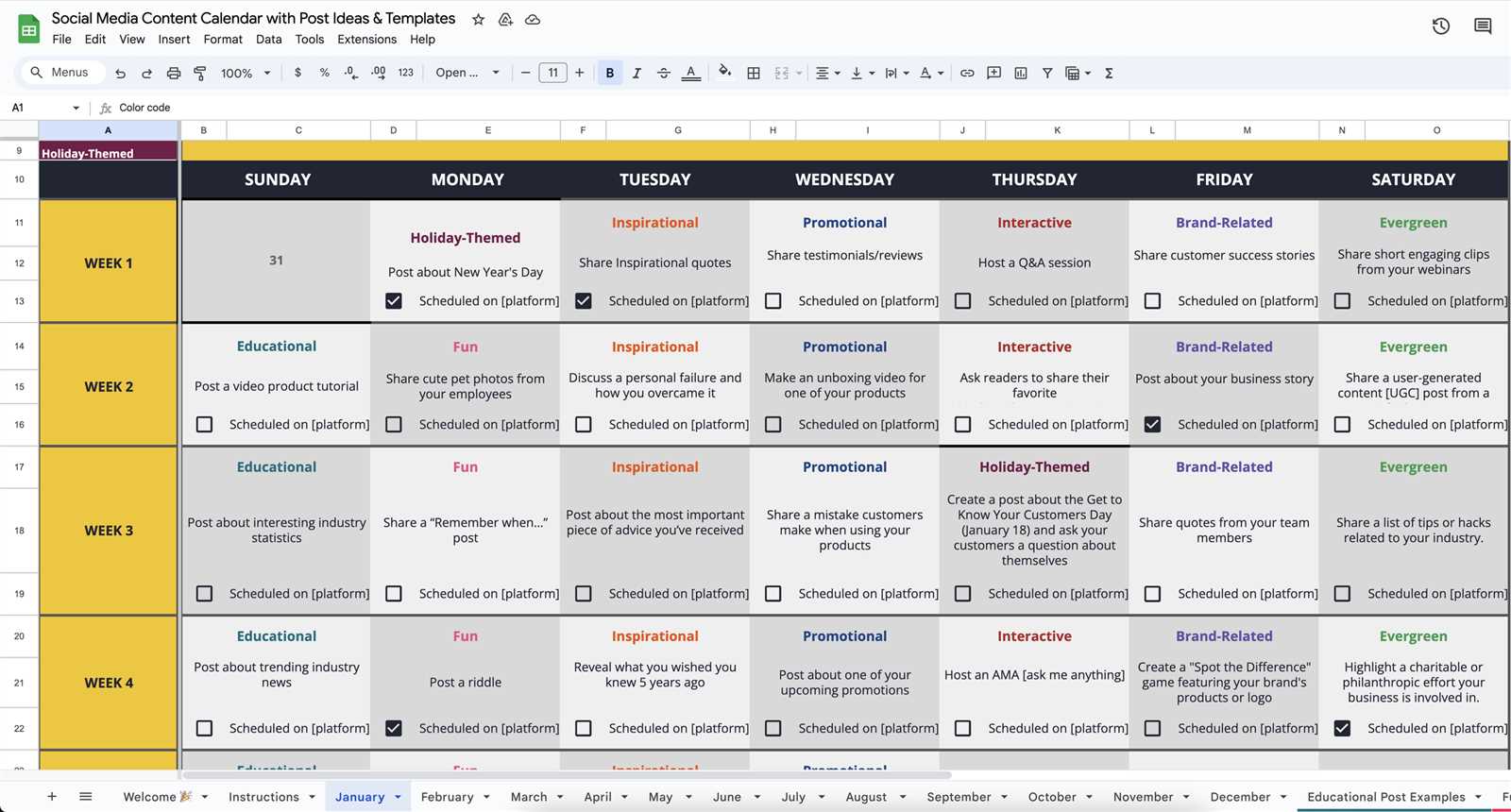
What is a Content Calendar and Why Do You Need One?
A content calendar is a visual representation of your content plan, outlining what content will be published, when, and on which channels. It's a crucial tool for marketers, bloggers, and businesses to organize and schedule their content in advance. With a content calendar, you can ensure consistency, reduce last-minute scrambles, and improve collaboration among team members.
Benefits of Using Canva for Your Content Calendar
Canva is a popular design platform that offers a range of templates, design tools, and collaboration features, making it an ideal choice for creating a content calendar. Here are some benefits of using Canva:
Ease of use: Canva's drag-and-drop interface makes it easy to create and customize your content calendar, even if you have no design experience.
Templates and design assets: Canva offers a wide range of pre-designed templates, icons, and graphics to help you create a visually appealing content calendar.
Collaboration features: Canva allows multiple users to edit and comment on your content calendar, making it easy to collaborate with team members.
Integration with other tools: Canva integrates with popular tools like Google Drive, Trello, and Slack, making it easy to incorporate into your existing workflow.
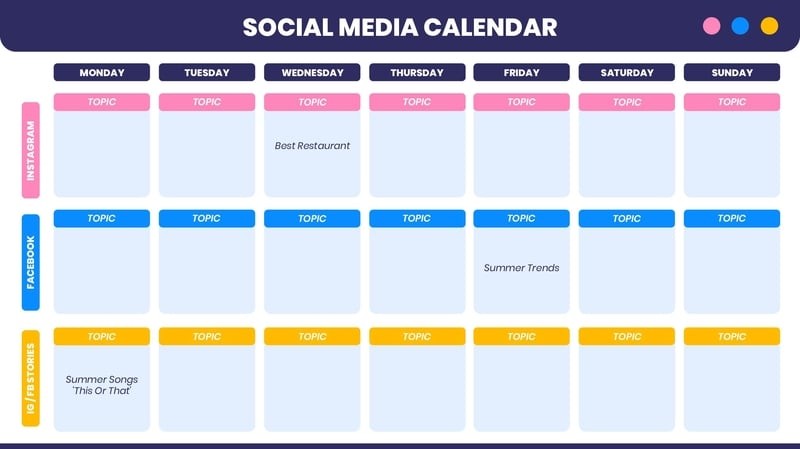
How to Create a Content Calendar Template in Canva
Creating a content calendar template in Canva is a straightforward process. Here's a step-by-step guide:
- Choose a template: Browse Canva's template library and select a content calendar template that suits your needs.
- Customize the template: Customize the template by adding your brand's colors, fonts, and logos.
- Add content columns: Add columns for content type, publication date, channel, and status to create a comprehensive content calendar.
- Add team members: Invite team members to edit and comment on your content calendar.
Tips and Best Practices for Using a Content Calendar
Here are some tips and best practices to get the most out of your content calendar:
Plan ahead: Plan your content at least 2-3 months in advance to ensure consistency and reduce last-minute scrambles.
Use a mix of content types: Include a mix of content types, such as blog posts, social media posts, and videos, to keep your audience engaged.
Track performance: Track the performance of your content to refine your content strategy and make data-driven decisions.

Common Mistakes to Avoid When Creating a Content Calendar
Here are some common mistakes to avoid when creating a content calendar:
Not involving team members: Failing to involve team members in the content planning process can lead to confusion and duplication of effort.
Not tracking performance: Not tracking the performance of your content can lead to ineffective content strategies.
Not updating the calendar: Failing to update the content calendar regularly can lead to outdated and irrelevant content.
Comparison of Content Calendar Tools
| Tool | Features | Pricing |
|---|---|---|
| Canva | Templates, design tools, collaboration features, integration with other tools | Free, $12.95/month (Pro) |
| Trello | Boards, lists, cards, collaboration features | Free, $12.50/month (Business Class) |
| Google Sheets | Spreadsheet templates, collaboration features | Free |
Canva offers a unique combination of design tools, templates, and collaboration features, making it an ideal choice for creating a content calendar.
"A content calendar is not just a planning tool; it's a strategic asset that helps you create consistent, high-quality content that resonates with your audience." - Joe Pulizzi, Content Marketing Institute
FAQs
What is the best way to create a content calendar?
The best way to create a content calendar is to use a tool like Canva, which offers templates, design tools, and collaboration features.
How do I plan my content calendar?
Plan your content calendar by identifying your content goals, brainstorming content ideas, and scheduling content in advance.
What are the benefits of using a content calendar?
The benefits of using a content calendar include consistency, reduced last-minute scrambles, and improved collaboration among team members.
Conclusion
Creating a content calendar with Canva can help you streamline your content planning and creation, ensuring consistency and reducing last-minute scrambles. By following the tips and best practices outlined in this article, you can create a comprehensive content calendar that helps you achieve your marketing goals.
With Canva's ease of use, templates, and collaboration features, you can create a content calendar that works for you and your team. Whether you're a marketer, blogger, or business owner, a content calendar is a valuable tool that can help you create high-quality content that resonates with your audience.
Related: Content Calendar Template Excel Free: What Actually Makes
Related: Website Building Contract Tips
