
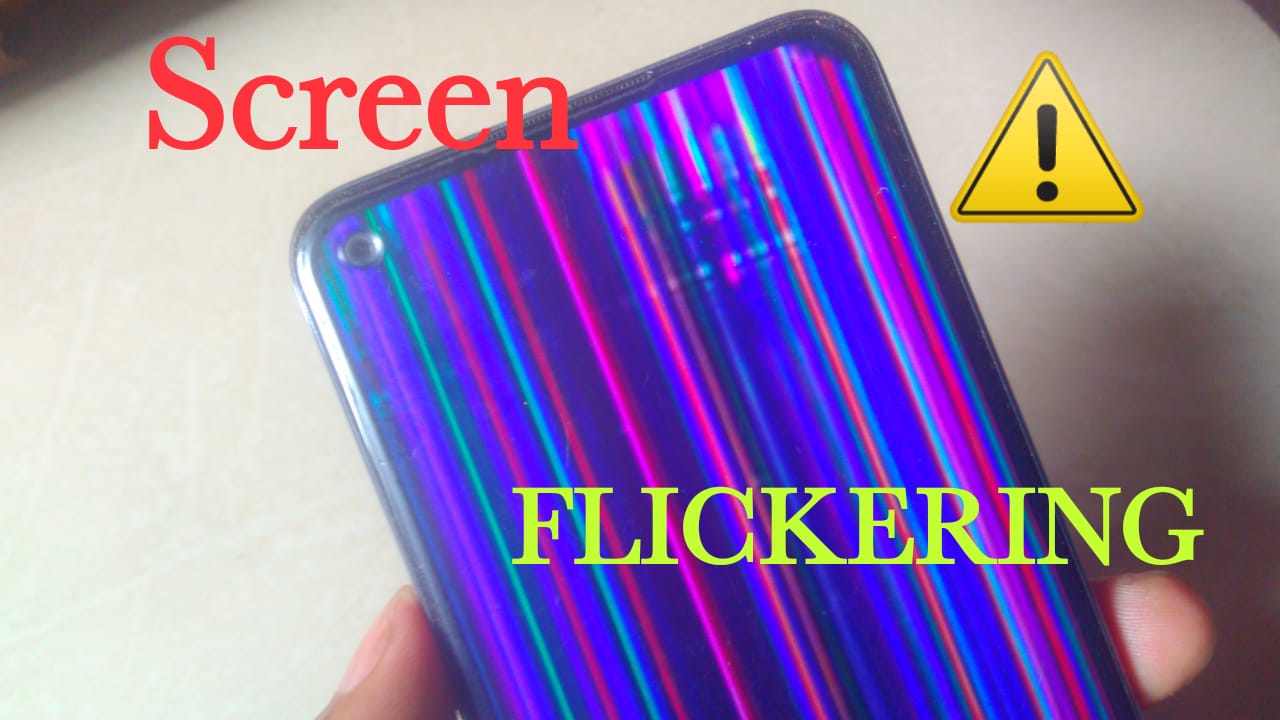
Screen flickering on your phone can be more than just an annoyance; it can disrupt your daily activities, cause eye strain, and even make you wonder if your device is on its last legs. Whether you're using your phone for work, entertainment, or staying connected with loved ones, a flickering screen can significantly hamper your experience. The good news is that in many cases, this issue can be resolved without needing to replace your phone. Let's explore five useful things to know about fixing screen flickering on your device.
Common Causes of Screen Flickering
Before diving into solutions, it's essential to understand what might be causing the screen flickering in the first place. The causes can range from simple software glitches to more serious hardware issues. Here are some common culprits:
- Software issues: Sometimes, a simple restart or software update can fix the problem.
- Hardware problems: A faulty display cable, issues with the phone's circuitry, or a damaged screen can cause flickering.
- Incompatible apps: Certain apps might not be optimized for your device, leading to display issues.
- Physical damage: Dropping your phone or exposing it to water can lead to screen flickering.
Adjusting Your Display Settings
One of the simplest solutions to screen flickering is adjusting your display settings.
Lowering Screen Refresh Rate
Some phones allow you to adjust the screen refresh rate. A higher refresh rate can sometimes cause flickering, especially if your device's hardware isn't equipped to handle it smoothly. Try reducing the refresh rate:- Go to your phone's Settings.
- Look for Display or Screen settings.
- Find the Refresh Rate option and reduce it (if available).
Disabling Adaptive Brightness
Adaptive brightness can also cause screen flickering. This feature adjusts your screen's brightness based on the ambient light. While useful for battery life, it can sometimes lead to flickering:- Navigate to Settings > Display.
- Look for Adaptive Brightness or Auto-Brightness and toggle it off.
Updating Your Phone's Software
Keeping your phone's software up to date is crucial. Manufacturers often release updates that fix bugs and improve performance, including display issues.
- Go to Settings > System > Software Update.
- If an update is available, download and install it.

Identifying and Removing Problematic Apps
Certain apps can cause screen flickering, especially if they're not well optimized for your device.
How to Identify Problematic Apps
To find out if an app is causing the issue:- Boot your phone in Safe Mode. This will disable all third-party apps.
- If the flickering stops, then it's likely caused by one of your downloaded apps.
- Gradually enable apps one by one and monitor for the flickering to return.
Removing or Updating Problematic Apps
Once you've identified a problematic app:- Go to Settings > Apps or Application Manager.
- Find the app and select it.
- Choose the Uninstall or Update option if available.
When to Seek Professional Help
If you've tried the above steps and the screen flickering persists, it may be time to seek professional help.
Warranty and Repair Options
If your phone is still under warranty, contact the manufacturer or your carrier for repair or replacement options. If not, consider visiting a reputable repair shop. They can diagnose the issue and offer a solution, which might range from repairing the display cable to replacing the screen.Before You Go
Before handing over your device for repair, make sure to:
- Back up your data.
- Remove any accessories or cases.
- Clean the screen.
Frequently Asked Questions
Q: Can screen flickering be caused by a virus?
While it's rare, certain malware can cause screen flickering. Running a full scan with a reputable antivirus app can help rule this out.
Q: Will a factory reset fix screen flickering?
A factory reset can resolve software-related issues, including screen flickering. However, it will erase all data on your device, so make sure to back up your data first.
Q: Can I fix screen flickering on my phone at home?
For software-related issues, yes. However, for hardware problems, it's best to seek professional help.
Closing
Dealing with a flickering phone screen can be frustrating, but in many cases, the issue can be resolved without a costly trip to the repair shop. By understanding the common causes, adjusting your display settings, keeping your software up to date, identifying problematic apps, and knowing when to seek professional help, you can enjoy a flicker-free experience on your device.
Related: Crafting a Social Media Content Calendar for Consistent
